







Sign up

Free AI Motion Capture

From Video or Text to 3D Animation

Get started
QuickMagic

Create 3D Animation by QuickMagic

QuickMagic for streamlined 3D animation creation. Turn videos, text prompts, and motion references into production-ready 3D animation data for games, MMD, VTubers, digital humans, robotics, and creative content production.

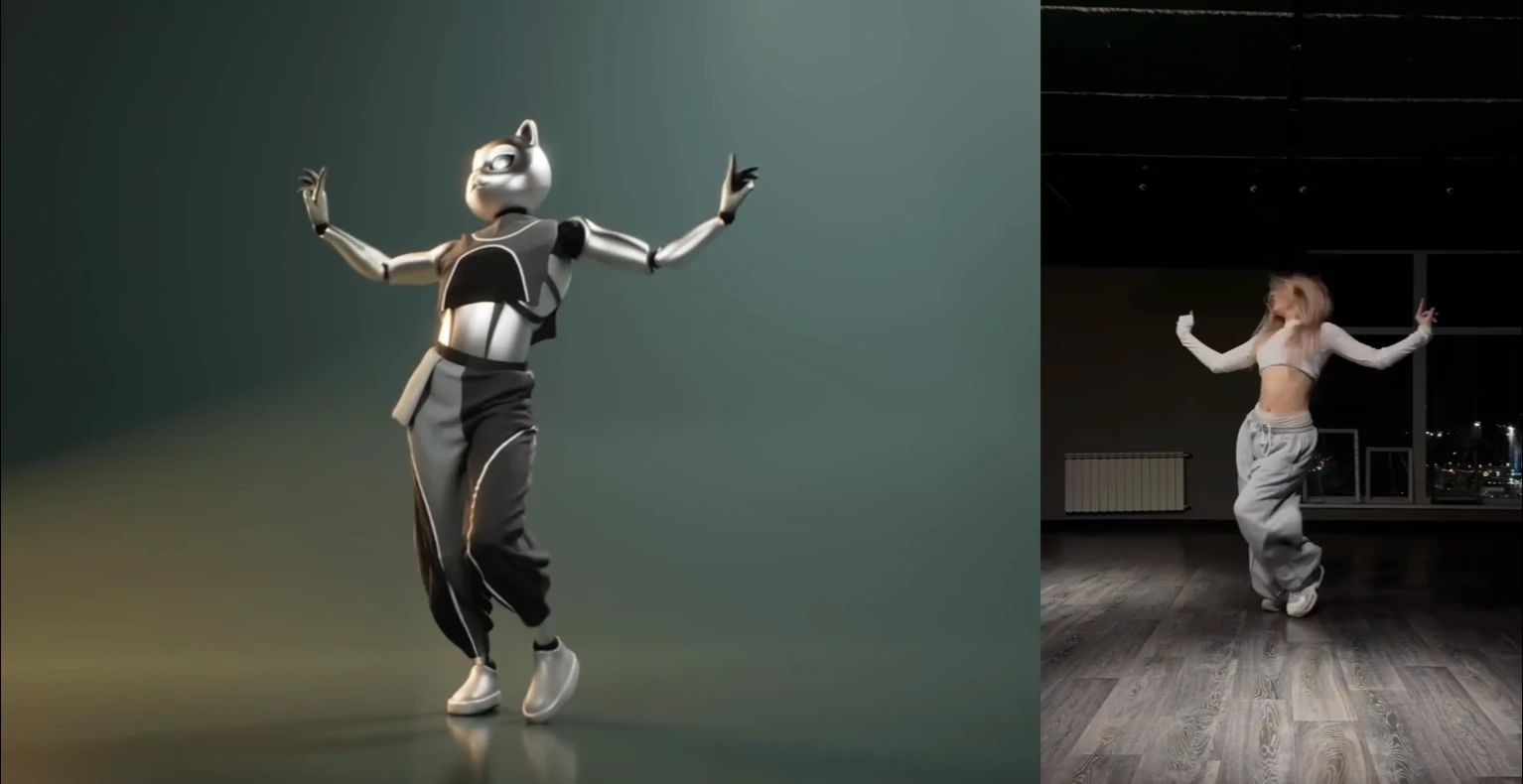
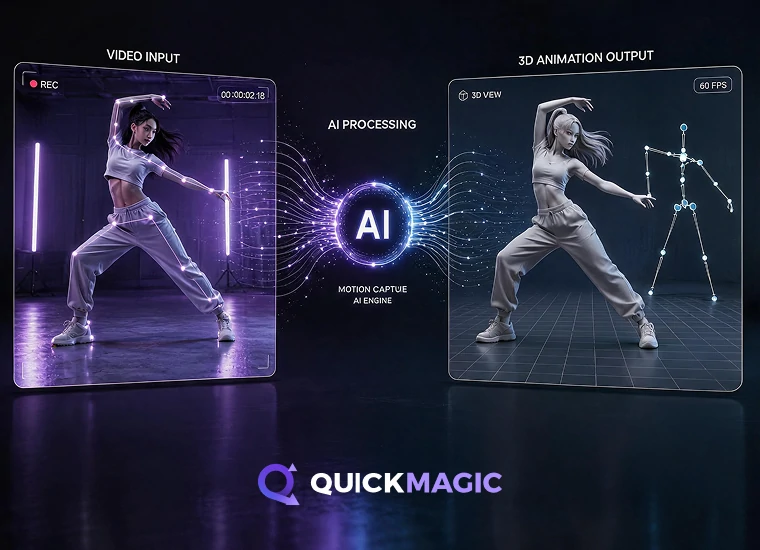
AI video to 3D animation motion capture converting human movement from dance, sports, and action videos into 3D motion data

Video to 3D Animation

Upload dance, sports, acting, fighting, or reference videos and convert them into clean 3D animation data. QuickMagic Mocap captures body, hand, and facial motion from regular footage with no sensors, suits, markers, or optical camera setup required.

Supports:

  • Full-body, upper-body, hand, and facial motion capture
  • Single- and multi-subject tracking
  • Static or moving camera footage
  • Custom first-frame pose and multi-frame-rate output
  • Static/global tracking modes and anti-penetration correction
Learn More

Mocap for Robotics & Embodied AI

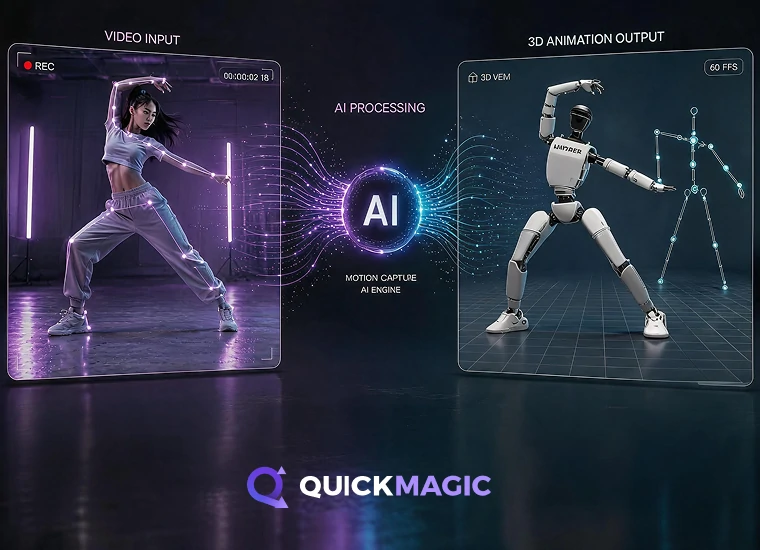
Create human motion and animation data for robotics, embodied AI, humanoid agents, and robot simulation. QuickMagic uses Video Mocap and Text Mocap to generate human motion references for training, testing, imitation learning, and behavior design, with support for Unitree G1, H1, and H1_2 motion formats.

Supports:

  • Motion data for robotics and embodied AI
  • Unitree G1, H1, and H1_2 motion formats
  • Video Mocap and Text Mocap inputs
  • Human motion references for simulation and testing
  • Useful for imitation learning and behavior design
Learn More
AI motion capture for robotics and embodied AI generating human motion data for humanoid robot simulation and training
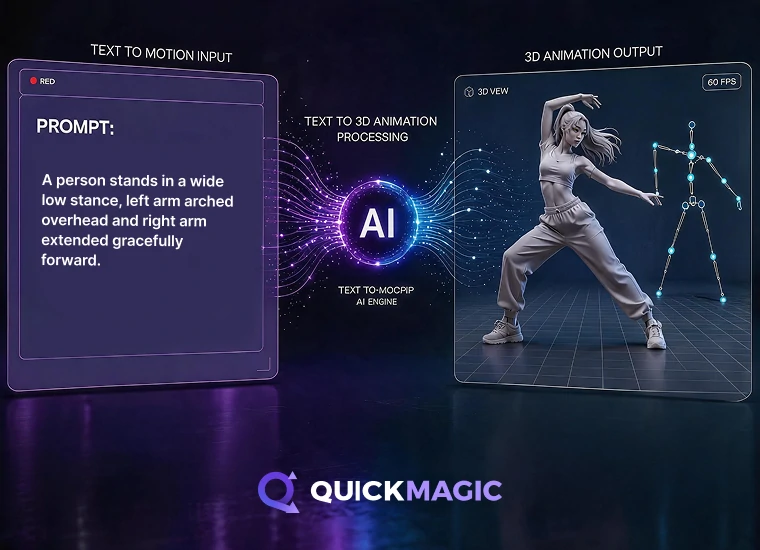
AI text to 3D animation generating motion data from text prompts for characters, games, and humanoid agents

Text to 3D Animation

Generate mocap-style 3D animation data from text prompts. Describe an action, pose, or performance idea, and QuickMagic creates a motion draft for character animation, games, MMD, VTubers, embodied AI, and further editing. This Text to Motion workflow helps creators generate animation ideas without video input.

Supports:

  • Text Mocap, Text to Motion, and Text to 3D Animation generation
  • Action, pose, and performance prompts
  • Fast 3D animation drafts without video input
  • Motion ideas for characters and humanoid agents
  • Editable animation data for refinement
Learn More
3D animation data export to FBX format for Unreal Engine

Export to Your
3D Animation Pipeline

Export animation files and motion data in FBX, BVH, BIP, C4D, VMD, Mixamo, UE4 / UE5.5 / UE5.6, CC & iClone, Roblox, OnlyFace, and UniRobot formats.

Use QuickMagic Mocap across Blender, Unreal Engine, Unity, Maya,
3ds Max, MikuMikuDance, iClone, MotionBuilder,
and other 3D animation tools

AI Motion Capture & 3D Animation Examples

Watch creator videos using QuickMagic Mocap for dance, character animation, MMD, games, and digital content production. See how real videos are transformed into clean 3D animation data for different creative workflows.
Charlie DriscollCharlie Driscoll
Quickmagic.Ai might be the best single camera AI mocap solution I have seen or used.
Watch Video
DefontenDefonten
In this video, I test out QuickMagic AI - turning simple videos I filmed in my room into full motion capture animations. I’ll show you the complete workflow: recording, uploading to QuickMagic, downloading FBXs, and importing them into Unreal Engine to retarget onto free Paragon characters.
Watch Video
CascadeurCascadeur
We used QuickMagic for the video mocap, then retargeted the animation in Cascadeur, used Animation Unbaking and Fulcrum Motion Cleaning tools to set up a solid base, then used AutoPosing to fix and edit the poses, and finally a touch of AutoPhysics to add secondary motion and bring the whole animation together
Watch Video
Just a Simple CavemanJust a Simple Caveman
HALLOWEEN IS COMING, and what better way to celebrate than with "The Monster Mash!" I created this video using a video uploaded to @QuickMagic_cn AI mocap, and within a few minutes - Bingo-Bango! Completed cool animation ready to be used in UEFN!
Watch Video
Oby 1Oby 1
Ai Mocap is Good Now??
Watch Video
R2 StudioR2 Studio
A lot of hard work, and a lot of help using @QuickMagic_cn to generate my mocaps for thisanimation, and to be clear, I've used a mix of manual Animation and MOCAP 8:56 a.m. · March 21, 2025 291
Watch Video
iCloneiClone
Transform ordinary videos into precise, editable 3D motions with full-body, upper-body, and finger tracking — all seamlessly integrated into iClone.
Watch Video
RyanReosRyanReos
Queen Marika spin ✨ Animation converted from mocap with @QuickMagic_cn and clean up with @Cascadeur_soft
Watch Video
Dance with MikuDance with Miku
QuickMagic Ai might be the best single camera Al mocap solution I have seen or used. In this video, I use Quickmagic to pull a long running animation from a video shot on a smartphone. The animation is then brought into Unreal Engine 5, and applied to a metahuman, for use in a medieval battle scene.
Watch Video
CinemonsterCinemonster
I had started with Move One and I have to admit...it wasn't great when it launched. The animation was super jittery. Good for background characters and simple animations (like cheering or gestures) but that' s it…
Watch Video
Charlie DriscollCharlie Driscoll
Quickmagic.Ai might be the best single camera AI mocap solution I have seen or used.
Watch Video
DefontenDefonten
In this video, I test out QuickMagic AI - turning simple videos I filmed in my room into full motion capture animations. I’ll show you the complete workflow: recording, uploading to QuickMagic, downloading FBXs, and importing them into Unreal Engine to retarget onto free Paragon characters.
Watch Video
CascadeurCascadeur
We used QuickMagic for the video mocap, then retargeted the animation in Cascadeur, used Animation Unbaking and Fulcrum Motion Cleaning tools to set up a solid base, then used AutoPosing to fix and edit the poses, and finally a touch of AutoPhysics to add secondary motion and bring the whole animation together
Watch Video
Just a Simple CavemanJust a Simple Caveman
HALLOWEEN IS COMING, and what better way to celebrate than with "The Monster Mash!" I created this video using a video uploaded to @QuickMagic_cn AI mocap, and within a few minutes - Bingo-Bango! Completed cool animation ready to be used in UEFN!
Watch Video
Oby 1Oby 1
Ai Mocap is Good Now??
Watch Video
R2 StudioR2 Studio
A lot of hard work, and a lot of help using @QuickMagic_cn to generate my mocaps for thisanimation, and to be clear, I've used a mix of manual Animation and MOCAP 8:56 a.m. · March 21, 2025 291
Watch Video
iCloneiClone
Transform ordinary videos into precise, editable 3D motions with full-body, upper-body, and finger tracking — all seamlessly integrated into iClone.
Watch Video
RyanReosRyanReos
Queen Marika spin ✨ Animation converted from mocap with @QuickMagic_cn and clean up with @Cascadeur_soft
Watch Video
Dance with MikuDance with Miku
QuickMagic Ai might be the best single camera Al mocap solution I have seen or used. In this video, I use Quickmagic to pull a long running animation from a video shot on a smartphone. The animation is then brought into Unreal Engine 5, and applied to a metahuman, for use in a medieval battle scene.
Watch Video
CinemonsterCinemonster
I had started with Move One and I have to admit...it wasn't great when it launched. The animation was super jittery. Good for background characters and simple animations (like cheering or gestures) but that' s it…
Watch Video

AI Motion Capture & 3D Animation FAQ

What is QuickMagic Mocap?

QuickMagic Mocap is a free AI motion capture tool that extracts human movement from videos, text prompts, and other inputs, then converts it into digital motion data for 3D animation, games, MMD projects, VTubers, and creative production workflows.

Is QuickMagic Mocap free?

Yes. QuickMagic Mocap offers a free way to start creating AI motion capture and 3D animation from video or text. You can try the core workflow before choosing a paid plan for more usage, export options, or advanced features.

Do I need sensors or a motion capture suit?

No. QuickMagic Mocap works without sensors, mocap suits, markers, or optical camera systems. You can upload regular videos and generate 3D animation data with AI.

What video input does QuickMagic support?

QuickMagic Mocap supports regular video footage for dance, sports, acting, fighting, character reference, and other motion scenarios. You can upload videos and turn human movement into 3D animation data for animation and game production workflows.

Which formats and software can I export to?

You can export motion data in multiple animation formats, including FBX, BVH, BIP, C4D, VMD, Mixamo, UE4 / UE5.5 / UE5.6, CC & iClone, Roblox, OnlyFace, and UniRobot. These files can be used across common 3D animation and game production workflows, including Blender, Unreal Engine, Unity, Maya, 3ds Max, MikuMikuDance, iClone, MotionBuilder, and other supported tools.

Who is QuickMagic Mocap for?

QuickMagic Mocap is built for animators, game developers, VTubers, MMD creators, digital artists, robotics teams, embodied AI researchers, studios, and content teams that need a faster way to create 3D character animation.

Can QuickMagic create 3D animation from text?

Yes. QuickMagic can turn text prompts into mocap-style 3D animation drafts. Describe an action, pose, or performance idea, and use the generated motion as a starting point for character animation, game prototyping, MMD projects, VTuber content, embodied AI workflows, or further editing in your 3D workflow.