





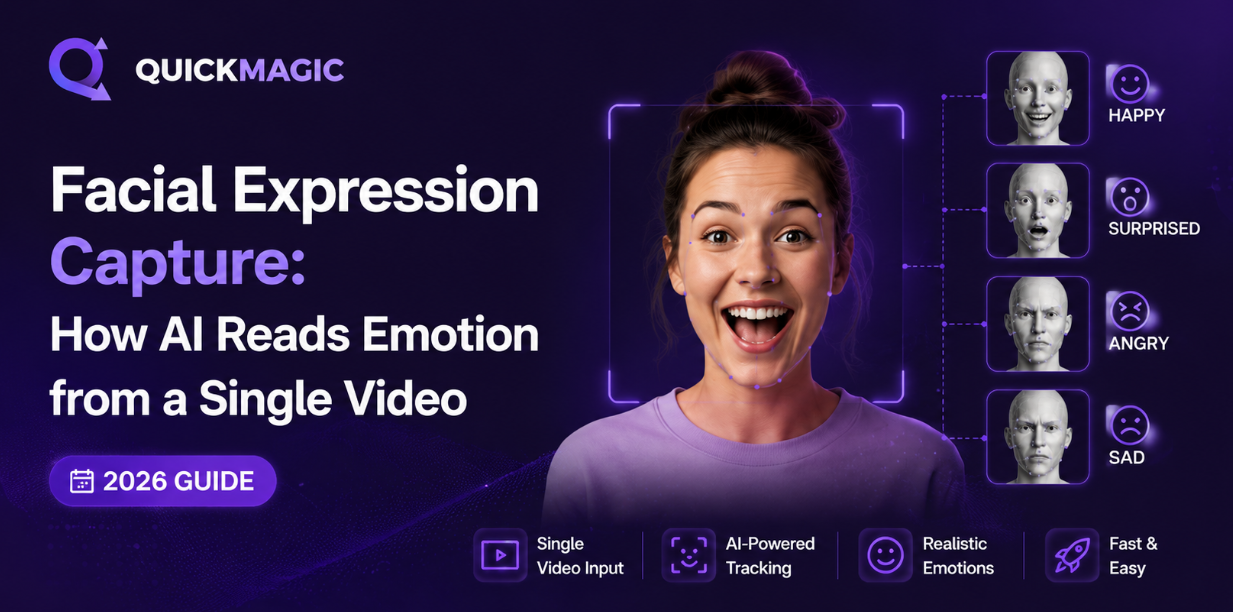
Facial Expression Capture: How AI Reads Emotion from a Single Video
A complete guide to AI-powered facial expression capture — from the science of FACS Action Units to choosing the right emotion mocap tool for your project.
AI facial expression capture can extract subtle emotional data — eyebrow raises, micro-expressions, lip movements — from a single monocular video, no depth sensor or special hardware required. Tools like QuickMagic, Rokoko Face Capture, and Epic's Live Link Face use deep learning models trained on millions of facial images to track 468+ facial landmarks and 52 ARKit blendshapes in real time or from pre-recorded footage. For indie developers and solo animators: you can get started for free with webcam or phone-based capture and export blendshape data directly to Blender, Unreal Engine, Maya, or Unity via FBX. For studios: production-grade tools like Faceware Studio and MetaHuman Animator deliver sub-millimeter precision for film-quality results. This guide covers the science behind AI emotion mocap, compares 8 tools across price/accuracy/ecosystem, and walks through a practical workflow from recording to a fully animated 3D character.
What Is Facial Expression Capture?
Facial expression capture (also called emotion mocap or AI face tracking) is the process of digitally recording a person's facial movements — eyebrow raises, eye blinks, mouth shapes, jaw motion, cheek movements — and translating them into animation data that drives a 3D character's face.
Unlike traditional marker-based facial capture (which requires dozens of reflective dots glued to an actor's face and a multi-camera rig costing $5,000–$50,000+), AI-powered facial expression capture works from standard video — a webcam, a smartphone, or even YouTube footage. No markers. No suits. No expensive studio.
The technology has exploded in accessibility over the past three years. As of 2026, you can capture facial expressions at quality levels that rival mid-tier professional studios, using tools that range from free open-source projects to $10/month cloud services. The global facial recognition market — of which expression capture is a major segment — exceeded $42 billion in 2025 (MarketsandMarkets), driven by applications in gaming, film, VTubing, virtual production, and mental health research.
Key Terms
Facial Expression Capture = recording raw facial movement data (blendshape coefficients, landmark positions).
Emotion Recognition = interpreting that data into emotional categories (happy, sad, angry, surprised). They're related but distinct — most animation tools focus on the former; research/analytics tools focus on the latter.
The Science: How AI Reads Emotion from a Video Frame
FACS — The Foundation of All Facial Capture
Every facial expression capture system, from Apple's ARKit to MetaHuman Animator, traces its lineage back to the Facial Action Coding System (FACS). Developed by psychologist Paul Ekman in the 1970s, FACS is a comprehensive taxonomy of human facial movement. It defines 46 Action Units (AUs) — individual muscle movements that, in combination, produce every possible facial expression.
Here are some key FACS Action Units and what they represent:
- AU1 — Inner Brow Raiser: The inner corners of the eyebrows lift. Key component of surprise and fear.
- AU4 — Brow Lowerer: Eyebrows pulled together and downward. Essential for anger and concentration.
- AU6 — Cheek Raiser: Cheeks lifted, causing crow's feet. Distinguishes a genuine (Duchenne) smile from a fake one.
- AU9 — Nose Wrinkler: The bridge of the nose scrunches. Common in disgust expressions.
- AU12 — Lip Corner Puller: Corners of the mouth pulled upward and outward. The core of any smile.
- AU15 — Lip Corner Depressor: Mouth corners pulled down. Key to sadness and frown expressions.
- AU26 — Jaw Drop: The jaw opens downward. Ranges from slight (speaking) to wide (surprise, shock).
In traditional facial mocap, each AU was tracked by physical markers placed at specific facial positions. In AI-based systems, these AUs are inferred from pixel patterns in video frames using deep convolutional neural networks.
ARKit Blendshapes — The Production Standard
While FACS is the scientific foundation, Apple's ARKit 52 blendshapes have become the de facto production standard for digital facial animation. Apple's system defines 52 specific facial deformation channels — each representing a distinct movement like browDownLeft, eyeBlinkRight, jawOpen, mouthSmileLeft, or cheekPuff. Each channel outputs a value from 0.0 (neutral) to 1.0 (fully activated).
The 52 ARKit blendshapes are strongly inspired by FACS but repackaged for real-time mobile performance. They're grouped into functional clusters:
- Eye region (8 shapes): eyeBlinkLeft/Right, eyeSquintLeft/Right, eyeWideLeft/Right, eyeLookUp/Down/In/Out
- Eyebrow region (6 shapes): browDownLeft/Right, browInnerUp, browOuterUpLeft/Right
- Mouth & jaw region (24 shapes): jawOpen, mouthClose, mouthSmile, mouthFrown, mouthPucker, mouthDimple, mouthStretch, and many more
- Cheek, nose, tongue region (14 shapes): cheekPuff, cheekSquint, noseSneer, tongueOut
This standardization is what makes modern facial expression capture so interoperable. If your 3D character is rigged with the 52 ARKit blendshapes (as MetaHumans, Character Creator models, and VRoid avatars are by default), any ARKit-compatible capture tool can drive it — whether you're using an iPhone app, a webcam AI tool, or cloud-based video processing.
From Pixels to Blendshapes: The AI Pipeline
So how does an AI go from "watching a video" to "knowing your character should raise its left eyebrow by 0.73"? Here's the 3-stage pipeline:
- Face Detection & Landmark Extraction: The AI first locates the face in each frame using a face detection model (like BlazeFace or MTCNN). Once the face is found, a landmark detector identifies 468+ 3D facial landmarks — specific points like the tip of the nose, the corners of the eyes, the edge of the lips. These landmarks form a 3D mesh over the face.
- Temporal Feature Analysis: A single frame tells you a face's shape; consecutive frames tell you how it's moving. AI models (often using temporal convolutions or transformer architectures) analyze frame sequences to track how each landmark shifts over time — catching the onset of a smile, the speed of a blink, the tremor of a suppressed expression.
- Blendshape Regression: Finally, a regression model maps the landmark movements to blendshape coefficients. For each of the 52 ARKit channels, it outputs a value between 0.0 and 1.0 based on how much that particular facial action is activated. These 52 numbers, recorded at every frame (typically 30–60fps), become the animation data that drives your 3D character.
Micro-Expressions: The Holy Grail
Micro-expressions — facial movements lasting only 1/25th to 1/5th of a second — are the hardest challenge in AI face tracking. They're involuntary, revealing genuine emotion before the conscious mind can suppress it. The most advanced 2026 models (using transformer-based temporal architectures) can now detect these fleeting signals with 85%+ accuracy, opening up applications in acting analysis, psychology research, and hyper-realistic character animation.
Facial Expression Capture Tools Compared (Free to Pro)
Not all face capture tools are created equal. Here's how the major players stack up across the criteria that matter most for animators and developers.
| Tool | Method | Hardware | Blendshapes | Export | Price | Best For |
|---|---|---|---|---|---|---|
| QuickMagic | AI video upload | Any video / webcam | ARKit compatible | FBX, BIP, VMD | Free – $9.90/mo | Indie devs, solo animators, multi-format workflows |
| Live Link Face (Epic) | Real-time ARKit | iPhone (TrueDepth) | 52 ARKit | Live Link to UE | Free | Unreal Engine users, MetaHuman pipeline |
| Rokoko Face Capture | Real-time ARKit | iPhone (TrueDepth) | 52 ARKit | FBX, BVH via Rokoko Studio | Free – $27/mo | Rokoko ecosystem users, full-body+face combo |
| Faceware Studio | ML-based (webcam/video) | Any camera | Custom rig | FBX, Live Link, custom | $500+ | Professional studios, multi-engine pipelines |
| iClone AccuFACE | Real-time webcam AI | Webcam | 60 blendshapes | FBX, iClone native | $599 (perpetual) | iClone/Character Creator users, fast previs |
| DeepMotion Animate 3D | AI video upload | Any video | ARKit compatible | FBX, BVH | Free – $83/mo | Web-based workflow, no software install |
| VSeeFace + OpenSeeFace | Real-time webcam AI | Webcam | VRM/ARKit | VMC protocol | Free & Open Source | VTubers, live streaming, VRM avatars |
| MetaHuman Animator | Stereo/depth video solve | iPhone / stereo cam | Custom MetaHuman rig | Native UE | Free (UE required) | Film-quality MetaHuman facial animation |
- No markers, suits, or studio required — just a video
- Setup time: minutes vs. hours for marker-based systems
- Free and low-cost options available for indie budgets
- ARKit standard ensures cross-tool compatibility
- Works with pre-recorded footage — capture any performance, anywhere
- Extreme head angles and occlusions reduce tracking quality
- Low light = low accuracy (well-lit face is essential)
- Tongue tracking is still limited in most tools
- Beards, glasses, and face paint can interfere with landmark detection
- Not yet at Hollywood VFX precision for extreme close-ups
Why QuickMagic for Facial Expression Capture?
QuickMagic takes a unique approach to AI face tracking that makes it particularly attractive for indie developers and small teams: video-based processing instead of real-time streaming. Rather than requiring a live camera connection for the duration of a performance (which ties up your device and demands perfect lighting at the moment of capture), QuickMagic lets you upload any video — shot on your phone, pulled from a client, or even sourced from stock footage — and processes the facial data in the cloud.
This video-based approach has three key advantages:
- Iterate without re-recording: You can adjust processing parameters (frame rate, motion smoothing, anti-penetration) on the same video without asking your actor to perform again.
- Multi-format output: QuickMagic exports to FBX (for Blender/Unreal/Unity), BIP (for 3ds Max/Character Studio), and VMD (for MikuMikuDance workflows) — covering the three major animation ecosystems in one tool.
- Combined face + body + hand: Most face capture tools only do the face. QuickMagic captures full-body motion, hand/finger movement, and facial expressions from the same video — letting you animate an entire character performance from a single source file.
At $0 (Free) to $9.90/month (Starter), QuickMagic is the most cost-effective option for creators who need facial expression capture integrated with full-body motion — especially compared to DeepMotion ($15/mo), iClone AccuFACE ($599 one-time), or Faceware Studio ($500+ license).
Step-by-Step: From Video to Emotional 3D Character
Here's a practical, end-to-end workflow for capturing a facial performance and applying it to a 3D character.
Record Your Performance
Lighting is everything. Use soft, even frontal lighting — a ring light at 30% brightness positioned at eye level works well. Avoid harsh shadows across the face. Record at a minimum of 1080p/30fps (60fps is better for fast expressions). Keep the face clearly visible, avoid extreme profile angles. A plain background helps the AI isolate facial features.
Upload and Process
Upload your video to your chosen AI face capture tool. In QuickMagic, select the appropriate tracking mode (full-body with face) and adjust settings like frame rate matching and motion smoothing to your preference. Processing typically takes 2–5 minutes for a 60-second clip.
Review and Refine the Blendshape Data
Once processing is complete, review the animation in the tool's preview. Check for: eye blinks registering correctly, mouth shapes matching speech, eyebrows tracking emotional shifts. Most tools give you a 3D preview so you can spot issues before exporting.
Export to Your 3D Software
Export the animation as FBX (most universal format). This preserves all blendshape animation curves. Import into Blender, Maya, Unreal Engine, or Unity. Your character must be rigged with ARKit-compatible blendshapes for the data to map correctly. MetaHumans, Character Creator models, and most VRM avatars have these built in.
Polish in Your Engine
In your 3D software, you may want to adjust animation curves (smoothing out jitter on fast eye movements), blend multiple takes (best brow performance + best mouth performance), or add manual keyframe tweaks on top of the captured data. AI capture gives you 90% of the way — your polish gets you to 100%.
Common Facial Capture Problems & How to Fix Them
| Problem | Likely Cause | Fix |
|---|---|---|
| Jitter / shaking face | Low frame rate, poor lighting, or camera shake | Record at 60fps; stabilize camera on tripod; increase smoothing in processing settings |
| Mouth doesn't open fully | Camera angle too high; chin shadow confusing AI | Position camera at eye level; add a small light below face to eliminate chin shadow |
| No eye blinks detected | Eyelid movement too subtle for camera resolution | Use 1080p minimum; slightly exaggerate blinks; ensure eyes are well-lit |
| Eyebrows don't move | High-contrast eyebrows vs skin creating tracking loss | Reduce harsh overhead lighting; ensure even illumination across forehead |
| Face tracking lost entirely | Head turned too far (profile); hand/object occluding face | Keep face within ±45° of frontal; avoid touching face during capture; consider re-shooting |
| Blendshapes don't map to character | Character rig doesn't use ARKit-compatible naming | Rename blendshapes to ARKit standard; or use retargeting tools in your 3D software |
Pro Tip: The "Golden Three" for Clean Capture
For the cleanest facial expression capture results every time: (1) 60fps recording for smooth micro-expression tracking, (2) diffused, even lighting with no harsh shadows on the face, and (3) eye-level camera on a tripod — never handheld, never looking up or down at the subject.
Real-World Applications of Emotion Mocap
Game Development
Indie game developers use AI face tracking to bring emotional depth to character-driven games. Instead of hand-keying every eyebrow raise and lip sync frame (which can take 40–80 hours for a single cutscene), facial expression capture generates the base animation in minutes. Combined with full-body mocap, a single developer can animate a complete character performance — body, hands, and face — from one video recording session. This is particularly powerful for narrative games, visual novels, and RPGs where character emotion drives the player experience.
Film Previsualization & Virtual Production
Before committing to expensive on-set facial capture, directors use AI-based facial mocap tools to previsualize emotional beats. QuickMagic's video-based workflow is ideal here — shoot reference footage of storyboard panels being acted out, and within hours have fully animated characters performing the scene. For virtual production, real-time tools like Live Link Face stream facial data directly to Unreal Engine, letting directors see a MetaHuman actor emote in real time on an LED volume.
VTubing & Live Streaming
The VTubing community has been one of the fastest adopters of accessible facial expression capture. Tools like VSeeFace (free, open-source) and Rokoko Face Capture let streamers map their real facial expressions to 2D/3D anime-style avatars in real time. The technology has become so accessible that a streamer with a $50 webcam can compete with studios that spent $5,000 on face capture hardware just three years ago.
Academic Research & Mental Health
Beyond entertainment, emotion mocap has significant research applications. Psychologists use facial expression analysis to study emotional responses to stimuli; therapists track patient facial cues in teletherapy sessions to detect micro-expressions of distress; and affective computing researchers train


