





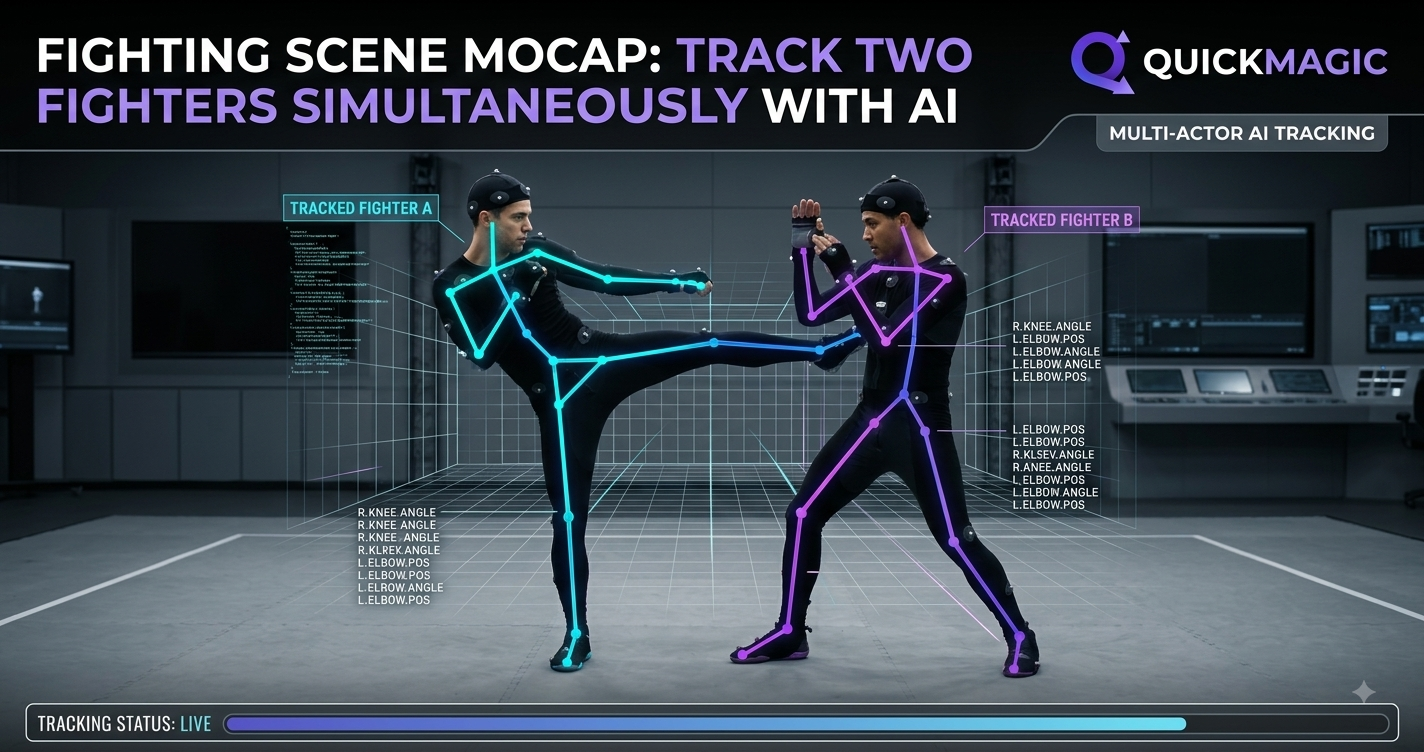
Fighting Scene Mocap: Track Two Fighters Simultaneously with AI
How modern markerless pipelines capture two performers in one take — and turn raw footage into game-ready 3D animation.
Choreographing a fight scene has always been one of the hardest jobs in motion capture. Two bodies, high speed, constant contact, and limbs that disappear behind each other every other frame. Traditional studio rigs answer this with tracking suits, reflective markers, and a dozen calibrated cameras — an expensive setup that most indie studios, VFX freelancers, and game teams simply cannot access.
That is changing. With AI Motion Capture, you can capture a full fight using nothing more than a regular video camera or a smartphone. And when the software is smart enough, you can track two fighters simultaneously without ever strapping on a suit. This article explains how, and shows where tools like Animate 3D, SayMotion, and QuickMagic fit into a modern ai 3d animation pipeline.
Why fighting scenes break ordinary mocap
A single-performer walk cycle is easy. A sparring match is not. The moment two actors close distance, their limbs overlap, the camera loses track of which hand belongs to whom, and clean marker data becomes a tangle. Suit-based systems handle this with physical markers, but they collapse the moment a marker is occluded for too long.
Markerless approaches solve the problem differently: the AI reasons about the human body as a whole. Instead of chasing dots, it predicts a plausible 3D skeleton that respects anatomy and physics. That is exactly what lets a good pipeline keep both fighters legible through a flurry of strikes.
How QuickMagic tracks two fighters at once
QuickMagic is built around Markerless Motion Capture: no suits, no markers, no lab. You film the fight with any camera, upload the clip, and the engine reconstructs full-body motion. Two capabilities matter most for combat:
- Real-Time Body Tracking — each fighter is followed frame by frame, even when one steps behind the other.
- Occlusion handling — when a limb is hidden, the AI fills the gap from context rather than dropping the joint.
- Multi-subject separation — the system assigns a distinct skeleton to each performer so retargeting stays clean.
The result is a single take that becomes two independent, editable motion tracks — perfect for games, cinematics, or Digital Humans in virtual production.
From footage to 3D: the Video to 3D Animation step
The core conversion is Video to 3D Animation. You start with fight footage, and QuickMagic outputs a skeletal animation you can drop into Blender, Unity, Unreal, or Maya. No cleanup marathon, no manual keyframing of a 12-second combo.
For teams that want to go further, the pipeline can blend captured motion with Generative 3D Motion — using AI to extend, blend, or stylize clips so a recorded jab can be turned into a reusable, parameterized attack.
Where Animate 3D and SayMotion fit
A complete ai 3d animation workflow is rarely one tool. QuickMagic handles capture and two-fighter tracking; companions extend it:
- Animate 3D — turn video into rigged character animation and preview it on standard skeletons.
- SayMotion — drive motion from text and camera input, useful for blocking out a scene before the shoot.
- QuickMagic — the capture layer that makes multi-character, markerless fight recording practical.
Together they cover the full path from idea to engine-ready asset.
Text to 3D animation: direct the fight with words
Not every beat needs a camera. With text to 3d animation, you can describe a move — "a spinning back kick followed by a low sweep" — and generate a base pose or transition to refine. It is a fast way to prototype choreography before anyone steps on set, and it pairs naturally with captured reference footage.
Motion Retargeting onto Digital Humans and game rigs
Raw capture is only useful once it lives on your character. Motion Retargeting maps the recorded skeleton onto your rig — a stylized hero, a realistic Digital Humans avatar, or a creature with non-human proportions. Good retargeting preserves the weight and timing of the fight while respecting the target mesh.
| Stage | What happens | QuickMagic role |
|---|---|---|
| Capture | Film two fighters with any camera | Markerless, multi-subject tracking |
| Convert | Video to 3D Animation | Skeleton output, occlusion handling |
| Extend | Generative 3D Motion / text to 3d animation | Blend with AI-generated beats |
| Retarget | Motion Retargeting to rigs | Clean tracks for any character |
| Deliver | Export to engine | FBX / BVH ready |
Who benefits
- Game studios — ship combat animations without a mocap stage.
- Filmmakers & VFX — previs and final Digital Humans performances from on-set phones.
- VTubers & creators — drive avatars with Real-Time Body Tracking and recorded fights.
- Indie teams — a studio-grade pipeline at a fraction of the cost.
Frequently asked questions
Can AI really track two people fighting at the same time?
Yes. With Markerless Motion Capture and Real-Time Body Tracking, QuickMagic separates each performer and keeps both skeletons stable through contact and occlusion.
Do I need motion-capture suits or markers?
No. That is the point of markerless capture — a normal camera or phone is enough.
What formats can I export?
Standard interchange formats such as FBX and BVH, ready for Motion Retargeting in your engine of choice.
Can I mix captured footage with generated motion?
Absolutely. Combine Video to 3D Animation with Generative 3D Motion and text to 3d animation to build and extend fight sequences.
Ready to capture your first fight scene?
Turn any camera into a two-fighter mocap stage with QuickMagic.
Try QuickMagic Free

