





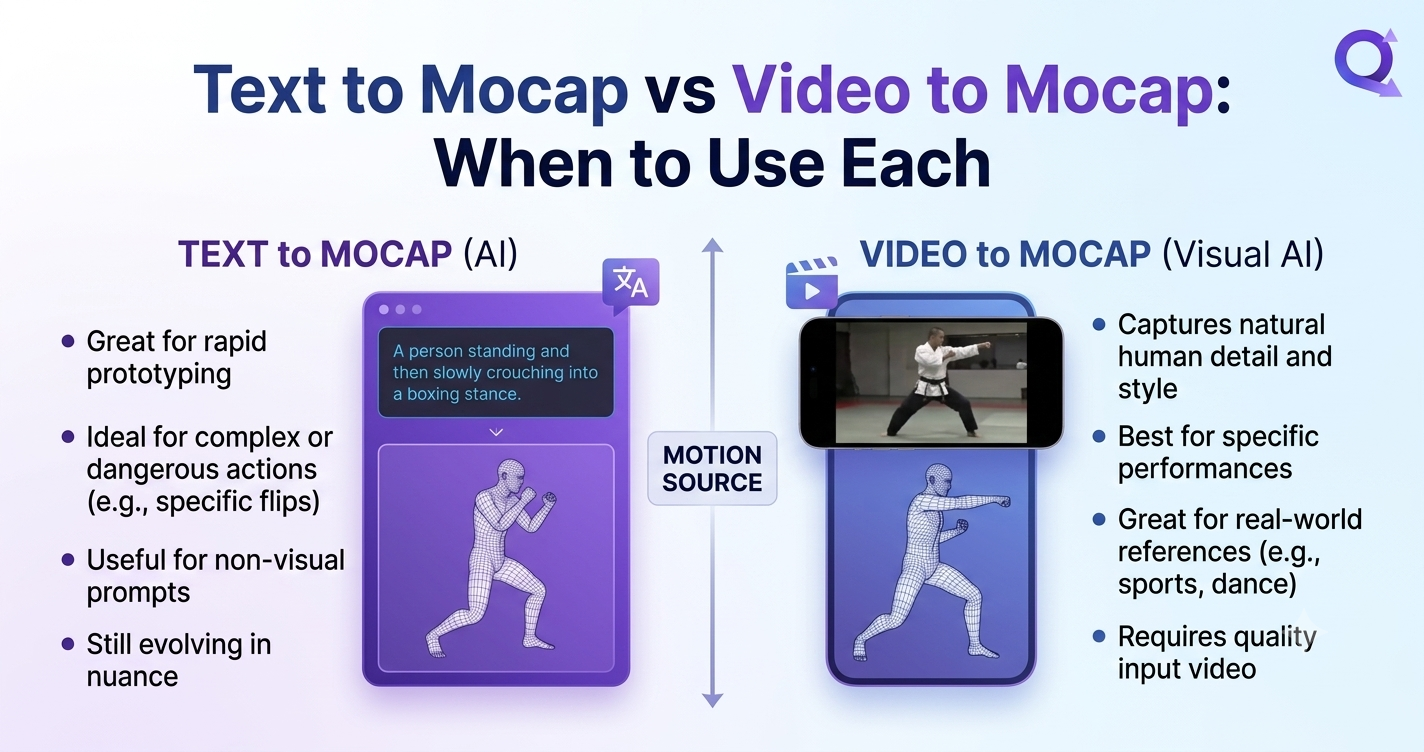
Text to Mocap vs Video to Mocap: When to Use Each
Choosing between text to 3d animation and Video to 3D Animation can make or break your production timeline. This guide breaks down both pipelines—AI Motion Capture, Markerless Motion Capture, and Real-Time Body Tracking—so you can pick the right tool for Digital Humans, games, and film.
1. What Is AI Motion Capture (and Why It Changed Everything)
AI Motion Capture is the use of machine learning to turn ordinary inputs—text prompts or standard video—into skeletal animation data, without suits, markers, or a studio. A few years ago, professional mocap meant inertial suits, optical rigs, and a clean capture stage. Today, ai 3d animation is produced from a phone recording or a single sentence.
The two dominant input modes are:
- Text to Mocap — also called text to 3d animation, where a written prompt drives Generative 3D Motion.
- Video to Mocap — also called Video to 3D Animation, where recorded footage is analyzed through Markerless Motion Capture and Real-Time Body Tracking.
Both feed the same end goal: rig-ready motion you can drop onto a character. The difference is the source of truth—your imagination versus a real performance.
2. Text to Mocap: Prompt-Driven Generative 3D Motion
Text to Mocap lets you describe a movement and receive animated motion. Type "a character waves hello, then walks forward and turns left," and a model synthesizes believable Generative 3D Motion. This is the frontier of ai 3d animation: no recording, no actor, no camera.
How text to 3d animation works
- You write a natural-language prompt (action, style, intensity, duration).
- A generative model predicts joint rotations frame by frame.
- The output is exported as FBX, BVH, or GLTF for your rig.
- Motion Retargeting maps it onto your Digital Humans or game character.
Best for
- Rapid prototyping — block out a scene in seconds before committing to capture.
- Stylized or impossible moves — fantasy motions a human can't physically perform.
- Indie creators who lack footage, actors, or a quiet space.
- Localization at scale — generate variant gestures for multiple characters quickly.
Text to Mocap trades physical realism for speed and flexibility. When the goal is "good enough, fast," it wins.
Tools in this space include prompt-driven generators and hybrid platforms. QuickMagic supports text to 3d animation alongside its video pipeline, so you can mix generated and captured motion in one project.
3. Video to Mocap: Markerless Capture from Real Footage
Video to Mocap converts a normal video—webcam, phone, or DSLR—into 3D skeletal animation. Using Markerless Motion Capture, the system estimates body joints directly from pixels, while Real-Time Body Tracking can stream that data live as you move.
How Video to 3D Animation works
- Record a performance with any camera (no suit, no markers).
- The AI detects 2D keypoints, then reconstructs a 3D pose.
- Jitter is smoothed; foot-sliding and float are corrected.
- The clean take is exported and sent through Motion Retargeting.
Best for
- Realistic performance — subtle weight shifts, acting, dance, sports.
- Digital Humans that must match a specific person's mannerisms.
- Live avatars via Real-Time Body Tracking for streaming or virtual production.
- MMD / VTuber creators who already film dance references.
Video to Mocap is unbeatable when the soul of the motion comes from a real human. It is the fastest route from "I moved" to "my character moved."
QuickMagic is built around Video to 3D Animation with Markerless Motion Capture—upload a clip and get a retarget-ready take without hardware.
4. Head-to-Head Comparison Table
| Dimension | Text to Mocap (text to 3d animation) | Video to Mocap (Video to 3D Animation) |
|---|---|---|
| Input | Written prompt | Recorded video |
| Core tech | Generative 3D Motion model | Markerless Motion Capture + Real-Time Body Tracking |
| Realism | Stylized / plausible | Photorealistic performance |
| Setup cost | Near zero | Any camera (no suit needed) |
| Speed | Seconds to generate | Minutes to capture + clean |
| Best use | Prototyping, stylized, impossible moves | Dance, acting, sports, Digital Humans |
| Hardware | None | Phone / webcam / DSLR |
| Examples | Prompt-driven ai 3d animation | QuickMagic, Animate 3D, SayMotion video flows |
5. When to Use Each (Decision Framework)
Use this simple rule of thumb:
Use Text to Mocap when…
- You need a clip in under a minute.
- The motion is stylized, cartoonish, or physically impossible.
- You have no footage or actor available.
- You're blocking out a sequence before final capture.
Use Video to Mocap when…
- Realistic human performance matters.
- You're animating dance, fight, or sports.
- You need a Digital Human to match a real person.
- You want live Real-Time Body Tracking for avatars.
Pro move: many studios now combine both. Generate a base with text to 3d animation, then refine the hero moments with Video to 3D Animation. The shared export format makes blending trivial after Motion Retargeting.
6. Tools Compared: Animate 3D, SayMotion & QuickMagic
The ai 3d animation landscape has matured fast. Three names come up most:
Animate 3D
Animate 3D focuses on video-to-animation with a browser workflow and strong export options for game engines. Great for creators already in the video pipeline who want quick, markerless results.
SayMotion
SayMotion leans into text and prompt-driven generation, letting you script motion through natural language and iterate on Generative 3D Motion without recording anything.
QuickMagic
QuickMagic is the all-in-one: it delivers Video to 3D Animation via Markerless Motion Capture, supports text to 3d animation generation, and unifies everything through Motion Retargeting onto Digital Humans and standard rigs. For teams that want both input modes without juggling two subscriptions, it is the most flexible choice.
| Tool | Text to 3d animation | Video to 3D Animation | Motion Retargeting | Best at |
|---|---|---|---|---|
| Animate 3D | Partial | Yes | Yes | Browser video mocap |
| SayMotion | Yes | Limited | Yes | Prompt-driven motion |
| QuickMagic | Yes | Yes | Yes | Unified text + video pipeline |
7. Motion Retargeting & Digital Humans
No matter which input you choose, the last mile is Motion Retargeting—mapping source motion onto a target skeleton. This is what makes ai 3d animation usable across engines (Unity, Unreal, Blender, MMD).
For Digital Humans, retargeting quality decides whether a face-to-face conversation feels alive or robotic. QuickMagic's pipeline keeps bone naming and T-pose conventions consistent so your Generative 3D Motion and captured takes both land cleanly on the same avatar.
- Real-Time Body Tracking streams retargeted motion live to a virtual avatar.
- Markerless Motion Capture keeps the source footage suit-free and cheap.
- AI Motion Capture ties text and video inputs into one animation layer.
8. FAQ
What is the difference between Text to Mocap and Video to Mocap?
Text to Mocap (text to 3d animation) generates Generative 3D Motion from a written prompt, while Video to Mocap (Video to 3D Animation) extracts motion from recorded video using Markerless Motion Capture and Real-Time Body Tracking. Use text for fast, stylized clips; use video for realistic, actor-driven performance.
Can QuickMagic do both Text to Mocap and Video to Mocap?
Yes. QuickMagic supports Video to 3D Animation via Markerless Motion Capture and also offers text to 3d animation generation, with Motion Retargeting to apply captured or generated motion onto Digital Humans and game-ready rigs.
Which is better for Digital Humans: Animate 3D, SayMotion, or QuickMagic?
Animate 3D and SayMotion excel at specific workflows, but for fast, browser-based ai 3d animation with both text and video inputs plus Motion Retargeting, QuickMagic is the most flexible all-in-one choice for Digital Humans and real-time projects.
9. Get Started with QuickMagic
Turn Any Video—or Any Idea—Into 3D Motion
QuickMagic gives you both worlds: Video to 3D Animation through Markerless Motion Capture and Real-Time Body Tracking, plus text to 3d animation for instant Generative 3D Motion. Retarget onto your Digital Humans in minutes—no suit, no studio.
Try QuickMagic Free →2025 QuickMagic. This article is for educational and promotional use. All product names are trademarks of their respective owners. Keywords covered: AI Motion Capture, ai 3d animation, Animate 3D, SayMotion, Markerless Motion Capture, Real-Time Body Tracking, Video to 3D Animation, text to 3d animation, Motion Retargeting, Digital Humans, Generative 3D Motion.


