





QuickMagic Blog · AI 3D Animation
What Is Mesh Penetration Prevention? Fixing Animation Clipping in AI 3D Animation
You captured a perfect take. The actor spins, the sword swings, the character lands — and then the forearm slides straight through the chest. That is animation clipping, and in production it is the difference between “shippable” and “send it back.” This guide explains what Mesh Penetration Prevention is, why clipping happens in modern pipelines, and how AI-driven workflows make it largely a solved problem.
What Is Animation Clipping?
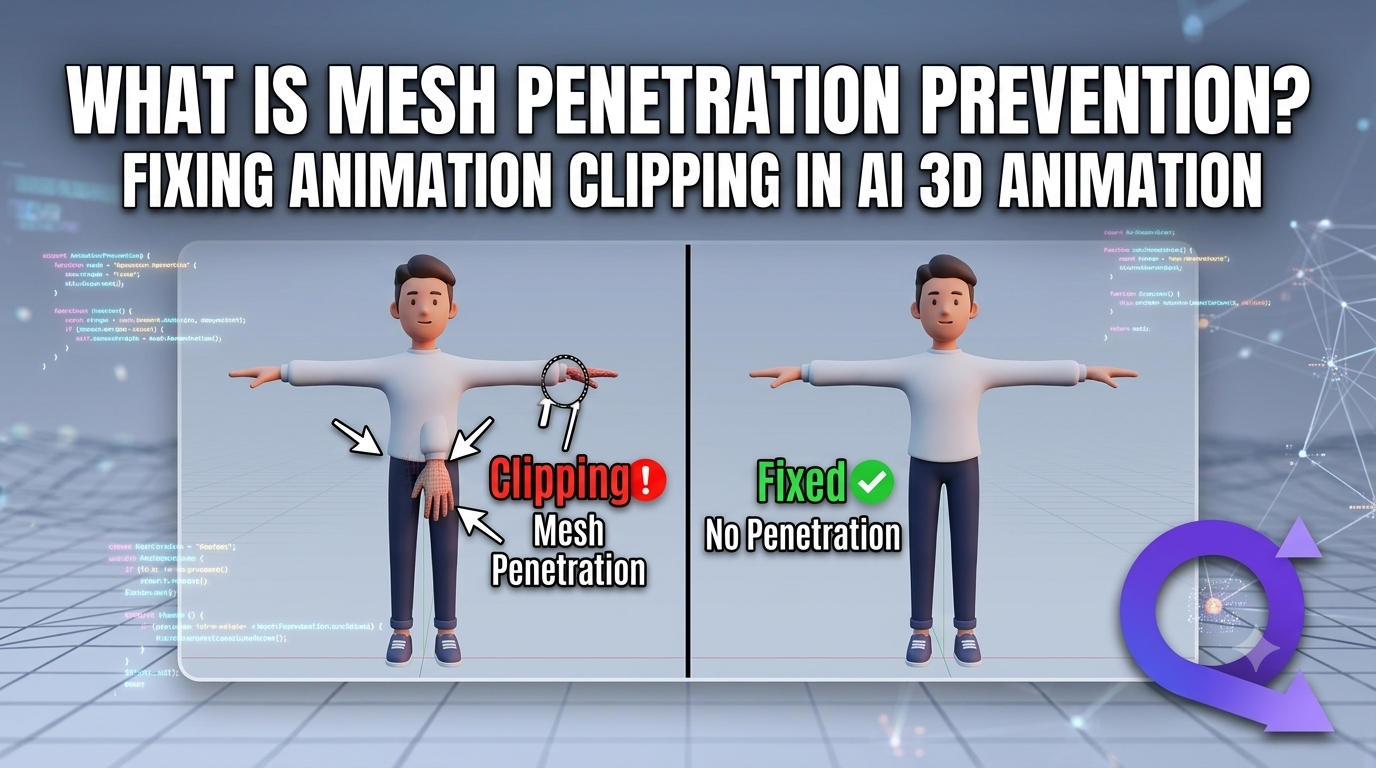
Animation clipping (also called interpenetration or mesh intersection) is when one surface of a 3D model passes through another surface of the same model — most often a limb intersecting the torso, a hand poking through a thigh, or hair clipping the shoulder. It breaks the illusion of a solid body and is especially visible in close-ups, slow motion, and when the camera is close to a Digital Human.
In traditional hand-keyframed work, clipping is a manual cleanup job. In a Video to 3D Animation or AI Motion Capture pipeline, clipping is introduced by the data itself: real-world video contains noise, occlusions, and impossible-for-a-rig poses that the solver faithfully reproduces — including the bad frames.
What Is Mesh Penetration Prevention?
Mesh Penetration Prevention is the collection of techniques that stop one mesh surface from passing through another during animation. Think of it as a “no-overlap” rule enforced on the character’s geometry: collision-aware systems detect when two surfaces are about to intersect and push them apart before the frame is rendered.
Mesh Penetration Prevention = the guardrail that keeps a rigged character’s surfaces from intersecting, whether the motion comes from AI Motion Capture, Motion Retargeting, or Generative 3D Motion.
It matters because audiences intuitively read clipping as “fake.” For games, film, virtual production, and Digital Humans in real-time chat or livestreams, a single clipped frame can shatter believability.
Why Does Animation Clipping Happen?
Understanding the cause is half the fix. In AI-driven pipelines, clipping typically comes from one of these:
- Real-world noise in Markerless Motion Capture — phone or webcam video misreads depth at the elbow or knee, producing a pose no human skeleton can hold.
- Extreme or off-balance poses — martial arts, dance, or sports moves push limbs past the rest pose the mesh was built for.
- Skeleton mismatch during Motion Retargeting — transferring motion from a tall actor rig to a short character stretches joints and drives limbs into the body.
- Jitter in Real-Time Body Tracking — low-latency tracking can twitch joint positions frame-to-frame, causing momentary overlaps.
- Self-collision in dense geometry — long hair, skirts, capes, and multi-layer clothing are structurally prone to intersecting.
How Mesh Penetration Prevention Works
There are several technical approaches, and mature pipelines combine them:
1. Collision Volumes (Capsules & Spheres)
The most common method wraps each body part in simple invisible shapes (capsules, spheres). The solver prevents these volumes from overlapping. It is cheap, stable, and ideal for Real-Time Body Tracking where you cannot afford heavy computation.
2. Constraint / Solver-Based Correction
After motion is generated, a secondary pass adjusts joint rotations so limbs stay outside the body. This is where Motion Retargeting tools shine — they can re-solve a transferred clip to respect the target character’s volume.
3. AI-Based Penetration Avoidance
The newest approach bakes prevention directly into generation. Instead of fixing clipping after the fact, models trained on valid human motion simply do not produce intersecting poses. This is the foundation of modern Generative 3D Motion and clip-aware AI 3D Animation.
4. Post-Process Cleanup
For existing clips, a cleanup pass detects intersecting frames and nudges geometry. It is a safety net, not a first line of defense — prevention beats correction every time.
The AI Advantage: From Raw Capture to Clean Motion
The reason clipping is becoming rarer is that the whole stack is now AI-assisted. Consider the typical modern workflow:
- AI Motion Capture turns a video or live feed into skeletal motion without suits or markers.
- Markerless Motion Capture removes the studio setup, so creators capture anywhere with a phone.
- Real-Time Body Tracking streams that motion live for virtual production and Digital Humans.
- Video to 3D Animation and text to 3d animation turn footage or prompts into usable clips.
- Motion Retargeting maps the capture onto any rig.
- Generative 3D Motion fills gaps, smooths outliers, and avoids impossible poses.
Tools in this space take different shapes. Animate 3D and SayMotion are well-known browser-based entry points for turning video into character animation. QuickMagic focuses on high-fidelity Video to 3D Animation and Markerless Motion Capture with clip-aware export built for games, film, and Digital Humans. All of them sit inside the same AI 3D animation ecosystem — and all benefit from Mesh Penetration Prevention.
How QuickMagic Helps You Produce Clip-Free Animation
QuickMagic is built so that the motion you export is already clean. The capture-to-rig pipeline applies penetration-aware solving, so the hand does not end up inside the torso and the foot does not sink through the floor.
- Video to 3D Animation — upload a clip, get a retarget-ready skeleton with self-collision handling.
- AI Motion Capture & Markerless Motion Capture — no suit, no markers; capture on a phone and let the solver reject impossible poses.
- Motion Retargeting — transfer to any character while respecting its volume, minimizing limb-into-body clipping.
- Generative 3D Motion — repair outliers and smooth jitter that would otherwise cause flicker.
- Digital Humans ready — output that holds up in close-ups and real-time scenes.
Step-by-Step: Fixing Clipping with QuickMagic
- Capture — record your actor with a phone or webcam (Markerless Motion Capture, no gear needed).
- Generate — run Video to 3D Animation; QuickMagic outputs clip-aware skeletal motion.
- Retarget — apply Motion Retargeting to your game or film rig; the solver keeps limbs outside the body.
- Review — scrub the timeline; penetration-prevention passes have already removed most intersections.
- Export — send FBX/GLB to Unity, Unreal, Blender, or your Digital Humans pipeline.
Best Practices to Prevent Mesh Penetration
| Practice | Why it works |
|---|---|
| Capture clean source video | Less occlusion means less impossible-pose noise for AI Motion Capture to amplify. |
| Use collision volumes on limbs | Cheap, real-time-safe guard against self-intersection in Real-Time Body Tracking. |
| Retarget before you polish | Fixing skeleton mismatch early prevents limb-into-body clipping downstream. |
| Let generation avoid bad poses | Generative 3D Motion simply does not emit intersecting frames. |
| Reserve cleanup for edge cases | Post-process only what prevention missed — faster than fixing everything by hand. |
Mesh Penetration Prevention vs. Other Fixes
| Method | When to use | Trade-off |
|---|---|---|
| Collision volumes | Real-time & games | Approximate, can feel stiff if over-tightened |
| Solver correction | Retargeting & film | High quality, more compute |
| AI avoidance (Generative 3D Motion) | Capture-to-rig pipelines | Best clean output, model-dependent |
| Manual cleanup | Final polish | Slow, not scalable |
Frequently Asked Questions
What is mesh penetration prevention in 3D animation?
Mesh Penetration Prevention is the set of techniques used to stop one surface of a 3D character from passing through another — for example, a hand sinking into the torso. It keeps rigged meshes from intersecting during motion produced by AI Motion Capture, Motion Retargeting, or Generative 3D Motion.
Why does animation clipping happen with motion capture?
Clipping usually comes from real-world noise in Markerless Motion Capture, extreme or off-balance poses, mismatched skeletons during Motion Retargeting, and jitter in Real-Time Body Tracking. These create frames where body parts overlap the mesh they should stay outside of.
How do you fix animation clipping automatically?
The fastest fix is to generate motion with a pipeline that bakes in penetration avoidance — such as QuickMagic's Video to 3D Animation and AI Motion Capture, which output clip-aware skeletal data. For existing clips, apply collision volumes, constraint solvers, or AI cleanup passes before export.
What is the difference between Animate 3D, SayMotion, and QuickMagic?
Animate 3D and SayMotion are browser-based tools in the AI motion capture space, while QuickMagic focuses on high-fidelity Video to 3D Animation and Markerless Motion Capture with clip-aware export for games, film, and Digital Humans. All belong to the broader AI 3D animation ecosystem.
Stop Fighting Clipping. Start Capturing Clean Motion.
Turn any video into clip-aware 3D animation with QuickMagic — AI Motion Capture, Video to 3D Animation, and Generative 3D Motion, with Mesh Penetration Prevention built in.
Try QuickMagic Free →Related: AI Motion Capture · Video to 3D Animation · Digital Humans · Motion Retargeting


