





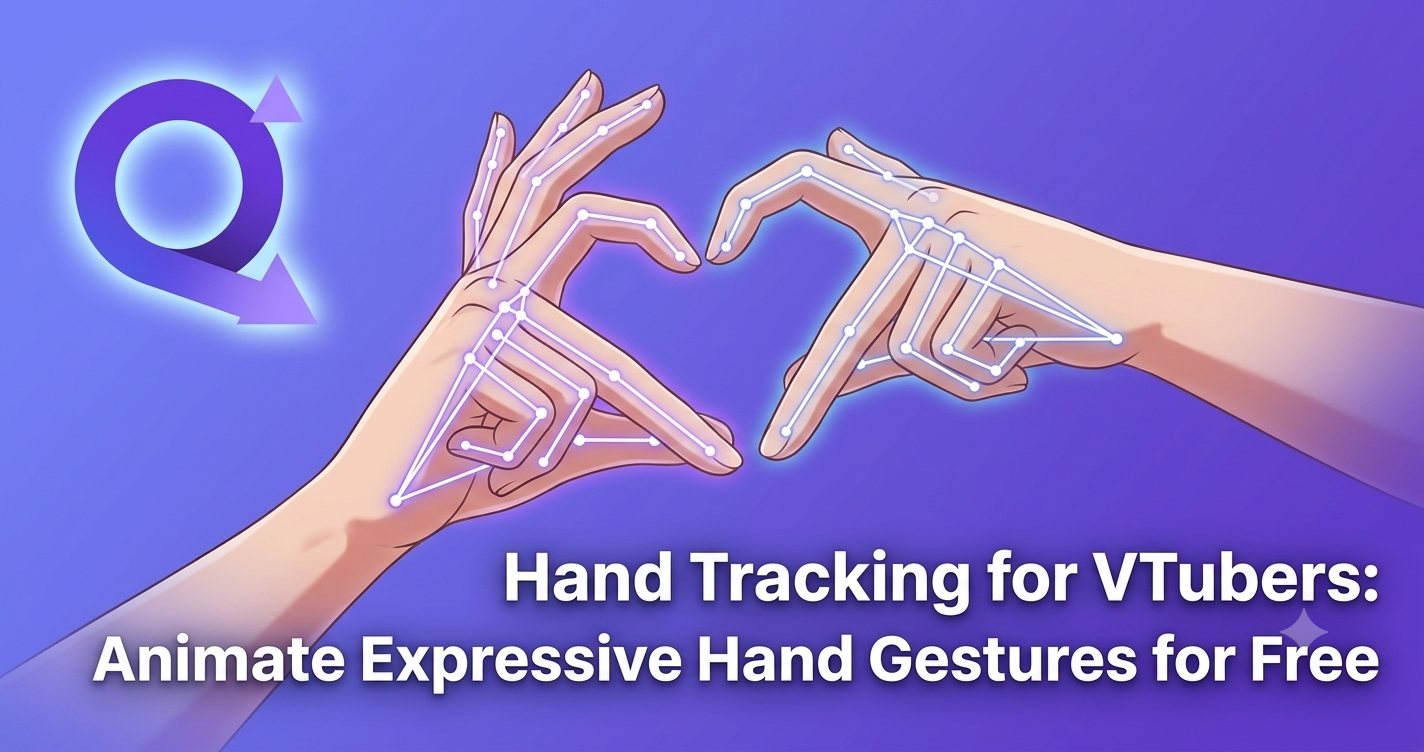
Seguimiento de manos para VTubers: anima gestos expresivos con las manos gratis
Tu cara se rastrea. Tu cabeza se inclina. Tu boca se sincroniza. Y entonces tus manos simplemente… flotan ahí como dos peces muertos. Si alguna vez has visto tu propio stream de VTuber y has sentido que faltaba algo, casi siempre es esto. Las manos concentran una enorme parte de la expresión humana, y la mayoría de los montajes de VTubing las ignoran por completo. Esta guía te muestra cómo animar gestos de manos genuinamente expresivos usando captura de movimiento con IA gratuita: sin guantes, sin Leap Motion, sin traje de mocap y sin crear keyframes a mano a las 3 de la mañana.
Lo que vas a aprender
- Por qué las manos de los VTubers se ven mal (y por qué importa)
- Todas las opciones de seguimiento de manos comparadas
- Cómo funciona realmente el seguimiento de manos con IA
- Cómo hacerlo gratis con QuickMagic
- Paso a paso: de vídeo a gestos expresivos con las manos
- Retargeting de movimiento a VRM, MMD y rigs personalizados
- Texto a animación 3D: gestos sin grabar nada
- Nueve consejos para una precisión a nivel de dedo
- QuickMagic vs Animate 3D, SayMotion y otros
- Preguntas frecuentes
Por qué las manos de los VTubers se ven mal (y por qué importa)
La mayoría del software de VTubing actual está construido en torno a la cara. Los rastreadores basados en webcam hacen un trabajo decente con las cejas, el parpadeo y las formas de la boca, y para un stream de cabeza parlante eso es genuinamente suficiente. Pero en el momento en que te pasas al baile, al canto, al ASMR, al contenido de cocina, a las reseñas de productos, a las aperturas de TCG o a los sketches narrativos, tu audiencia empieza a mirar tus manos y no encuentra nada ahí.
Los modos de fallo son predecibles:
- Manos congeladas en pose de T. El modelo tiene dedos, pero nunca se mueven. Cada gesto se lee como un maniquí sosteniendo una bandeja invisible.
- Gestos activados por bucle. Asignas un atajo de teclado a un saludo, un corazón, un señalamiento. Técnicamente son animación, pero se repiten idénticamente para siempre y los espectadores detectan el patrón en veinte minutos.
- Brazos con IK sin dedos. Algunos montajes rastrean la posición de la muñeca desde una webcam pero dejan los dedos rígidos, lo cual es posiblemente peor: brazos que se mueven más manos muertas aterrizan de lleno en el valle inquietante.
- Interpenetración. Los dedos atraviesan props, micrófonos, tazas y el propio pecho del personaje porque nada está impulsando realmente las rotaciones de las articulaciones.
Esto importa comercialmente, no solo estéticamente. Los gestos son la forma en que los humanos señalamos énfasis, calidez, duda y humor. Elimínalos y tu personaje se lee más plano y menos vivo que tu personalidad real, lo que suprime directamente el parámetro que a todo VTuber le importa: el tiempo de visualización. Los clips que circulan en TikTok y YouTube Shorts incluyen de forma abrumadora movimiento, y los momentos impulsados por las manos —el encogimiento de hombros exagerado, los dobles finger-guns, el facepalm— son desproporcionadamente aptos para convertirse en clips.
Una mano humana tiene 27 grados de libertad. Un rig típico de VTuber anima cero de ellos. Esa brecha es la mayor mejora de expresividad sin explotar disponible ahora mismo para la mayoría de los streamers.
Todas las opciones de seguimiento de manos, comparadas con honestidad
Antes de recurrir a una herramienta concreta, ayuda ver todo el panorama. Hay cinco rutas realistas hacia unas manos animadas de VTuber, y difieren enormemente en coste, fidelidad y cuánto de tu vida consumen.
| Método | Coste típico | Fidelidad de dedos | Fricción de configuración | Ideal para |
|---|---|---|---|---|
| Guantes de datos (Manus, StretchSense) | 1.500 – 8.000+ $ | Excelente | Alta: calibración, controladores, deriva en cada sesión | Estudios financiados, producción virtual |
| Leap Motion / Ultraleap | 120 – 300 $ | Buena, dentro de un cono estrecho | Media: montaje en escritorio, sensible a la luz | Streams sentado, manos cerca del sensor |
| Mandos / trackers de VR | 400 – 1.200 $ | De mala a aceptable: sobre todo presets | Media: estaciones base, peso del casco | Social en VRChat, contenido de cuerpo completo en VR |
| Keyframing manual | Gratis (cuesta tiempo) | Perfecta, si tienes habilidad | Extrema: horas por minuto de animación | Videoclips musicales pre-renderizados, cortometrajes |
| Captura de movimiento con IA desde vídeo | Plan gratuito disponible | Muy buena, mejora rápido | Baja: graba con el móvil, súbelo | La mayoría de VTubers, creadores de MMD, animadores indie |
La última fila es lo que cambió en los últimos dos años. La captura de movimiento sin marcadores impulsada por redes neuronales ha cerrado la mayor parte de la brecha con las soluciones de hardware para el tipo de gestos que los VTubers realmente realizan: movimiento conversacional de manos, coreografías de baile, manejo de props, poses tipo emote. Te grabas, el modelo infiere las rotaciones 3D de las articulaciones del cuerpo, las manos y la cara, y obtienes datos de animación editables al otro lado.
Y lo crucial: es la única opción de esa lista en la que el techo de fidelidad sube cada pocos meses sin que tú gastes ni un céntimo más en hardware.
Cómo funciona realmente el seguimiento de manos con IA
Entender el pipeline te ayuda a obtener mejores resultados, así que aquí está la versión corta sin el vocabulario de los artículos de investigación.
Paso 1 — Detección de keypoints en 2D
Una red convolucional o basada en transformers escanea cada fotograma y predice la ubicación en píxeles de puntos anatómicos de referencia: muñeca, nudillos, cada articulación de los dedos, puntas de los dedos. Para las manos esto suele ser 21 keypoints por mano. Esta etapa es la razón por la que la iluminación y el desenfoque de movimiento importan tanto: el modelo solo puede encontrar lo que es visible.
Paso 2 — Elevación de la pose a 3D
Esos puntos planos en 2D se elevan al espacio tridimensional usando un prior aprendido sobre cómo está conformada la anatomía humana y cómo pueden rotar físicamente las articulaciones. Aquí es donde un buen modelo se separa de uno malo: los dedos se ocluyen entre sí constantemente, y la red tiene que inferir posiciones plausibles para articulaciones que literalmente no puede ver.
Paso 3 — Suavizado temporal
Las estimaciones fotograma a fotograma tiemblan. Un modelo temporal observa una ventana de fotogramas para imponer continuidad, eliminando el ruido de alta frecuencia que hace que la salida en bruto parezca que el personaje tiene un problema de cafeína. Los buenos sistemas de animación 3D con IA hacen esto sin aplanar el movimiento genuinamente rápido.
Paso 4 — Resolución del esqueleto y exportación
Por último, las posiciones 3D se convierten en una jerarquía de articulaciones con valores de rotación: un esqueleto de animación real en lugar de una nube de puntos. Ese esqueleto es lo que se escribe en FBX, BVH o VMD para que tu aplicación DCC pueda leerlo.
Cómo hacerlo gratis con QuickMagic
QuickMagic es una plataforma de captura de movimiento con IA basada en navegador que estima el movimiento de cuerpo completo, manos y cara a partir de metraje corriente y lo convierte en datos de movimiento 3D editables. No hay nada que instalar, no necesitas GPU por tu parte, y el plan gratuito incluye el seguimiento de manos en lugar de ponerlo detrás de un muro de pago.
Esto es lo que el plan gratuito te da realmente, dicho sin rodeos para que puedas juzgar si encaja en tu flujo de trabajo:
| Detalle del plan gratuito | Qué significa en la práctica |
|---|---|
| 50 créditos al mes | Aproximadamente 50 segundos de movimiento capturado, renovados cada mes |
| Seguimiento de cuerpo + manos + cara | La captura a nivel de dedo no está bloqueada tras un nivel de pago |
| Duración máxima de clip de 30 segundos | Ideal para bibliotecas de gestos, emotes, fragmentos de baile, sketches cortos |
| Límite de subida de 50 MB | Comprime a 1080p H.264 y rara vez llegarás al límite |
| Exportación a FBX | Lectura universal en Blender, Unity, Unreal, Maya, 3ds Max |
| Almacenamiento de assets durante 15 días | Descarga lo que quieras con prontitud; mantén una biblioteca local |
Cincuenta segundos al mes suenan a poco hasta que piensas en términos de gestos en lugar de streams. Un saludo son dos segundos. Un encogimiento de hombros es uno y medio. Un corazón con las manos, un signo de paz, un facepalm, un gesto de "ven aquí", un rascado de barbilla pensativo: puedes guardar entre quince y veinte gestos reutilizables distintos y de alta calidad con la asignación gratuita de un solo mes, y luego activarlos con atajos de teclado para siempre. Los datos de movimiento no caducan.
Si eso se te queda corto, los niveles de pago escalan de forma sensata: Basic a 14,9 $/mes (200 créditos, clips de 60 segundos y la matriz completa de exportación que incluye VMD para MikuMikuDance, BVH, BIP, C4D, Unreal, Mixamo, Unity Anim, CC & iClone y Roblox), Pro a 49,9 $/mes (1.000 créditos, clips de 90 segundos, alta prioridad de cola) y los niveles Max/Studio para equipos que trabajan en producción de alto volumen.
Captura tu primer gesto de manos en los próximos diez minutos
Plan gratuito, sin tarjeta de crédito, con seguimiento de manos y cara incluido. Graba con tu móvil, exporta a tu rig.
Prueba QuickMagic gratis →Paso a paso: de un vídeo de móvil a gestos expresivos con las manos
Este es el flujo de trabajo completo de vídeo a animación 3D. Calcula unos quince minutos para tu primera vez y tres minutos para cada intento posterior.
- Prepara un plano limpioColoca tu móvil o webcam de forma que la parte superior de tu cuerpo y ambas manos permanezcan completamente dentro del encuadre. Usa una luz uniforme y frontal: un aro de luz o una ventana sirven. Evita la contraluz, que convierte tus dedos en siluetas y destruye la detección de keypoints. Una pared lisa detrás de ti ayuda al modelo a separarte del fondo.
- Realiza el gesto de forma deliberadaExagera un poco. Mantén el pico de cada gesto medio segundo más de lo que te parezca natural. Mantén las palmas orientadas hacia la cámara siempre que puedas, porque los dedos curvados en dirección contraria al objetivo se infieren en lugar de observarse. Graba varias tomas seguidas en un mismo clip.
- Súbelo a QuickMagicArrastra tu MP4, MOV, AVI o WebM a la interfaz de captura. Recorta solo el segmento que necesites antes de subirlo: esto ahorra créditos, ya que la facturación cuenta los segundos de metraje procesado.
- Activa el seguimiento de manos y caraEn el panel de configuración, activa explícitamente el seguimiento de manos. Selecciona a tu sujeto si aparecen varias personas, ajusta la tasa de fotogramas para que coincida con tu pipeline objetivo (30 fps para la mayoría del VTubing, 60 fps para baile) y elige el modo de cámara fija o en movimiento según cómo hayas grabado.
- Revisa la previsualización en 3DLa plataforma renderiza tu movimiento capturado sobre un esqueleto de previsualización. Orbita la cámara e inspecciona específicamente los dedos durante el movimiento rápido y en cualquier momento en que una mano cruzó sobre la otra. Detectar problemas aquí te ahorra una reexportación posterior.
- Aplica la limpieza de movimientoUsa los controles integrados de suavizado y pose para amortiguar el temblor residual. Sé conservador: un suavizado excesivo convierte los chasquidos nítidos de dedos en papilla. Corrige el 20 % peor y deja el resto.
- Exporta a tu formatoEl FBX del plan gratuito cubre Blender, Unity, Unreal, Maya y 3ds Max. En los planes de pago, elige VMD si trabajas en MikuMikuDance, BVH para la máxima interoperabilidad, o los presets de Unreal y CC/iClone para esos pipelines concretos.
- Haz retargeting y refinaImporta en tu aplicación DCC, haz retargeting sobre el esqueleto de tu avatar, luego recorta el clip, ponlo en bucle si hace falta y añade fotogramas de mantenimiento al principio y al final para que la activación por atajo de teclado se vea limpia.
Retargeting de movimiento a VRM, MMD y rigs personalizados
El retargeting de movimiento es el paso en el que los datos capturados se encuentran con tu personaje real, y es donde la mayoría de los principiantes pierde una tarde entera. El problema central es simple: el esqueleto que exporta QuickMagic tiene sus propios nombres de huesos y proporciones, mientras que tu avatar VRM o tu modelo MMD tiene otros distintos. El retargeting mapea uno sobre el otro.
Para avatares VRM (VSeeFace, VNyan, Warudo)
VRM usa una lista estandarizada de huesos humanoides, lo que hace esto relativamente indoloro. Importa tu FBX en Blender, usa el complemento Rokoko Studio Live o el panel de remapeo de Auto-Rig Pro para construir el mapeo de huesos, hornea la animación sobre tu armature VRM y exporta. Los huesos de los dedos en VRM siguen un patrón de nombres predecible —Left Thumb Proximal hasta Right Little Distal—, así que una vez que guardas un preset de mapeo se aplica a todos los clips futuros en segundos.
Para modelos MMD
Exporta directamente a VMD en un plan de pago y te saltas el retargeting casi por completo, ya que VMD es el formato de movimiento nativo de MikuMikuDance y QuickMagic escribe nombres de huesos japoneses estándar. Carga el VMD sobre tu modelo y los huesos de los dedos se animan de forma nativa. Esta es, con diferencia, la ruta más rápida si produces contenido de baile MMD, y por sí sola ya justifica el nivel Basic.
Para rigs personalizados y estilizados
Los personajes con cuatro dedos, manos con manoplas de gran tamaño o proporciones no humanas necesitan una pasada de mapeo manual. Mapea el pulgar y el índice con precisión y luego agrupa los dedos restantes. Añade una capa correctiva por encima de la animación importada en lugar de editar directamente las claves horneadas: así podrás cambiar más adelante por una nueva captura sin rehacer tus correcciones.
Texto a animación 3D: gestos sin grabar nada
A veces necesitas un gesto que no puedes o preferirías no realizar: un movimiento que requiere un prop que no tienes, una acción que resulta físicamente incómoda, o simplemente no quieres montar una cámara a medianoche. La función de texto a animación 3D cubre ese hueco.
La función de movimiento 3D generativo de __QM_BR


