Independent Video Demos + Official Plan Data
Free AI Motion Capture in 2026: 5 Tools Compared
Compare QuickMagic, Plask, DeepMotion Animate 3D, Rokoko Vision, and Autodesk Flow Studio by free access, body and hand tracking, export formats, refinement tools, licensing, and the workflow each product serves best.
How this comparison was created
This is an editorial workflow comparison—not a laboratory accuracy benchmark. We reviewed current official pricing and feature documentation, then used independent public video demonstrations to illustrate the kinds of output differences creators should inspect. We did not assign a universal accuracy score because results depend heavily on camera angle, motion blur, occlusion, clothing, performer scale, video compression, target skeleton and cleanup settings.
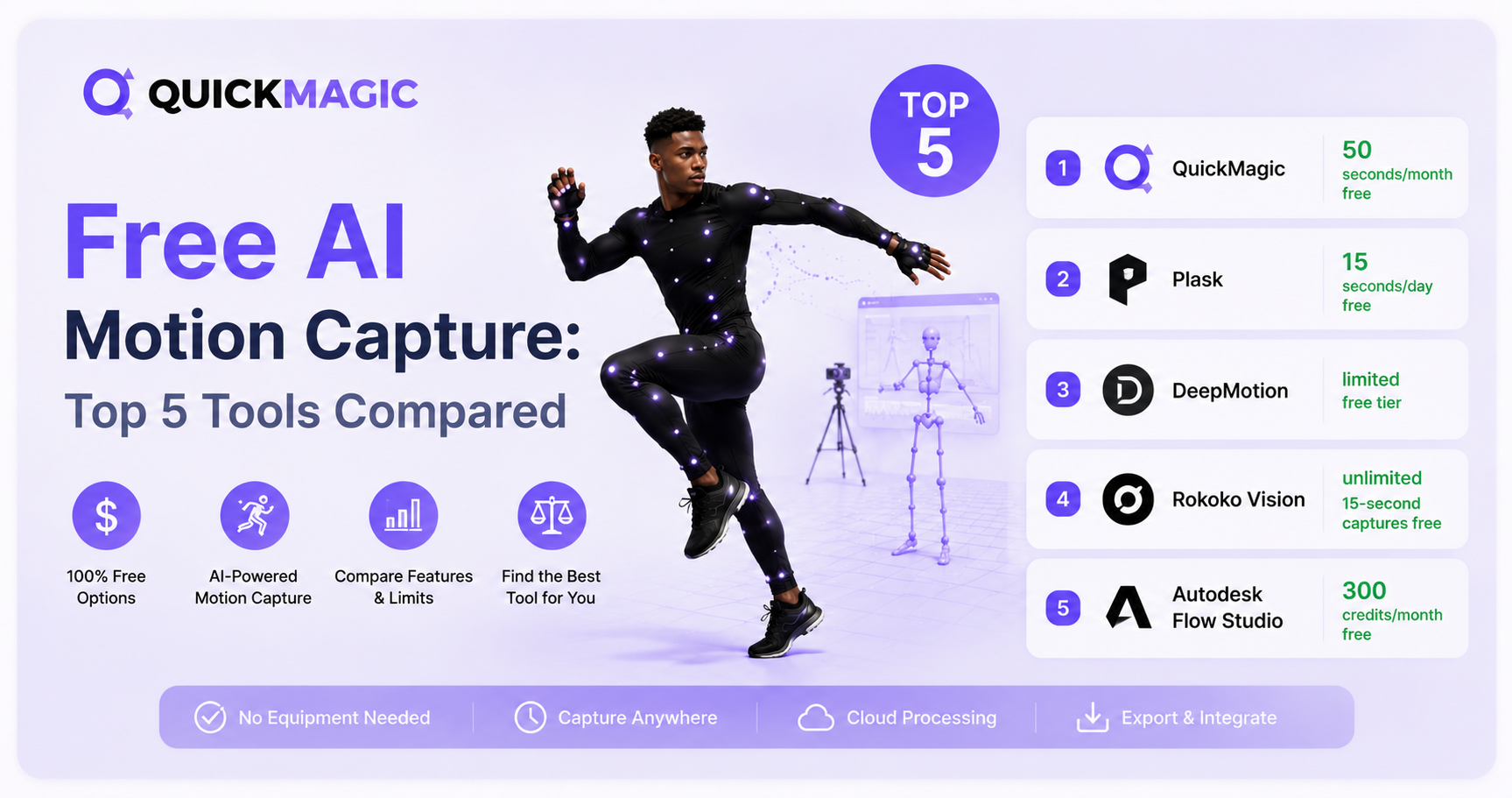
Free AI motion capture comparison table
| Tool | Current free access | Tracking and refinement highlights | Published outputs | Best use case | Important limitation |
|---|---|---|---|---|---|
| QuickMagic | 50 V Coins per month under the current pricing system; consumption and future credit rules vary by workflow | Body, hand and facial options; multi-subject and moving-camera workflows; 24/30/60/120 FPS options; physical optimization tools | FBX plus workflow-specific formats and presets including BVH, BIP, VMD, Mixamo, Unreal, CC/iClone, Roblox and others; availability varies by plan/version | Creators moving animation among several DCC, game, MMD, VTuber or robotics pipelines | Wide option set requires choosing the correct skeleton, preset and cleanup settings |
| Plask | 15 seconds of mocap per day | Full-body and hand capture; multi-person mocap; browser-based workflow; video rendering and collaboration features | FBX, GLB and BVH on the published free plan | Beginners who want a low-friction browser workflow and small daily tests | The daily time allowance is short for complete performances |
| DeepMotion Animate 3D | 25 credits per month on the current pricing page; one body-animation second uses one credit, with extra credit cost for face and hand tracking | Face and hand tracking, physics simulation, foot locking, hand-to-ground contact, motion smoothing and Rotoscope Pose Editor | FBX, BVH and MP4; GLB for supported custom-character workflows | Animators who want refinement and physics controls before leaving the browser | Commercial licensing requires a premium plan; advanced tracking consumes credits faster |
| Rokoko Vision | Limitless free single-camera recordings up to 15 seconds; dual-camera mode is a paid upgrade/trial | Single- or dual-camera video mocap; Rokoko Studio cleanup filters and access to a broader hardware/software ecosystem | FBX on Starter; BVH and advanced export options are published under paid plans | Frequent short captures, previs and creators considering a future Rokoko suit/glove workflow | Vision itself does not provide finger or face tracking; free clips are short |
| Autodesk Flow Studio | 300 credits per month, 720p maximum, 1 GB storage, 100 MB upload limit, three custom characters and one-person mocap on the published Free tier | Body and hand mocap plus camera tracking, clean plates, alpha masks, character passes, retargeting and editable VFX scene outputs | FBX mocap, USD/scene-oriented outputs and additional VFX elements depending on project type and plan | Filmmakers and VFX artists who need motion, camera and compositing data together | It is a broader VFX platform rather than the simplest route to a single clean animation clip |
Independent AI mocap comparison videos
These videos are included as third-party demonstrations, not as proof of a universal winner. Compare the source footage, skeleton, settings and cleanup time before drawing conclusions from any single clip.
The Best AI Video Mocap I've Ever Used
A creator-oriented comparison discussing QuickMagic alongside several video-to-mocap alternatives. Use it to inspect contact stability, jitter and how much cleanup each output appears to need.
Open video on YouTubeVideo Motion Capture Showdown — Who Does It Best?
A broader multi-tool showdown. It is particularly useful for learning which artifacts to inspect—foot sliding, ground contact, occlusion recovery, root trajectory and high-frequency noise.
Open video on YouTube1. QuickMagic
QuickMagic is designed around converting ordinary video—or a text prompt—into editable 3D motion for a wide range of character pipelines. Its strongest differentiator is not a single headline accuracy claim, but the number of output workflows it tries to serve: general FBX, Blender and Maya pipelines, Unreal presets, Character Creator and iClone, MMD/VMD, Roblox and robotics-oriented formats.
The current pricing page lists 50 V Coins for free users. QuickMagic also publishes body, hand and face options, multi-subject workflows, moving-camera support and 24/30/60/120 FPS output choices. Export availability varies by plan and product version, so confirm the current compatibility table before promising a format to a client.
Strengths
- Broad workflow-specific export coverage
- Multiple output frame rates
- Hand, face, multi-person and moving-camera options
- Useful for game, MMD, VTuber, DCC and robotics pipelines
Watch for
- Choose the correct skeleton and export preset
- Complex floor work and occlusion may still need cleanup
- Free and paid credit rules can change
- Commercial rights should be verified against the current agreement
Choose QuickMagic when: the same motion must move between several applications, frame-rate control matters, or the project needs formats beyond standard FBX/BVH.
2. Plask
Plask offers a straightforward browser workflow: upload a clip, extract the motion, preview it and export animation data. Its published free tier currently includes 15 seconds of mocap per day, full-body and hand capture, multi-person mocap, 1 GB storage, and FBX, GLB and BVH export.
The daily allowance is convenient for repeated short experiments, especially for students and beginners. It is less suitable when one uninterrupted take is longer than the daily limit.
Strengths
- Low-friction browser experience
- Daily free allowance
- Full-body, hand and multi-person options
- FBX, GLB and BVH exports on the published free plan
Watch for
- Short daily capture allowance
- Long performances may require splitting clips
- Confirm commercial terms for the active plan
- Evaluate retargeting quality on your own character
Choose Plask when: you want to test markerless mocap in a browser with minimal setup and your clips are short.
3. DeepMotion Animate 3D
DeepMotion's clearest advantage is the amount of correction functionality available around the capture result. Official product pages list physics simulation, foot locking, hand-to-ground contact, motion smoothing, face and hand tracking, and the Rotoscope Pose Editor for refining a pose over the source video.
The current Animate 3D pricing page lists 25 free credits per month. One second of body animation uses one credit, while face and hand tracking each add another 0.5 credit per second. DeepMotion documents FBX, BVH and MP4 exports, plus GLB for supported custom-character workflows.
Strengths
- Physics and contact-oriented settings
- Pose editor and smoothing tools
- Face, hand and multi-person workflows
- Common animation export formats
Watch for
- Face and hand tracking consume credits faster
- Freemium downloads may be limited
- A premium plan is required for a commercial license
- Strong filtering can remove intentional performance detail
Choose DeepMotion when: you want to refine foot contact, physics and pose errors before exporting to a DCC or game engine.
4. Rokoko Vision
Rokoko Vision advertises limitless free single-camera usage for recordings up to 15 seconds. Its main strategic advantage is the surrounding Rokoko ecosystem: free Vision tests can later connect to Rokoko Studio, cleanup filters, retargeting, live streaming and optional suit, glove and face-capture hardware.
The current Starter plan includes FBX export and short Video-to-Motion recordings. BVH and advanced export or cleanup options are associated with paid plans. Rokoko's own documentation also notes that Vision does not include finger and face tracking.
Strengths
- Unlimited number of short single-camera captures
- Webcam or uploaded video workflow
- FBX export on the free Starter plan
- Clear upgrade path into Rokoko hardware and Studio
Watch for
- Free clips are limited to under 15 seconds
- Finger and face tracking are not part of Vision
- Dual-camera mode is paid after the trial
- BVH and advanced controls require a higher plan
Choose Rokoko Vision when: you need many short tests, want a single-camera starting point, or expect to move into a hardware mocap ecosystem later.
5. Autodesk Flow Studio
Flow Studio is different from the other four tools. It is a cloud VFX and editable CG-scene platform in which motion capture is one component alongside camera tracking, clean plates, alpha masks, character passes, retargeting and scene export.
Autodesk's published Free tier currently includes 300 monthly credits, 720p maximum export resolution, 1 GB storage, a 100 MB upload limit, three custom-character uploads and one-person motion capture. Official pages describe FBX mocap export and editable USD or scene-oriented outputs depending on the workflow and tier.
Strengths
- Mocap, camera and VFX outputs in one service
- Body and hand tracking
- FBX plus editable scene/VFX elements
- Autodesk states that standard tiers, including Free, may be used commercially
Watch for
- More complex than a simple video-to-FBX utility
- Credit costs vary by project type
- Free tier is limited to 720p and one-person mocap
- Autodesk Education access has separate non-commercial restrictions
Choose Flow Studio when: the project needs camera tracking, live-action character replacement, compositing assets or an editable CG scene—not only a motion clip.
Which free AI mocap tool should you choose?
| Your priority | Start with | Reason |
|---|---|---|
| Broad export formats and frame-rate control | QuickMagic | Supports a wide range of DCC, game, MMD and workflow-specific outputs. |
| Fast browser test with a daily allowance | Plask | Simple web workflow and a published 15-second daily free tier. |
| Built-in cleanup and pose refinement | DeepMotion | Physics, foot locking, smoothing and Rotoscope Pose Editor are central features. |
| Unlimited number of short single-camera tests | Rokoko Vision | Advertises limitless free usage for recordings up to 15 seconds. |
| Mocap plus camera/VFX/scene output | Autodesk Flow Studio | Designed to turn footage into controllable CG scenes and compositing elements. |
How to run a fair AI mocap benchmark
A fair comparison uses the same inputs and target character. Testing different videos on different tools tells you almost nothing about relative performance.
Use five short source clips
- Walk, turn and stop: tests root trajectory and planted feet.
- Fast dance or martial arts: tests blur, rotation and high-speed limbs.
- Kneel or touch the floor: tests body-ground contact and occlusion.
- Crossed arms or self-occlusion: tests limb identity recovery.
- Hand gestures: tests whether hands and fingers are useful for your pipeline.
Keep these variables identical
- Use the same unedited source files.
- Export at the same frame rate whenever possible.
- Retarget all outputs to the same target character.
- Disable optional smoothing first, then test it separately.
- Measure total cleanup time, not only cloud processing time.
- Check commercial licensing and attribution before scoring cost.
| Metric | What to score | Suggested scale |
|---|---|---|
| Foot contact | Sliding, floating, penetration and stability during planted frames | 1–5 |
| Jitter | High-frequency noise in torso, head, hands and feet | 1–5 |
| Occlusion recovery | Whether hidden limbs return to the correct side and pose | 1–5 |
| Root trajectory | Direction, speed, turning radius and vertical stability | 1–5 |
| Hand usefulness | Wrist direction, hand position and finger detail where supported | 1–5 |
| Cleanup time | Minutes required to reach an acceptable production result | Measured time |
| Pipeline fit | Correct skeleton, formats, licensing and destination compatibility | Pass / partial / fail |
Frequently asked questions
What is the best free AI motion capture tool?
There is no universal winner. QuickMagic is strong for export variety and frame-rate options; Plask is simple for daily browser tests; DeepMotion emphasizes refinement; Rokoko Vision is attractive for unlimited short captures; and Flow Studio is best when mocap must be combined with VFX and editable-scene outputs.
Which free AI mocap tool supports the most export workflows?
QuickMagic publishes the broadest workflow-specific export list in this comparison, including FBX, BVH, BIP, VMD, Mixamo, Unreal, Character Creator/iClone and other presets. Availability varies by plan and product version.
Which tool is best for unlimited free captures?
Rokoko Vision advertises limitless free single-camera usage for recordings up to 15 seconds. It is therefore useful for repeated short tests, although each take is brief.
Can I use free AI mocap commercially?
Commercial rights differ by plan. DeepMotion requires a premium plan for a commercial license. Autodesk states that regular Flow Studio tiers, including Free, may be used commercially, while Education access is non-commercial. Verify each provider's current terms, including QuickMagic, Plask and Rokoko, before publishing paid work.
Do these tools require a motion-capture suit?
No. All five can process ordinary camera footage without a marker suit. Rokoko also sells optional hardware and offers a paid dual-camera Vision workflow.
Which tool is best for Blender or Unreal Engine?
All five can participate in a Blender or Unreal workflow, but the best choice depends on the required skeleton and export. QuickMagic provides multiple software-specific presets, Plask and DeepMotion provide standard animation formats, Rokoko integrates with a larger Studio ecosystem, and Flow Studio can export broader scene and VFX data.
Is AI mocap as accurate as an optical studio?
Monocular AI mocap is usually more sensitive to occlusion, motion blur, floor contact and camera angle than a calibrated multi-camera optical system. Its advantage is speed, accessibility and cost. The right comparison is whether the output is good enough after cleanup for the intended game, cinematic, previs or social-animation workflow.
How should I compare output quality?
Use identical source footage, frame rates, target characters and optional filters. Score foot contact, jitter, root trajectory, occlusion recovery, hand motion, cleanup time, export compatibility and licensing separately.
Test video-to-3D motion in your own pipeline
Upload a short performance to QuickMagic, export the animation in the format required by your project, and compare the result with the same source clip in other free tools.
Official sources and video references
- QuickMagic pricing and free-plan information
- QuickMagic motion-capture features and export workflows
- Plask pricing and free-plan features
- DeepMotion Animate 3D pricing
- DeepMotion refinement and tracking features
- DeepMotion licensing FAQ
- Rokoko Vision free capture limits and camera modes
- Rokoko Studio plan and export details
- Autodesk Flow Studio overview and free tier
- Autodesk Flow Studio feature comparison
- Autodesk Flow Studio commercial-use terms
- The Best AI Video Mocap I've Ever Used
- Video Motion Capture Showdown — Who Does It Best?