





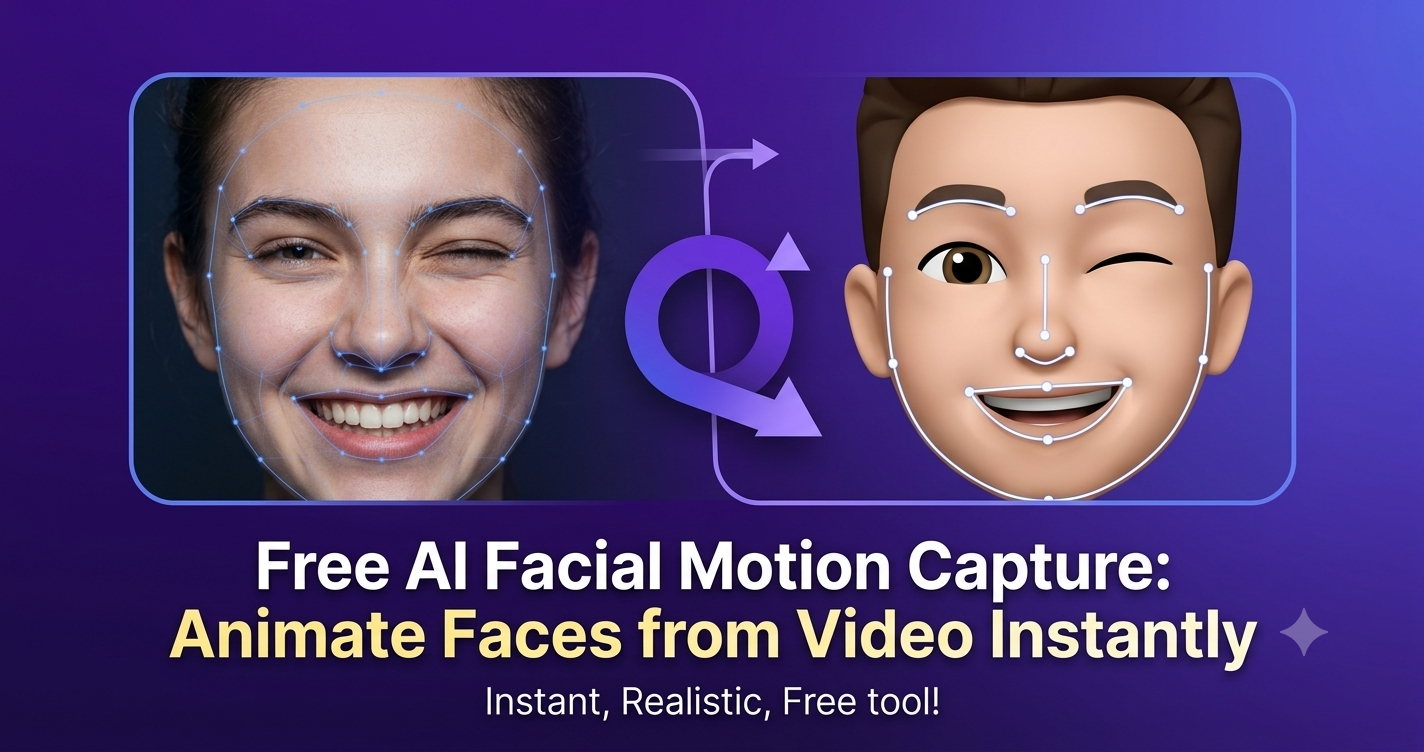
Pourquoi la capture de mouvement facial par IA gratuite change l'animation 3D
L'animation faciale a toujours été l'une des parties les plus difficiles de la production de personnages. La capture faciale traditionnelle exige souvent des caméras coûteuses, un éclairage contrôlé, des installations de studio complexes et une équipe technique pour nettoyer les données de mouvement. Pour les animateurs indépendants, les développeurs de jeux, les enseignants, les VTubers et les créateurs de contenu, ce type de flux de travail peut freiner la créativité avant même qu'elle ne commence.
QuickMagic propose une voie plus accessible : la capture de mouvement facial par IA gratuite qui peut animer des visages à partir d'une vidéo instantanément. Au lieu de construire une scène de capture spécialisée, les créateurs peuvent utiliser une source vidéo normale et convertir une performance en mouvement prêt pour l'animation. Le résultat est une façon plus rapide, plus légère et plus intelligente de produire de l'animation 3D par IA sans le fardeau de production habituel.
Que vous ayez besoin d'animer des personnages 3D pour un court métrage, de créer un avatar crédible pour une démo produit, ou de générer des performances expressives pour des humains numériques, QuickMagic aide à transformer la vidéo en données de mouvement utilisables grâce à des outils intelligents conçus pour les créateurs modernes.
QuickMagic : la capture de mouvement par IA conçue pour la rapidité et l'accessibilité
QuickMagic est conçu autour d'une promesse simple : rendre la capture de mouvement par IA de haute qualité accessible à davantage de créateurs. Au lieu de forcer les utilisateurs à investir dans du matériel coûteux ou des flux de travail techniques compliqués, QuickMagic se concentre sur l'animation rapide pilotée par vidéo, la capture sans marqueurs et des options d'exportation pratiques pour la production 3D.
Avec QuickMagic, un créateur peut démarrer à partir d'une configuration de capture de mouvement à caméra unique, télécharger une vidéo de performance et générer des données d'animation pour un personnage. Pour les équipes qui ont besoin de références de performance plus riches, la capture multi-caméras peut prendre en charge des flux de travail de capture de mouvement plus robustes. Mais la valeur essentielle reste la même : vous pouvez passer de la vidéo au mouvement rapidement, sans combinaison, sans marqueurs et sans réserver de studio.
Comment animer des visages à partir d'une vidéo instantanément avec QuickMagic
Le flux de travail QuickMagic est conçu pour les créateurs qui veulent des résultats rapides sans sacrifier le contrôle créatif. Vous pouvez l'utiliser pour des performances faciales, des mouvements corporels, l'animation de personnages stylisés et des références de mouvement 3D prêtes pour la production.
- Téléchargez votre vidéo de performance. Commencez par une vidéo claire du visage, du corps ou de la performance d'un acteur. QuickMagic prend en charge la capture de mouvement à caméra unique, ce qui est idéal pour les créateurs qui travaillent avec un téléphone, une webcam ou une caméra standard.
- Laissez l'IA analyser le mouvement. QuickMagic utilise un suivi alimenté par l'IA pour détecter les expressions faciales, les mouvements corporels, les gestes et les schémas de mouvement. C'est là que la capture de mouvement sans marqueurs et le suivi corporel en temps réel éliminent le besoin de combinaisons ou de marqueurs optiques.
- Générez les données d'animation. La plateforme convertit la source en sorties de conversion de vidéo en animation 3D ou de vidéo en mouvement, qui peuvent être appliquées à des personnages, des avatars et des humains numériques.
- Re-ciblez le mouvement sur votre personnage. Grâce au retargeting de mouvement, les créateurs peuvent adapter le mouvement capturé à différentes armatures, types de corps, styles de personnages ou exigences de production.
- Animez des scènes 3D plus rapidement. Importez votre personnage dans votre pipeline 3D préféré et continuez à affiner la performance pour les jeux, les films, les influenceurs virtuels, les vidéos de formation ou le contenu social.
Fonctionnalités clés de QuickMagic pour l'animation 3D par IA
De la vidéo à l'animation 3D : un pipeline de production plus intelligent
L'animation 3D traditionnelle commence souvent par des images clés, des sessions de capture coûteuses ou un nettoyage manuel. QuickMagic change le point de départ. Au lieu de demander aux artistes de construire chaque mouvement à partir de zéro, il leur permet de commencer par une performance humaine et de convertir la vidéo en animation 3D de manière rationalisée.
Cela rend la conversion vidéo en animation 3D pratique pour davantage d'équipes. Un créateur de médias sociaux peut animer un hôte virtuel. Un développeur de jeux peut prototyper le mouvement d'un PNJ. Une équipe produit peut créer un humain numérique qui parle pour l'intégration. Un enseignant peut transformer une performance de cours en guide animé. Et un cinéaste indépendant peut capturer une référence de jeu d'acteur sans louer une scène de capture de mouvement.
QuickMagic prend également en charge des directions créatives plus larges, notamment les flux de travail de conversion de texte en animation 3D où des invites écrites peuvent inspirer des mouvements animés, et le mouvement 3D génératif où l'IA aide les créateurs à produire des idées de mouvement plus rapidement. La combinaison de la capture pilotée par vidéo et de la génération intelligente crée un environnement de production flexible pour la narration 3D moderne.
QuickMagic vs capture de mouvement traditionnelle
| Flux de travail | Capture de mouvement traditionnelle | Capture de mouvement par IA QuickMagic |
|---|---|---|
| Matériel | Nécessite souvent des combinaisons, des marqueurs, des caméras de studio, un calibrage et des opérateurs spécialisés. | Fonctionne à partir d'une capture basée sur vidéo et d'options de capture de mouvement à caméra unique. Aucune combinaison de capture requise. |
| Vitesse de configuration | Peut prendre des heures ou des jours selon les exigences du studio. | Téléchargez la vidéo, traitez avec l'IA et passez rapidement de la vidéo au mouvement. |
| Évolutivité | La mise à l'échelle peut être coûteuse en raison des contraintes de matériel et de studio. | Convient aux particuliers, aux équipes distantes, aux créateurs, aux agences et aux studios utilisant des outils intelligents. |
| Flexibilité créative | Idéale pour les productions contrôlées avec des budgets dédiés. | Prend en charge la capture faciale, les flux de travail d'animation 3D, le suivi corporel en temps réel, le retargeting de mouvement et les humains numériques. |
Qu'en est-il de SayMotion et des outils texte-vers-mouvement ?
De nombreux créateurs explorent de nouveaux outils d'animation par IA tels que SayMotion, les systèmes de conversion de texte en animation 3D et les plateformes de mouvement de personnages pilotées par invites. Ces outils s'inscrivent dans une évolution plus large vers une production d'animation plus rapide, où le langage naturel, l'entrée vidéo et la génération de mouvement par IA réduisent la charge de travail manuel.
QuickMagic s'intègre dans cet avenir en offrant aux créateurs un pont pratique entre la performance humaine réelle et la sortie 3D. Au lieu de se reposer uniquement sur le mouvement généré, QuickMagic peut capturer l'émotion, le timing et la personnalité d'un véritable interprète, puis aider à convertir cette performance en données de mouvement 3D utilisables. Pour les équipes qui créent des humains numériques, des avatars de marque, des personnages de formation ou des séquences cinématiques, cette couche de performance humaine peut faire une grande différence.
Meilleurs cas d'utilisation pour la capture de mouvement facial et corporel QuickMagic
1. Humains numériques et présentateurs virtuels
Utilisez QuickMagic pour animer des humains numériques expressifs pour des vidéos marketing, le support client, l'éducation en ligne, les événements virtuels et les vidéos explicatives de produits. La capture faciale aide les avatars à paraître plus naturels et plus réactifs émotionnellement.
2. Développement de jeux et prototypage de personnages
Les équipes de jeux peuvent utiliser la capture de mouvement par IA pour tester rapidement les mouvements de personnages, les idées de scènes cinématiques, les gestes de PNJ et l'animation de dialogues avant de s'engager dans une animation de production coûteuse.
3. Médias sociaux et contenu de créateurs
Les créateurs peuvent animer des avatars 3D à partir de performances vidéo et publier du contenu court plus engageant. Parce que QuickMagic prend en charge les flux de travail sans marqueurs et basés sur vidéo, les créateurs peuvent produire plus souvent avec moins d'obstacles.
4. Cinéma, prévisualisation et storyboard
Les réalisateurs et animateurs peuvent transformer des références de jeu d'acteur en animation 3D à partir de vidéo pour la prévisualisation, le blocage et le timing des personnages. Cela aide les équipes à communiquer les idées de performance plus tôt dans le pipeline.
5. Éducation, formation et simulation
Les instructeurs animés, les simulations de sécurité, les avatars de formation et les personnages d'apprentissage interactif peuvent bénéficier d'une capture de mouvement rapide, d'expressions faciales, du suivi des doigts et du retargeting de mouvement.
Pourquoi QuickMagic est idéal pour les créateurs qui ont besoin de résultats maintenant
QuickMagic n'est pas seulement un autre outil d'animation. C'est un assistant de production IA pratique pour quiconque souhaite passer plus rapidement de l'idée à la performance animée. En combinant la capture de mouvement facial par IA gratuite, la capture de mouvement sans marqueurs, le suivi corporel en temps réel, le retargeting de mouvement et les capacités de conversion de vidéo en animation 3D, il réduit la friction technique qui bloque souvent la créativité 3D.
Pour les créateurs qui veulent de la rapidité, de la flexibilité et des résultats d'aspect professionnel, QuickMagic offre une voie convaincante. Vous pouvez capturer le mouvement à partir d'une vidéo ordinaire, utiliser des outils intelligents pour traiter la performance et créer une animation pour des personnages sans avoir besoin d'un studio traditionnel. C'est rapide, accessible et conçu pour l'ère du contenu 3D alimenté par l'IA.
FAQ : Capture de mouvement facial par IA gratuite avec QuickMagic
Qu'est-ce que la capture de mouvement facial par IA gratuite ?
La capture de mouvement facial par IA gratuite utilise l'intelligence artificielle pour analyser les mouvements faciaux à partir d'une vidéo et les convertir en données d'animation. Avec QuickMagic, les créateurs peuvent animer des visages à partir d'une vidéo instantanément et appliquer la performance à des avatars 3D ou des humains numériques.
Ai-je besoin d'une combinaison de capture ?
Non. QuickMagic prend en charge les flux de travail sans marqueurs, ce qui signifie qu'aucune combinaison de capture n'est requise. Vous pouvez utiliser la capture basée sur vidéo, y compris la capture de mouvement à caméra unique, pour créer un mouvement prêt pour l'animation.
Est-ce que QuickMagic peut transformer une vidéo en animation 3D ?
Oui. QuickMagic est conçu pour les flux de travail de conversion de vidéo en animation 3D et de vidéo en mouvement, aidant les créateurs à convertir des performances en mouvement utilisable pour des personnages 3D.
Est-ce que QuickMagic est aussi utile pour le suivi corporel ?
Oui. En plus de l'animation faciale, QuickMagic prend en charge des concepts de capture de mouvement par IA tels que le suivi corporel en temps réel, le retargeting de mouvement et le suivi des doigts pour une performance de personnage plus complète.
En quoi QuickMagic est-il différent de la capture multi-caméras ?
La capture multi-caméras peut fournir une capture de studio détaillée, mais QuickMagic se concentre sur l'accessibilité et la rapidité. Elle permet aux créateurs de démarrer avec une simple vidéo, d'utiliser des outils intelligents et de produire une animation sans équipement lourd.
Animez des visages à partir d'une vidéo instantanément avec QuickMagic
Donnez vie à des personnages, des avatars et des humains numériques grâce à la capture de mouvement facial par IA gratuite, à la génération de mouvement basée sur vidéo et aux flux de travail d'animation 3D alimentés par l'IA. Commencez à créer une animation expressive dès aujourd'hui — aucune combinaison de capture requise.
Commencer avec QuickMagicMots-clés associés
Cet article HTML est structuré pour le SEO avec un titre, une méta-description, une couverture de mots-clés, des titres, du contenu FAQ, des sections internes et des appels à l'action clairs pour QuickMagic.


