





Resposta Rápida
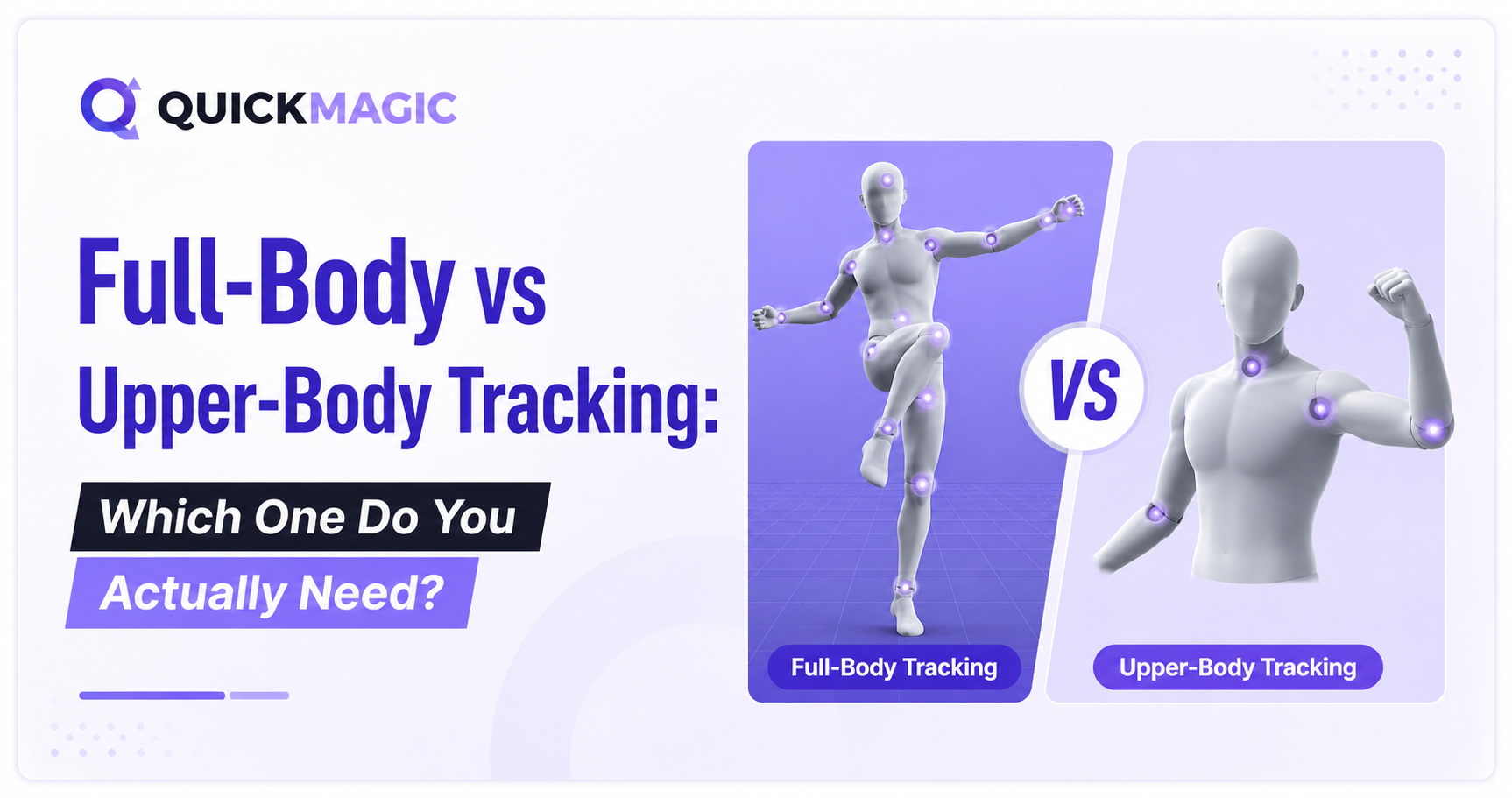
O rastreamento de corpo inteiro captura toda a cadeia esquelética da cabeça aos pés (24+ articulações), sendo essencial para qualquer animação que envolva caminhar, correr, dançar ou combate corpo a corpo. O rastreamento de tronco captura apenas da cabeça à cintura (14 articulações) e trava a parte inferior do corpo, sendo ideal para performances sentadas, VTubing, cenas de diálogo e streaming de desktop. Se seu personagem move as pernas, você precisa de corpo inteiro. Se ele fica sentado ou precisa apenas de gestos de tronco, o rastreamento de tronco é mais rápido, mais limpo e evita o problema de pés flutuantes que aflige as capturas de corpo inteiro feitas sentado.
Quais São os Principais Tipos de Rastreamento Corporal?
Os tipos de rastreamento corporal descrevem quais partes do esqueleto um sistema de captura de movimento registra e reconstrói. No mocap de IA especificamente, os dois modos mais importantes são corpo inteiro e tronco, mas entender o panorama geral ajuda a escolher a ferramenta certa para cada projeto.
Em nível tecnológico, existem cinco famílias de rastreamento corporal, cada uma com diferentes requisitos de hardware e compensações de precisão:
| Tipo de Rastreamento | Hardware Necessário | Articulações Típicas | Melhor Para |
|---|---|---|---|
| Óptico (com marcadores) | Marcadores refletivos + conjunto de múltiplas câmeras | 24-50+ marcadores | Estúdios de jogos AAA, VFX de filmes, pesquisa biomecânica |
| Inercial (IMU) | Traje de sensores vestível (17-19 IMUs) | 17-19 segmentos | Performance ao vivo, captura externa, VR/AR |
| Visão de IA sem marcadores | Câmera única ou celular (sem traje) | 14-24+ articulações | Criadores independentes, VTubers, prototipagem rápida, produção de conteúdo |
| Magnético | Transmissor eletromagnético + sensores | 6-14 pontos | Ambientes de laboratório compacto, simulação médica |
| Mecânico | Exoesqueleto com potenciômetros | Ângulo articular direto | Análise de movimento industrial, pesquisa |
A visão de IA sem marcadores é a categoria que mais cresce. Ela elimina completamente trajes, sensores e configurações de estúdio, usando modelos de deep learning para estimar a pose esquelética 3D a partir de vídeo comum. É aqui que a decisão entre rastreamento de corpo inteiro vs tronco se torna mais relevante, porque ferramentas de mocap de IA como QuickMagic permitem que você escolha entre esses dois modos por clipe.
Rastreamento de Corpo Inteiro Explicado
O rastreamento de corpo inteiro reconstrói o esqueleto humano completo da cabeça aos pés. Normalmente, ele resolve 24 ou mais articulações, incluindo pelve, segmentos da coluna, ombros, cotovelos, punhos, quadris, joelhos, tornozelos e pés. Isso permite que o sistema capture locomoção, transferência de peso, colocação dos pés e ações da parte inferior do corpo que sistemas apenas de tronco simplesmente não conseguem ver.
A principal vantagem é a completude. Se seu personagem precisa atravessar uma sala, dar um chute giratório, executar uma coreografia ou fazer qualquer coisa em que as pernas e a pelve sejam integrais à performance, o rastreamento de corpo inteiro não é opcional. É a única maneira de obter movimento real das pernas em vez de uma estimativa de cinemática inversa.
Quando o Corpo Inteiro é a Escolha Certa
- Dança e coreografia: Jogo de pés, transferência de peso e ritmo corporal completo exigem dados das pernas.
- Sequências de combate e ação: Chutes, posturas e esquivas são impulsionados pela parte inferior do corpo.
- Locoção: Andar, correr, pular, agachar e escalar precisam de rastreamento da pelve e pernas.
- Animação esportiva: Movimentos atléticos como swings de golfe, saques de tênis ou bandejas no basquete dependem da mecânica da parte inferior do corpo.
- VRChat e VR social: Avatares de corpo inteiro para dançar, sentar e gesticular se beneficiam de pernas rastreadas.
- Robótica e IA incorporada: Dados de treinamento para robôs humanoides exigem movimento corporal completo, incluindo marcha e equilíbrio.
Rastreamento de Tronco Explicado
O rastreamento de tronco captura o movimento da cabeça até a cintura ou quadris, normalmente resolvendo cerca de 14 articulações. A parte inferior do corpo, incluindo pelve e pernas, permanece travada em uma posição fixa. Este modo foi projetado especificamente para cenários onde o performer está sentado ou onde apenas a expressividade do tronco é relevante.
A maior vantagem prática do modo tronco é que ele elimina o problema dos pés flutuantes. Quando você captura um performer sentado em modo de corpo inteiro, o sistema tenta resolver as posições das pernas com base no movimento do tronco, muitas vezes fazendo com que os pés do avatar se levantem do chão ou deslizem imprevisivelmente. O modo tronco restringe a pelve para que os pés permaneçam plantados, produzindo dados limpos e sem artefatos.
Quando o Tronco é a Escolha Certa
- VTubing e transmissão ao vivo: O performer senta-se em uma mesa e precisa apenas de movimento da cabeça, braços e tronco para seu avatar.
- Diálogos e cutscenes: Animações de personagens falando, onde eles estão sentados em uma mesa, veículo ou estação de trabalho.
- Apresentações de desktop: Conteúdo com muitos gestos, onde a parte inferior do corpo é irrelevante.
- Processamento mais rápido: Menos articulações significa menos computação e retorno mais rápido.
- Espaço de captura pequeno: Não é necessário enquadrar o corpo inteiro, então você pode sentar perto de uma webcam ou câmera de celular.
- Menos problemas de oclusão: Sem pernas no quadro, há menos eventos de auto-oclusão para a IA resolver.
Corpo Inteiro vs Tronco: Comparação Lado a Lado
| Característica | Rastreamento de Corpo Inteiro | Rastreamento de Tronco |
|---|---|---|
| Articulações rastreadas | 24+ (cabeça aos pés) | ~14 (cabeça à cintura) |
| Locoção (andar, correr, pular) | Sim | Não |
| Performance sentada | Pode causar artefatos de pés flutuantes | Limpo, sem artefatos nos pés |
| Requisito de quadro da câmera | Corpo inteiro visível | Apenas metade superior |
| Velocidade de processamento | Mais lento (mais articulações) | Mais rápido (menos articulações) |
| Risco de oclusão | Maior (pernas se cruzam, saem do quadro) | Menor (sem pernas para ocluir) |
| Casos de uso ideais | Dança, combate, esportes, locomoção, robótica | VTubing, diálogo, streaming, cenas sentadas |
| Melhor para performers que estão... | Em pé, se movendo | Sentados, parados |
Guia de Decisão: Qual Modo Escolher?
Ainda está em dúvida? Siga esta rápida árvore de decisão:
Escolha Rastreamento de Corpo Inteiro Se:
- Seu personagem caminha, corre, pula, chuta ou dança em qualquer ponto do clipe
- Você está criando dados de movimento para um robô humanoide que precisa de informações de marcha e equilíbrio
- O performer está em pé e tem espaço suficiente para ficar completamente enquadrado
- Você está capturando uma cena de luta, movimento esportivo ou coreografia completa
- Sua animação final precisa de posicionamento realista dos pés e transferência de peso
Escolha Rastreamento de Tronco Se:
- Seu personagem está sentado durante todo o clipe (cena de mesa, veículo, trono)
- Você está fazendo VTubing ou transmitindo ao vivo a partir de uma configuração de mesa
- Você precisa de processamento mais rápido e menos limpeza
- Seu espaço de captura é pequeno e você não pode enquadrar o corpo inteiro
- Você já experimentou artefatos de pés flutuantes em capturas de corpo inteiro feitas sentado
O Fluxo de Trabalho Híbrido: Usando Ambos os Modos
Muitos projetos reais não são puramente de corpo inteiro ou puramente de tronco. Um padrão comum é uma cena onde um personagem começa sentado, tem uma conversa, então se levanta e vai embora. Para isso, você pode capturar a parte sentada no modo tronco e a parte andando no modo corpo inteiro, depois combinar os dois clipes em seu software de animação.
Essa abordagem híbrida oferece o melhor dos dois mundos: dados limpos de tronco sem artefatos nos pés para a parte sentada, e dados completos de locomoção para a parte andando. Ferramentas como QuickMagic permitem que você alterne entre os modos por clipe, então você não precisa de softwares ou contas separados.
Dicas para Combinar Clipes
- Grave ambos os clipes do mesmo ângulo e distância da câmera para manter a estimativa da IA consistente.
- Termine o clipe de tronco e inicie o clipe de corpo inteiro em um ponto de transição natural, como o momento em que o personagem se levanta.
- Use as ferramentas de combinação de animação do seu software 3D (Animation Montage do Unreal Engine, editor NLA do Blender ou Trax do Maya) para fazer cross-fade entre os dois clipes.
- Aplique uma leve passada de limpeza no ponto de combinação para suavizar qualquer deslizamento de pés que apareça durante a transição.
Opções de Mocap de IA: Comparando as Ferramentas
Ao avaliar opções de mocap de IA, uma das primeiras coisas a verificar é se a ferramenta suporta ambos os modos de captura: corpo inteiro e tronco. Algumas ferramentas oferecem apenas corpo inteiro, o que significa que você fica preso a artefatos de pés flutuantes em qualquer performance sentada. Veja como as principais opções se comparam:
| Ferramenta | Corpo Inteiro | Tronco | Mão e Rosto | Formatos de Exportação | Anti-Penetração |
|---|---|---|---|---|---|
| QuickMagic | Sim | Sim | Sim (ambos) | 13+ (FBX, BVH, UE5, Blender, VMD...) | Sim |
| DeepMotion | Sim | Limitado | Sim (rosto) | FBX, BVH, GLB | Não |
| Rokoko Vision | Sim | Sim | Sim (mãos) | FBX, BVH | Não |
| Plask | Sim | Não | Não | FBX, BVH | Não |
| RADiCAL | Sim | Não | Não | FBX, BVH, USD | Não |
| Move AI (câmera única) | Sim | Não | Não | FBX, USD | Não |
QuickMagic se destaca como a única ferramenta de mocap de IA com câmera única que suporta rastreamento de corpo inteiro, tronco, mão e facial simultaneamente, com correção anti-penetração integrada e 13+ formatos de exportação cobrindo desde Blender até Unreal Engine 5 e Roblox.
Fatores Técnicos que Afetam Ambos os Modos
Independentemente do modo de rastreamento escolhido, vários fatores técnicos influenciam a qualidade dos seus resultados de mocap de IA. Compreendê-los ajuda a obter o máximo de sua captura, seja de corpo inteiro ou tronco.
Ângulo da Câmera
Imagens frontais na altura dos olhos produzem os melhores resultados. Ângulos extremamente altos ou baixos distorcem as proporções do corpo e reduzem a precisão da estimativa das articulações em ambos os modos.
Iluminação
Iluminação uniforme e difusa ajuda a IA a distinguir os contornos do corpo. Sombras fortes ou contraluz intensa podem causar erros de rastreamento tanto em clipes de corpo inteiro quanto de tronco.
Fundo
Um fundo limpo e sem desordem reduz falsos positivos. Especialmente para corpo inteiro, certifique-se de que nenhum móvel se sobreponha às pernas do performer.
Vestuário
Roupas ajustadas ajudam a IA a detectar os limites dos membros. Roupas largas obscurecem as posições das articulações, particularmente nos cotovelos e joelhos, afetando ambos os modos.
Oclusão
A auto-oclusão (membros se cruzando) é a principal fonte de erros de rastreamento. O modo de tronco tem menos eventos de oclusão porque as pernas não são rastreadas.
Taxa de Quadros
Taxas de quadros mais altas (60 FPS) capturam movimentos rápidos com mais precisão do que 24 ou 30 FPS. O QuickMagic suporta saída de 24, 30, 60 e 120 FPS para ambos os modos.
Casos de Uso por Indústria
Diferentes indústrias tendem a favorecer diferentes modos de rastreamento com base no que seu conteúdo exige. Aqui está um resumo rápido:
| Indústria | Modo Principal | Porquê |
|---|---|---|
| Desenvolvimento de Jogos | Corpo inteiro | Personagens precisam andar, correr, lutar e interagir com o ambiente |
| VTubing / Streaming | Tronco | Performer está sentado; apenas expressividade da cabeça, braços e tronco necessária |
| Filmes e VFX | Ambos (híbrido) | Cenas de diálogo sentado usam tronco; sequências de ação usam corpo inteiro |
| Robótica / IA Incorporada | Corpo inteiro | Dados de treinamento devem incluir marcha, equilíbrio e cadeia cinemática completa |
| Animação MMD / Dança | Corpo inteiro | Coreografia de dança exige jogo de pés e ritmo da parte inferior do corpo |
| Educação / E-learning | Tronco | Apresentações de personagens falando com ênfase em gestos |
| Análise Esportiva | Corpo inteiro | Mecânica atlética depende de ângulos articulares da parte inferior e transferência de peso |
Erros Comuns a Evitar
1. Usar Corpo Inteiro para Performances Sentadas
Este é o erro mais comum. Se seu performer está sentado em uma mesa, o modo corpo inteiro tentará resolver pernas que estão mal se movendo ou completamente estáticas, muitas vezes produzindo pés flutuantes, tremor nos joelhos ou desvio da pelve. Mude para o modo tronco para qualquer captura sentada.
2. Enquadrar Muito Apertado para Corpo Inteiro
Se você está gravando corpo inteiro, mas corta os pés ou a cabeça do quadro, a IA tem que adivinhar onde essas articulações estão. Sempre garanta que o corpo inteiro, do topo da cabeça à sola dos pés, esteja visível com uma pequena margem nas bordas.
3. Ignorar o Ajuste das Roupas
Calças largas tornam as articulações dos joelhos e tornozelos invisíveis para a IA, o que degrada significativamente o rastreamento de corpo inteiro. Para tronco, mangas largas têm o mesmo efeito nas articulações dos cotovelos e punhos. Roupas ajustadas não são um luxo; são um requisito técnico para dados limpos.
4. Não Usar Correção Anti-Penetração
Sem anti-penetração, os membros podem atravessar uns aos outros ou o tronco na animação final, especialmente durante movimentos rápidos. Ferramentas como QuickMagic incluem correção anti-penetração integrada que resolve automaticamente essas interseções, economizando horas de limpeza manual.
Perguntas Frequentes
Qual é a diferença entre rastreamento de corpo inteiro e rastreamento de tronco?
O rastreamento de corpo inteiro captura toda a cadeia cinemática da cabeça aos pés, normalmente 24 ou mais articulações esqueléticas, incluindo pernas, pelve e coluna. O rastreamento de tronco captura apenas da cabeça até a cintura ou quadris, geralmente 14 articulações, enquanto a parte inferior do corpo permanece travada em uma posição fixa. O corpo inteiro é necessário para locomoção como andar, correr e dançar; o tronco é suficiente para performances sentadas, VTubing e cenas de diálogo.
Quando devo usar rastreamento de tronco em vez de rastreamento de corpo inteiro?
Use rastreamento de tronco quando sua animação envolver apenas o tronco, braços e cabeça, como VTubing, transmissão ao vivo, diálogo sentado, animações de personagens falando ou apresentações de desktop. O modo tronco


