


Computer Vision · 3D Pose · Retargeting · Markerless MoCap

What Is AI Motion Capture? Complete Guide for 2026

Understand how ordinary video becomes editable 3D animation, what pose estimation, temporal reconstruction and retargeting do, why one camera cannot see every 3D detail, and how to build a reliable QuickMagic workflow for body, hand and facial motion.

Published July 10, 2026 · Updated July 15, 2026 · QuickMagic Editorial Team

AI motion capture pipeline from video pixels through keypoints, 3D solving, retargeting and animation export
Direct answer: AI motion capture converts visible human movement in a video into editable 3D skeletal animation using computer vision and machine-learning models. It detects body landmarks, estimates their 3D movement across time, solves a consistent skeleton and exports animation that can be retargeted to a character. Unlike traditional marker systems, it can start from an ordinary phone or camera recording, but it estimates hidden depth and occluded joints rather than measuring them directly.
Definition for search and AI answers: AI motion capture is a markerless animation workflow that estimates a performer's body, hand or facial movement from visual input and converts it into structured 3D motion data such as joint transforms, skeletal animation and workflow-specific export files.

QuickMagic in 2026

InputsRecorded video or text prompt
Video scopesFull body, upper body, hands, face and supported multi-subject modes
Camera workflowsStatic and selected moving-camera footage
Free mocap30 seconds, 100 MB, 30 FPS and FBX
Paid mocap60 seconds, 200 MB, 2D Refinement and more formats
DestinationsBlender, Unreal, Unity, Maya, iClone, MMD, Roblox and robot workflows
Corrections to the original article: text-to-motion is motion generation rather than capture of a real performance. Real-time body tracking is a separate low-latency product mode and should not be assumed from an offline upload workflow. One RGB video can be sufficient input for a useful estimate, but cannot guarantee exact invisible depth. Automatic retargeting does not make every custom rig compatible, and production animation may still need contact, curve and mesh cleanup.

AI mocap tutorials

Video to 3D MoCap Animation — QuickMagic Full Tutorial

A complete video-to-motion workflow for 3D artists.

Open on YouTube

QuickMagic AI Motion Capture + Mixamo + Blender Tutorial

Shows how exported AI mocap is applied to a character in Blender.

Open on YouTube

The players use static YouTube iframes and no runtime JavaScript. YouTube requires internet access; use the direct buttons when an iframe is blocked. Every article image is embedded and can display offline.

What AI motion capture means

Motion capture records or estimates human movement so that it can drive a digital skeleton. Traditional optical systems observe markers from several calibrated cameras; inertial systems read wearable sensors. Video-based AI mocap instead analyzes visible pixels and predicts a temporally consistent 3D pose.

The word markerless means the performer does not need reflective markers. It does not mean the system has no constraints. The camera still needs enough evidence to distinguish limbs, estimate orientation and understand contacts.

AI mocap is best understood as estimated animation data. It is closer to an intelligent motion-solving pipeline than to a camera recording exact anatomical coordinates.

How AI motion capture works

Five-stage AI motion capture pipeline: person detection, pose landmarks, 3D lifting, motion solving and export
Commercial systems use proprietary variations, but most video-based workflows contain these conceptual stages.

1. Person detection and identity tracking

The system identifies people in each frame and maintains identity over time. Multiple subjects, overlap and leaving the frame make this harder.

2. Body, hand and face landmarks

Pose models locate joints or landmarks in image coordinates. Hand and facial tracking require more source pixels than broad body motion because the relevant structures are smaller.

3. 2D-to-3D reconstruction

The system estimates depth, body orientation and a skeleton or parametric body from the 2D observations. Temporal models use nearby frames to reduce noise and resolve some ambiguity.

4. Motion solving and refinement

Bone-length constraints, temporal consistency, ground cues and physics-related optimization convert per-frame estimates into smoother animation curves. Excessive smoothing can remove intentional impacts and amplitude.

5. Skeleton mapping and export

The solved motion is packaged for a reference skeleton, frame rate and file format. It is then imported or retargeted to the final character.

Video-to-mocap, text-to-motion and real-time tracking

Comparison of video-to-motion capture, text-to-motion generation and live body tracking
QuickMagic video input transformed into 3D animation output

Video-to-MoCap

Use when a real performance, choreography or timing must be reconstructed.

QuickMagic text prompt transformed into generated 3D animation

Text-to-Motion

Use when you need a plausible new motion draft without recording a performer.

Text generation and video reconstruction can share skeleton formats and editing tools, but their truth conditions differ: a generated clip should look plausible; a captured clip should also match the source performance.

What AI mocap produces

AI mocap outputs compared with character, rigging and rendering tasks that remain separate

The core output is a time series of skeletal transforms. Depending on the workflow it can include root translation, body-joint rotations, hand joints, facial channels, camera-related motion and metadata such as frame rate or reference pose.

Retargeting transfers this motion to another skeleton. It does not create skin weights, facial controls or prop constraints that the target rig does not already have.

Core technologies behind AI motion capture

TechnologyPurposeMain challenge
Person detection/trackingFind and maintain subject identityOverlap, crop and multiple people
2D pose estimationLocate body landmarks in image spaceBlur, clothing, occlusion and left/right ambiguity
Monocular 3D poseInfer depth and 3D joint locationsSeveral 3D poses can project to similar 2D evidence
Parametric body/skeleton modelsApply human-shape and articulation priorsModel mismatch and unusual poses
Temporal modelingUse motion context across framesFast changes and long missing intervals
Kinematic/physics refinementImprove consistency, contacts and smoothnessOver-smoothing and wrong ground assumptions
RetargetingTransfer motion between skeletonsPose, proportions, bone axes and joint limits

What determines AI mocap quality?

AI mocap quality factors including visible evidence, ambiguity, target differences and validation

Strong source footage

  • Required body parts stay inside the frame.
  • The performer occupies enough pixels.
  • Fast movement remains sharp.
  • Clothing and background create a readable silhouette.
  • Ground, props and contact surfaces are visible when needed.
  • Occlusions are short and identity remains clear.

Common failure modes

  • Foot sliding after source solve or target retargeting
  • Depth errors during spins, floorwork and camera motion
  • Left/right swaps when limbs overlap
  • Root drift or incorrect ground height
  • Weak hand/face detail in a wide shot
  • Target clipping caused by pose, proportions or skinning
Do not use a universal “accuracy percentage” to judge AI mocap. Results depend on the action, camera, subject, metric, ground truth and final target. Validate the exact workflow that the project will use.

AI mocap vs traditional motion capture

CriterionSingle-video AIOptical markersInertial suit
HardwareOrdinary video/cameraCalibrated camera array and markersWearable IMU sensors
SetupLowHighMedium
PortabilityVery highLimited by volumeHigh
Absolute positionEstimatedMeasured in calibrated volumeNot native; can drift
OcclusionSingle-view sensitiveMarker visibility requiredNot camera-dependent
Best starting usePrevis, indie, creator content, librariesHero capture, props, measurementPortable real-time body motion

AI mocap expands access rather than making every other method obsolete. Many productions use AI for planning and secondary content and reserve calibrated systems for shots that require exact spatial evidence.

Where AI motion capture is used

FieldTypical useImportant boundary
GamesPrototypes, NPCs, combat ideas, cinematicsRetarget and contact cleanup on final rig
Film / virtual productionPrevis, blocking, background charactersHero interaction may need higher-end capture
MMD / virtual idolsDance and VMD motion creationCheck feet, hands and model-specific limits
VTubers / digital humansGesture libraries, body and facial animationOffline capture is different from live tracking
RoboticsHuman-motion references and behavior prototypesRobot feasibility and safety need separate validation
EducationAnimation and computer-vision learningEstimated pose is not automatic scientific ground truth
Sports / rehabilitationVisualization and exploratory reviewClinical decisions require validated protocols

How to start with QuickMagic

QuickMagic example showing a recorded dancer driving a 3D animated character
A source performance is converted into editable animation and then used on a digital character.

1Record or choose the input

Use a short, representative video for exact performance or a text prompt for a new motion idea.

2Select capture scope

Choose Full Body, Upper Body, hand or face according to what is visible and what the target needs.

3Set model and output controls

Choose V1/V2 as appropriate, reference pose, frame rate, Physics Optimization, root behavior and target preset.

4Review and correct

Compare the source video and preview skeleton. Correct observable errors before export.

5Export and retarget

Use the active plan's format, align source and target poses, map chains and validate duration and root motion.

6Finish the target animation

Correct target foot/hand contacts, props, terrain, local curve noise and mesh deformation.

Choose the right AI motion workflow

Decision guide for choosing text-to-motion, video AI mocap, live tracking or a validated measurement system
  • Use video-to-mocap when the real performance and timing matter.
  • Use text-to-motion for ideation when no exact performance must be matched.
  • Use a dedicated live tracker when low-latency streaming is required.
  • Use a validated measurement system for clinical, biomechanical or safety-critical metrics.
  • Test the hardest five to ten seconds before processing a large library.

Original article cover

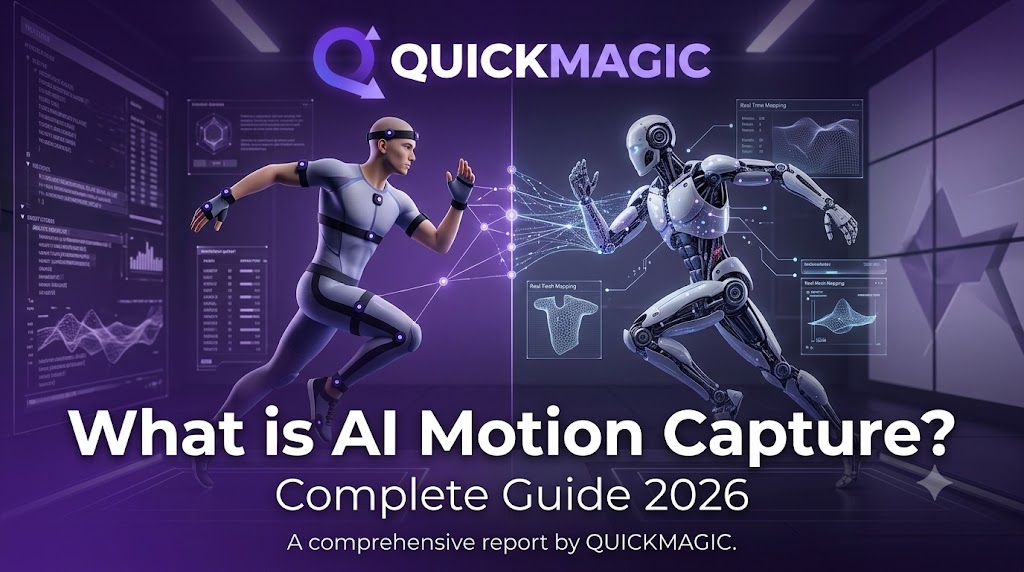
Original QuickMagic What Is AI Motion Capture Complete Guide 2026 cover
The original cover is compressed and embedded directly in this HTML.

Frequently asked questions

What is AI motion capture in simple terms?

It turns visible movement in ordinary video into editable 3D skeletal animation using machine learning.

Is text-to-motion the same as motion capture?

No. It generates new motion from language rather than capturing a specific real performance.

Does AI mocap create a 3D character?

No. It normally creates motion data that must be applied to a rigged character.

Can one camera recover exact 3D motion?

No camera can directly see hidden depth from one view. AI estimates it from visual and temporal context.

What source video works best?

Clear, sharp, well-lit footage with complete framing, readable silhouette and limited occlusion.

Does QuickMagic support body, hands and face?

Yes, for supported workflows; useful detail depends on source framing and visibility.

Which formats are available?

Free currently lists FBX. Paid workflows list additional target-oriented formats; check the active export menu.

Is the result always ready without cleanup?

No. Retargeting, contacts, root/stride, local curves and target mesh may need correction.

Can it be used for medical measurement?

Only after task-specific validation and with an appropriate professional protocol.

Is QuickMagic free to try?

Yes. The current Free plan lists 50 V Coins, 30 seconds, 100 MB, 30 FPS and FBX.

Related QuickMagic guides

Start with a short, difficult test

Use a five-to-ten-second clip containing the hardest turn, overlap, contact or fast movement. Validate the QuickMagic export on the real target character before processing the complete performance.

Try QuickMagic AI Motion Capture →

Official and technical references


