





Robotics · Embodied AI · Motion Retargeting · Simulation · Sim2Real
QuickMagic Robot Motion Capture from Video: Unitree G1, H1 and H1-2 File Guide
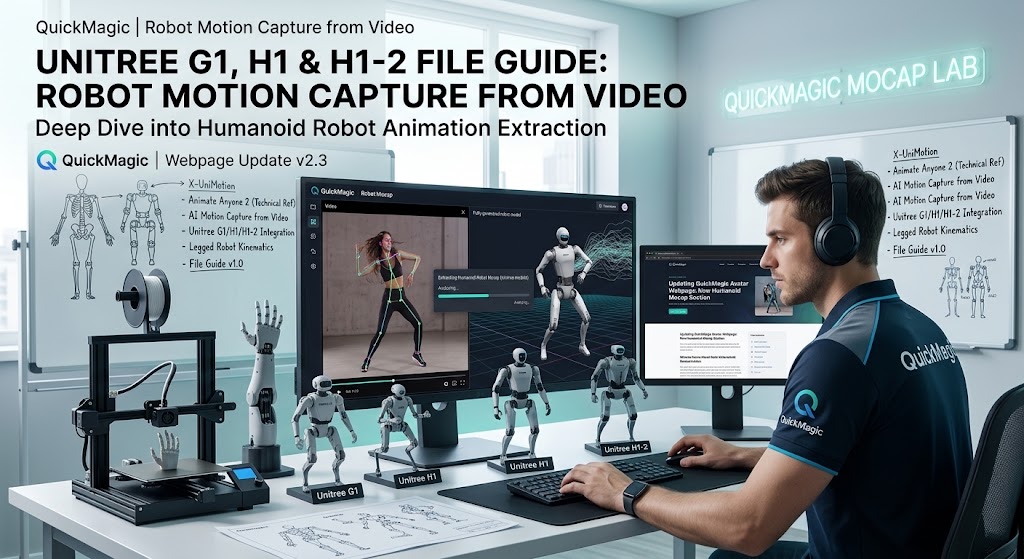
Convert ordinary human video or text prompts into humanoid-motion references for Unitree G1, H1 and H1-2 workflows. This guide explains model-specific presets, file validation, joint order, coordinates, frame rate, URDF matching, kinematic retargeting, dynamic simulation, imitation learning, controller tracking and safe Sim2Real deployment.

Current platform facts
Humanoid motion-control videos
Unitree Humanoid Robots with Open-Source Full-Body Motion Control
Demonstrates Unitree humanoids using adapted full-body motion references and control.
Open on YouTubeUnitree Embodied Avatar — Human Motion Mirrored by a Robot
Shows human-to-robot mirroring through an embodied-avatar control pipeline.
Open on YouTubeWhat QuickMagic's Unitree export means
QuickMagic's public pages describe human-motion references for simulation, imitation learning, testing and behavior prototyping, with UniRobot presets for Unitree G1, H1 and H1-2. The useful interpretation of “robot-ready” is therefore robot-structured reference data, not “safe to execute without a robot-control pipeline.”
A video-derived reference can preserve action timing, posture, direction and expressive structure. A robot controller must still convert that reference into feasible behavior under the robot's morphology, dynamics, contact conditions and actuator limits.
Understand the four data layers

G1, H1 and H1-2 are not interchangeable

| Robot | Official configuration signal | Development concern | Preset check |
|---|---|---|---|
| G1 / G1 EDU | Official product page lists 23–43 joint motors; open-source tools commonly distinguish 23-DoF and 29-DoF forms. | Optional waist, wrists and dexterous hands can change state dimensions and joint order. | Match the exact URDF and controller target, not only “G1.” |
| H1 | Official page lists 5 DoF per leg and 4 DoF per arm in the stated configuration. | Arm and ankle structure differs from H1-2. | Use the H1-specific reference and model. |
| H1-2 / H1_2 | Official page lists 27 total DoF: 7 per arm, 6 per leg and 1 waist. | More arm and ankle freedom changes retargeting, limits and policy observations. | Do not load H1 files into an H1-2 pipeline. |
1Record or generate a useful source motion
- Start with a short, slow action containing the key contact transition.
- Keep the full body and feet visible for locomotion or balance tasks.
- Use adequate light and low motion blur.
- Avoid severe self-occlusion and multiple-person overlap.
- Show the floor when foot placement matters.
- Use text-to-motion for behavior ideas; use video when exact human timing matters.
- Avoid beginning with kicks, falls, jumps or fast spins as the first robot test.
2Select the exact UniRobot preset
Choose the model shown in the current QuickMagic export interface and record the selection with the project. If the target is a modified G1 EDU, custom hand or altered waist configuration, verify whether the preset matches the actual URDF and controller state vector.
3Validate the exported motion file

Minimum validation questions
- Which robot and exact variant does this file target?
- How many controlled joints are present?
- What is the joint-name and column order?
- Are joint values radians or degrees?
- Are linear positions meters or centimeters?
- Which axis is up, forward and left?
- Is the base orientation Euler, quaternion or another representation?
- If quaternion: is the order
wxyzorxyzw? - What are the frame rate and time step?
- Are contact labels, joint velocities or confidence values included?
Robot motion file-format guide

| File or asset | Typical role | What it is not | Validation |
|---|---|---|---|
| QuickMagic UniRobot | Model-oriented robot motion reference | Not automatically a low-level command stream | Preset, schema, joint order, units, timing |
| FBX / BVH | Human skeletal-motion interchange and retargeting input | Not a Unitree controller policy | Root, FPS, skeleton, reference pose |
| PKL | Python-serialized retargeted robot motion in projects such as GMR | Not a universal standard | Project version, arrays, model name, Python compatibility |
| CSV → NPZ | Official Unitree RL MjLab G1 imitation-reference workflow | Not the deployed policy itself | Input/output FPS, columns, robot option |
| URDF / USD | Robot geometry, joints, inertial and simulation description | Not motion data | Commit/version, joint axes, collision, inertial parameters |
| ONNX / checkpoint | Trained tracking or locomotion policy | Not raw animation | Observation/action schema, normalizers, model and firmware assumptions |
| DDS / SDK messages | Runtime robot state and commands | Not an offline mocap container | Control mode, rate, safety state and vendor interface version |
Official G1 RL MjLab example
Unitree's official RL MjLab repository documents G1 imitation training by converting a CSV motion reference into NPZ while explicitly specifying input and output frame rates:
python scripts/csv_to_npz.py --input-file src/assets/motions/g1/example.csv --output-name example_motion.npz --input-fps 30 --output-fps 50 --robot g14Retarget and constrain the reference

Kinematic retargeting
- Map human body segments to robot links and joint axes.
- Fit or scale the human reference to robot proportions.
- Clamp joint positions, velocities and accelerations.
- Define a neutral/base pose compatible with the controller.
- Preserve important end-effector trajectories without forcing impossible poses.
Contact and base handling
- Detect or define planted-foot intervals.
- Project foot targets to the intended terrain.
- Adjust pelvis/base trajectory to maintain feasible support.
- Check self-collision and environmental collision.
- Treat hand-object interaction as a separate constraint problem.
5Validate in simulation and train the tracker

Kinematic validation
- Every frame loads without missing or duplicated joints.
- The neutral pose is correct.
- Left/right legs and arms are not swapped.
- Joint limits and self-collision are respected.
- Duration matches the original reference.
Dynamic validation
- The robot remains balanced under gravity.
- Foot contacts do not penetrate or slide excessively.
- Requested torque, velocity and acceleration stay within limits.
- The controller recovers from small disturbances and model error.
- Performance remains stable with realistic latency, friction and sensor noise.
Unitree RL MjLab separates motion-reference preparation, training, simulation playback and physical deployment. This separation is the correct mental model for QuickMagic robotics data as well.
6Sim2Real deployment and physical safety
Before a physical test, confirm the official development-computing configuration, firmware and SDK version, network interface, robot mode and controller assumptions. Use the vendor's current documentation rather than copying settings from an unrelated robot or software version.
- The exact physical robot matches the simulated URDF/USD and policy configuration.
- Emergency stop and remote stop have been tested.
- The test area is clear and access-controlled.
- The robot begins in the vendor-prescribed safe state.
- The first motion is slow, near-upright and short.
- No people are inside the fall, swing or kick area.
- Logs capture state, reference, action, latency and safety events.
- A qualified operator can stop the experiment immediately.
Troubleshooting
| Symptom | Likely cause | First fix |
|---|---|---|
| File has the wrong number of columns | Wrong robot/DoF preset or changed schema | Compare export metadata with the exact URDF and current QuickMagic documentation |
| Arms or legs move on the wrong side | Joint-order or axis mapping error | Verify names, order and signs before any interpolation |
| Motion plays too fast or slow | FPS/time-step mismatch | Validate duration and resample with explicit input/output FPS |
| Robot appears rotated or mirrored | Coordinate-frame or quaternion convention mismatch | Verify up/forward/left axes and quaternion order |
| Kinematic playback works but robot falls | No stabilizing controller or infeasible center of mass | Use dynamic simulation and a tracking policy with contact/balance objectives |
| Feet penetrate or slide | Contact timing, terrain or base trajectory mismatch | Correct contact labels, foot targets and support/base trajectory |
| Joint limits are exceeded | Human pose cannot map directly to robot morphology | Retarget with limit-aware optimization and reduce amplitude |
| Policy is unstable on the real robot | Sim2Real gap, latency, model or state-estimation mismatch | Return to simulation, add realistic perturbations and verify deployment interfaces |
| QuickMagic export option is missing | Workflow, plan or product-version difference | Use the current export interface as the source of truth |
Robot-motion validation checklist
- The exact G1/H1/H1-2 variant and DoF count are known.
- The matching official URDF or USD version is recorded.
- Joint names, order, units and coordinate axes are validated.
- FPS and total duration are explicit.
- Raw QuickMagic output and converted data are stored separately.
- Joint limits, velocities, accelerations and self-collision are checked.
- Foot contacts, base trajectory and balance are validated dynamically.
- A controller or policy tracks the reference rather than replaying it blindly.
- Sim2Sim and realistic Sim2Real assumptions are tested.
- Physical testing follows Unitree safety guidance and controlled procedures.
Frequently asked questions
What does QuickMagic export for Unitree robots?
QuickMagic describes UniRobot motion-reference presets for G1, H1 and H1-2. Treat them as inputs to simulation, retargeting, imitation learning or a tracking controller—not as direct motor commands.
Can I send a QuickMagic file directly to a physical robot?
No. Validate the robot and schema, run simulation and use a stabilizing controller or policy before a supervised physical test.
Which robots are supported?
QuickMagic's current public pages list Unitree G1, H1 and H1-2/H1_2 presets. Confirm the


