Animation Base Model V2.0 User Guide & Examples
AI technology continues to transform animation production. Building on Animation Base Model V1.0, QuickMagic proudly introduces Animation Base Model V2.0 (Beta). Both V2.0 (Beta) and the original V1.0 are now integrated with Physics Optimization 2.0.
This guide presents demo videos + written instructions to comprehensively showcase V2.0 (Beta)’s breakthroughs in capturing complex, high-dynamic motion. It also highlights how the two base models together cover everything from standard actions to advanced dynamic movements—delivering new improvements in detail accuracy, smoothness, and physically grounded realism. The guide provides creators with clear technical references and model-selection guidance, helping you efficiently meet animation needs at every production stage.
Animation Base Model V1.0
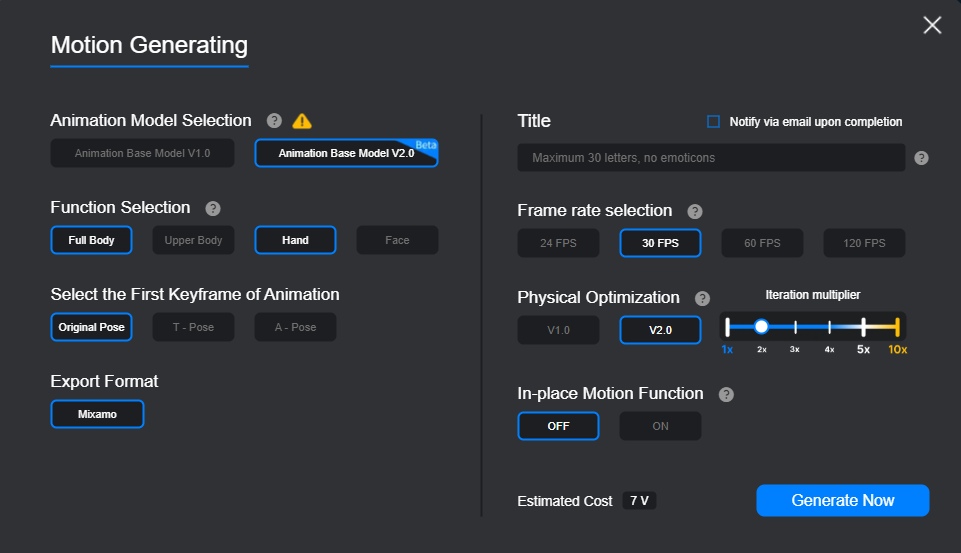
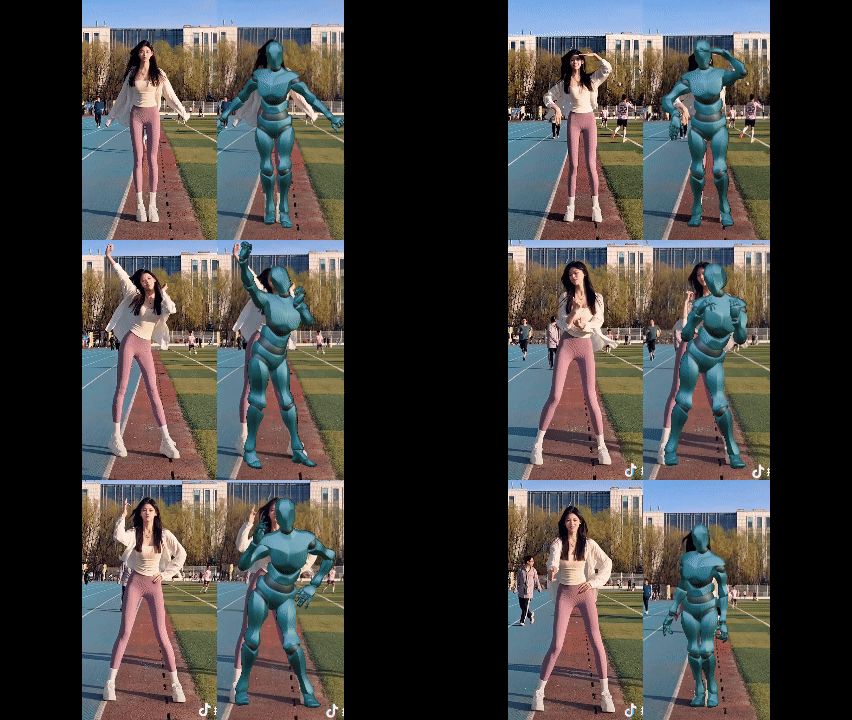
This is our first-generation motion capture base model. It delivers accurate capture for everyday and dance movements, fits most general-purpose scenarios, and supports foundational animation production with stable motion data. No complex filming setup is required—providing a low-cost solution for standard animation projects.
Examples:
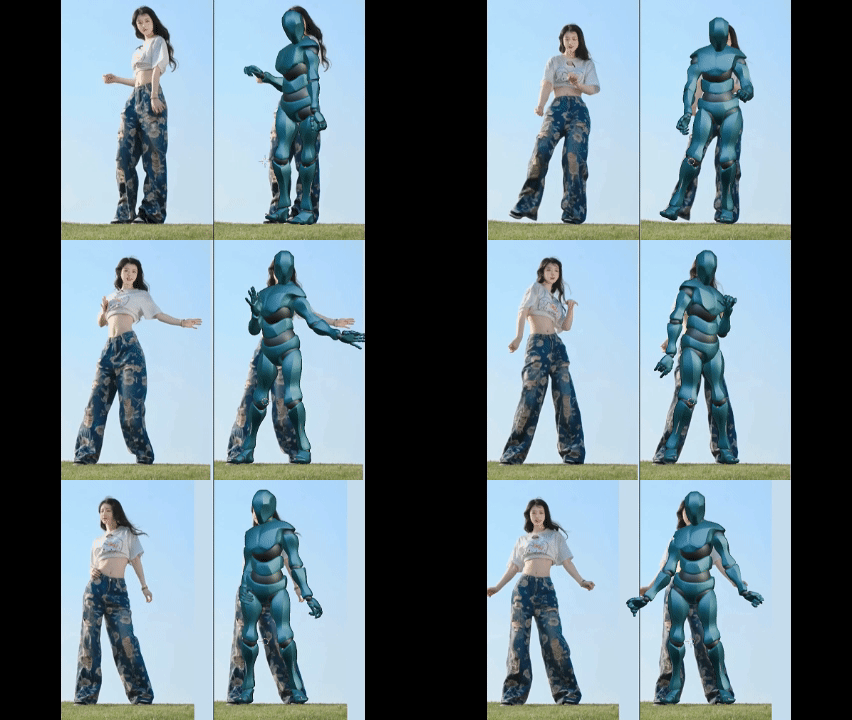
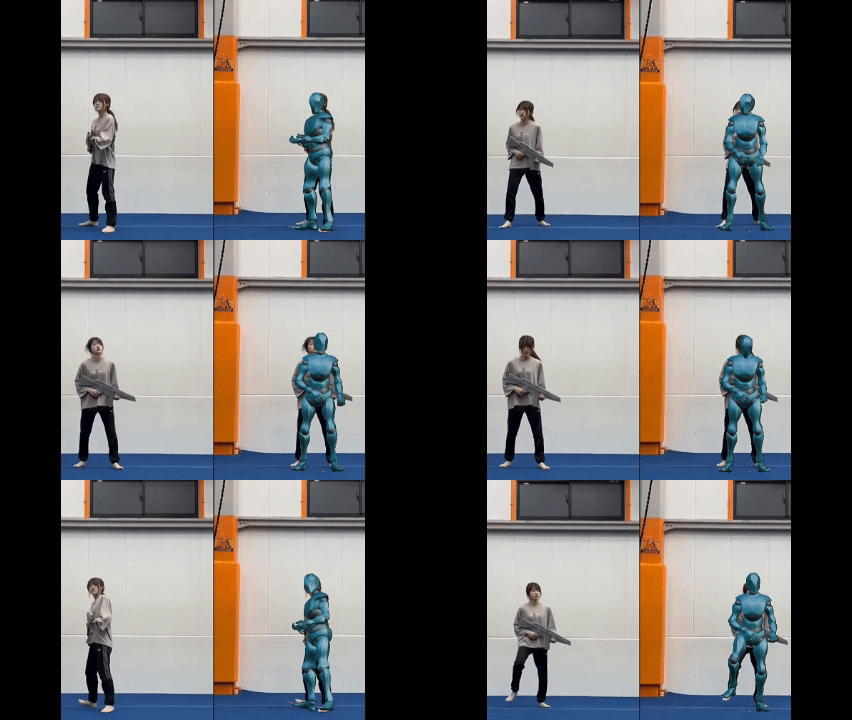
Recommended Scenarios
• Indoor flat-ground actions: character walking, light jogging, turning in place, switching between seated poses
• Basic movements with no occlusion and no dramatic center-of-gravity changes
• Short-form animation, simple game character actions, and basic 3D demo video production
Animation Base Model V2.0 (Beta)
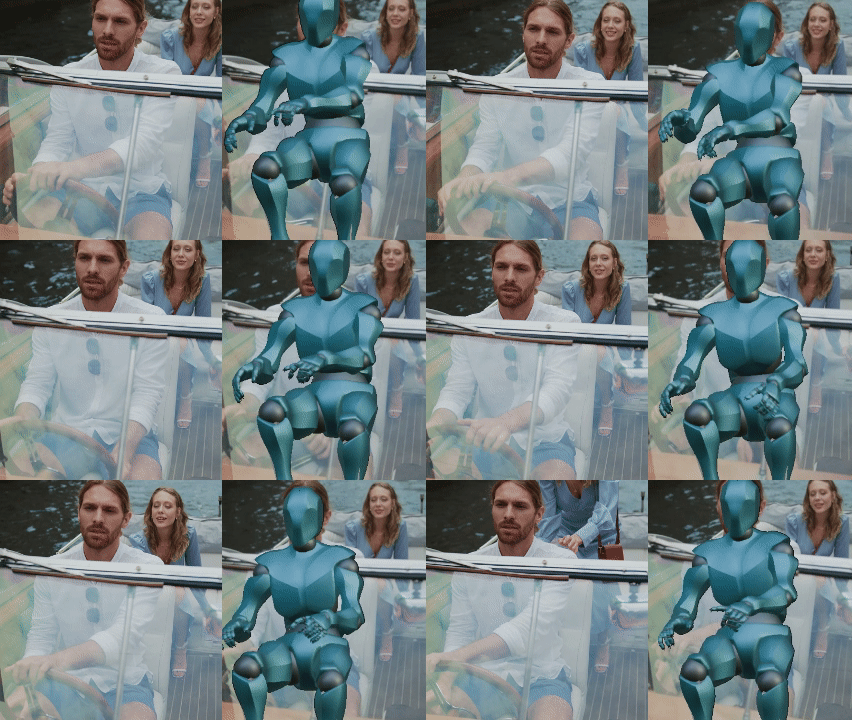
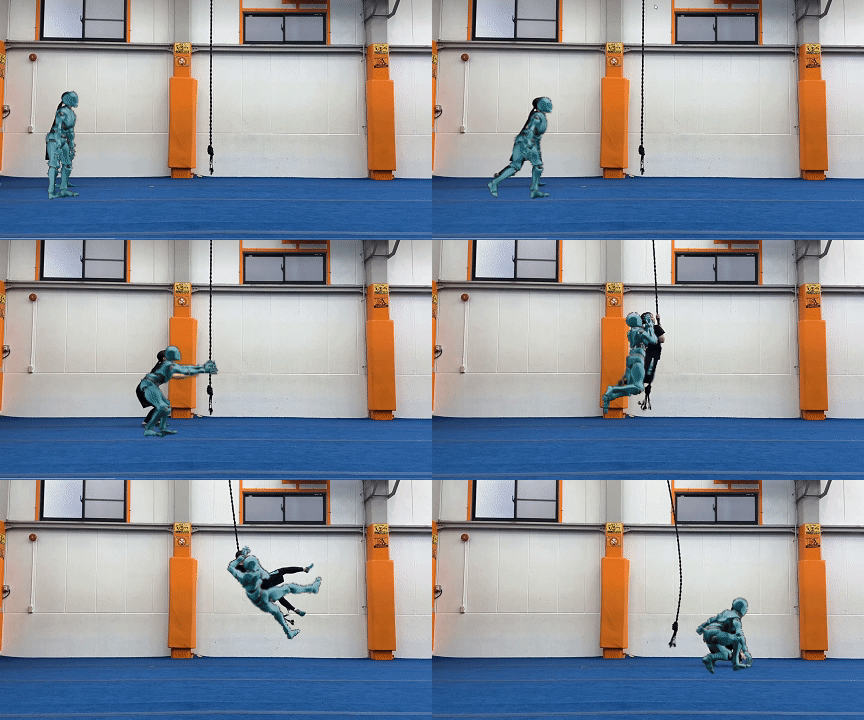
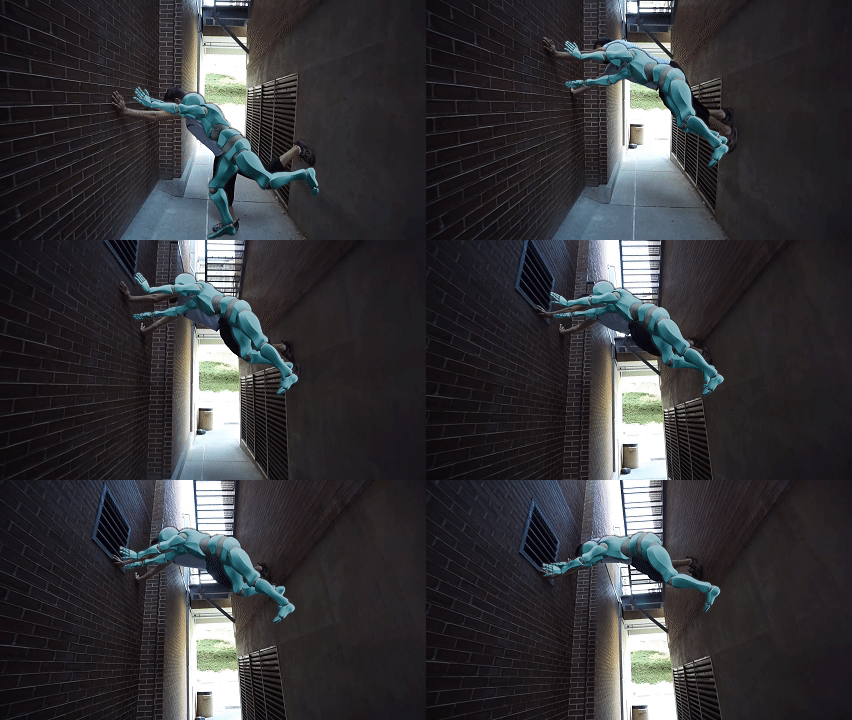
Built on top of V1.0, Animation Base Model V2.0 (Beta) delivers a major upgrade. It significantly enhances motion capture performance in complex scenarios—especially for dynamic actions involving force and center-of-gravity shifts, such as sports movements, climbing, airborne motion, walk/run cycles, and death/fall animations. Compared to V1.0, it provides more refined pose reconstruction and more accurate trajectory tracking.
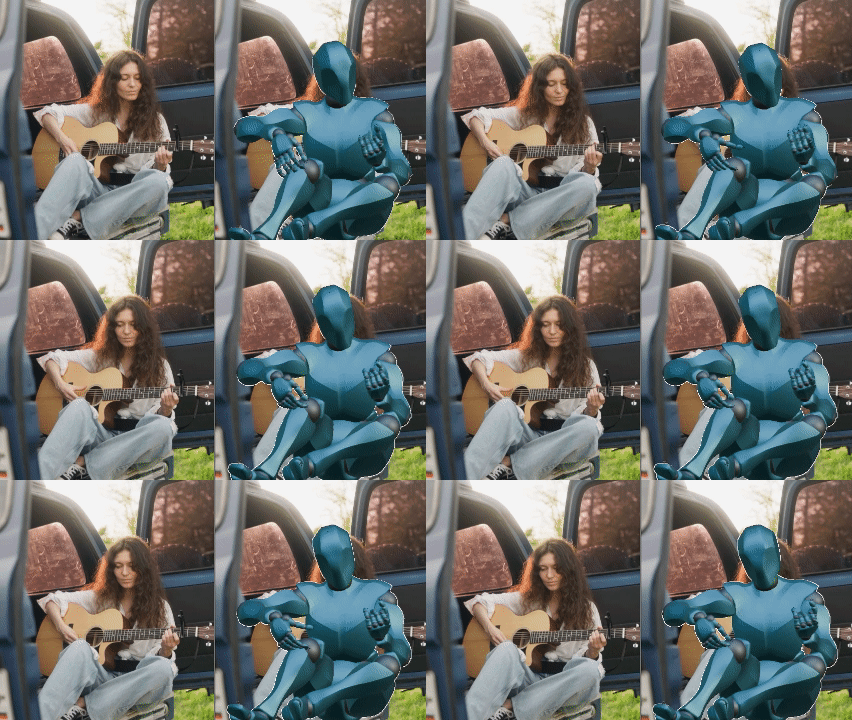
V2.0 (Beta) also introduces motion prediction to a certain extent. It can infer limb movements that occur outside the camera view, and still generate natural motion data even when parts of the body are occluded or out of frame. Whether you’re working in challenging outdoor terrain or indoor interaction scenes, it can greatly improve both production efficiency and physical realism for complex motion.
Examples:
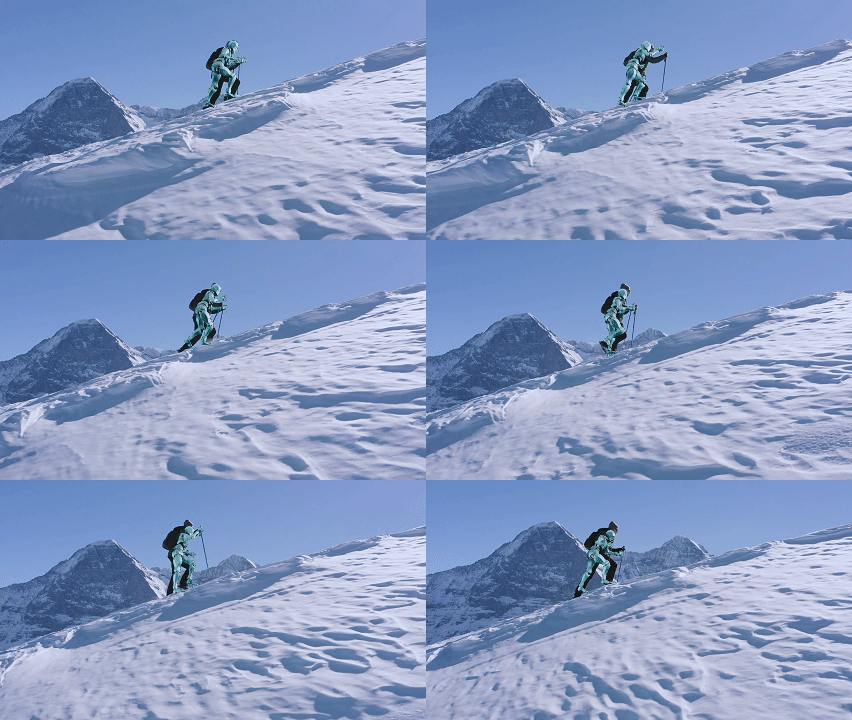
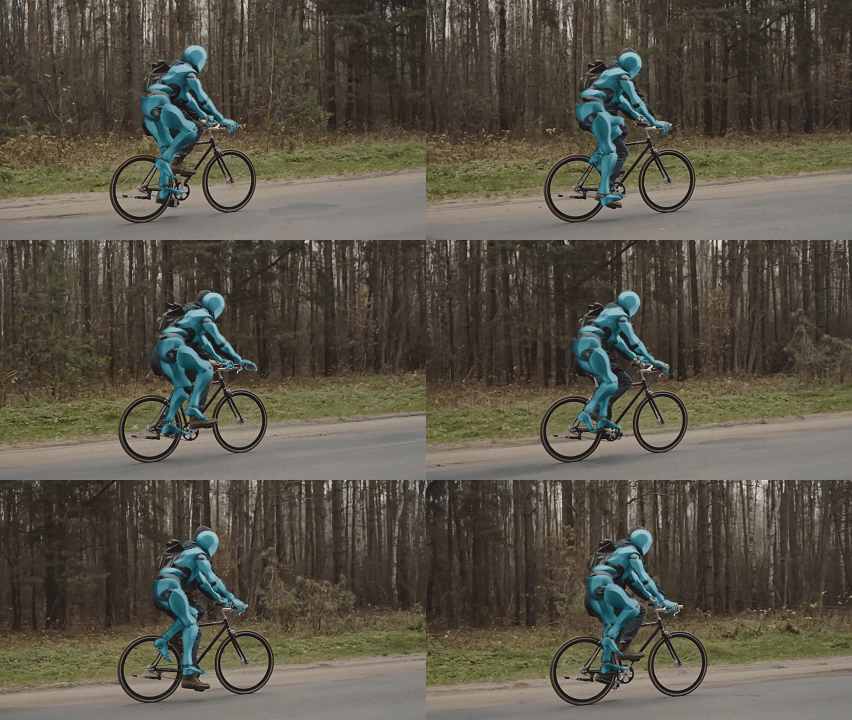
Recommended Scenarios
• Complex terrain movement: going upstairs, walking downhill, climbing steps/walls, crawling/ground movement, rolling
• Force-driven dynamic actions: jump takeoff and landing, large limb swings, rapid center-of-gravity shifts
• Occlusion / out-of-frame scenarios: hands occluded, or parts of the body moving outside the camera frame
• Complex outdoor and indoor interaction scenes: e.g., body interactions around furniture such as tables and chairs, and other real-world scene actions.
Thank you for your support and trust in QuickMagic. We will continue working to provide you with an even better service and experience.