Seedance 2.0 Is Now Live
AI video creation has officially entered the era of "high consistency + high-fidelity motion." Today, our Image to Video feature is fully integrated with the Seedance 2.0 model, bringing creators smoother, more stable, and cinematic video generation capabilities.
Why Choose Seedance 2.0?
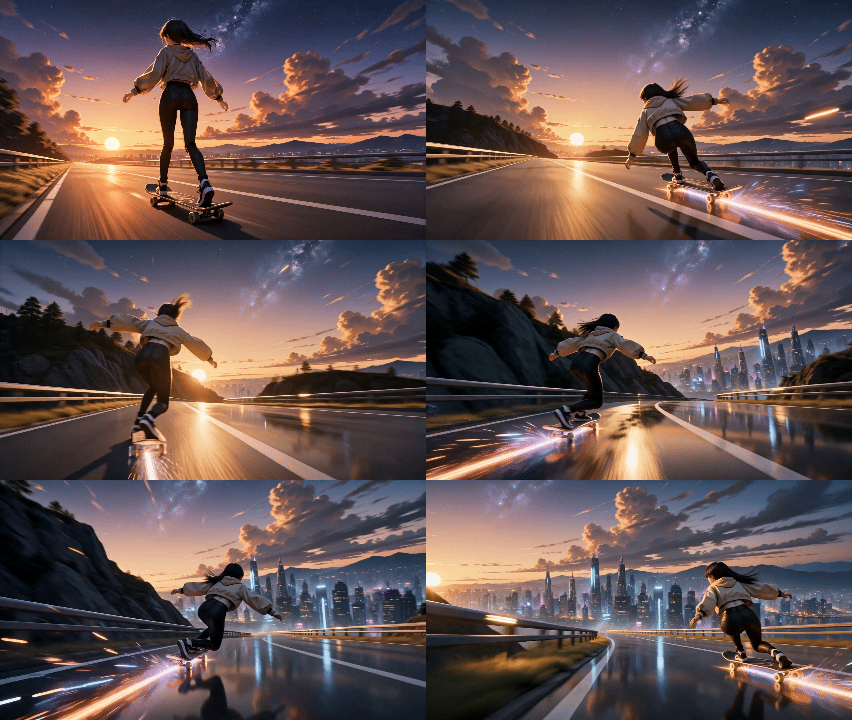
From character movements and emotional expressions to high-speed camera panning, Seedance 2.0 generates incredibly natural and fluid motion. Complex actions are no longer prone to glitching, camera transitions are significantly more stable, and the overall video delivers a highly premium visual experience.
Key Upgrades in Seedance 2.0
• Fully Enhanced Motion Performance
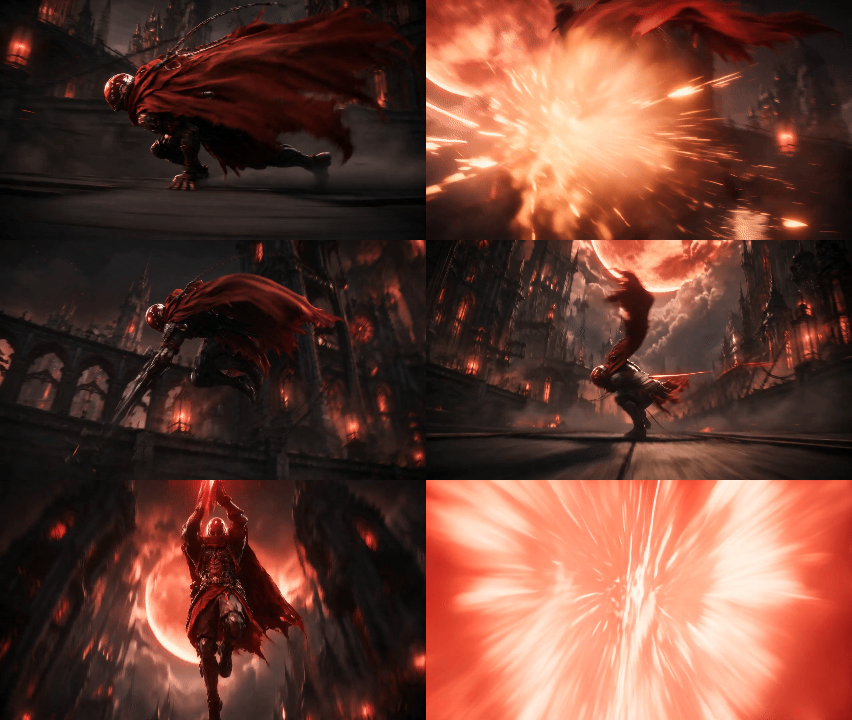
The model’s comprehension of motion details has been further elevated. Whether it's fighting, cycling, or dancing, as well as the dynamic secondary motion of capes, hair, and clothing, it delivers more realistic physics and inertial feedback, making the overall movement significantly more seamless and natural.
• More Realistic Lighting and Atmosphere
Seedance 2.0 simultaneously enhances cinematic lighting and atmospheric rendering. Ambient light, volumetric lighting, particles, depth of field, and bokeh effects are now significantly more refined, allowing you to effortlessly generate cinematic video content with a powerful visual impact.
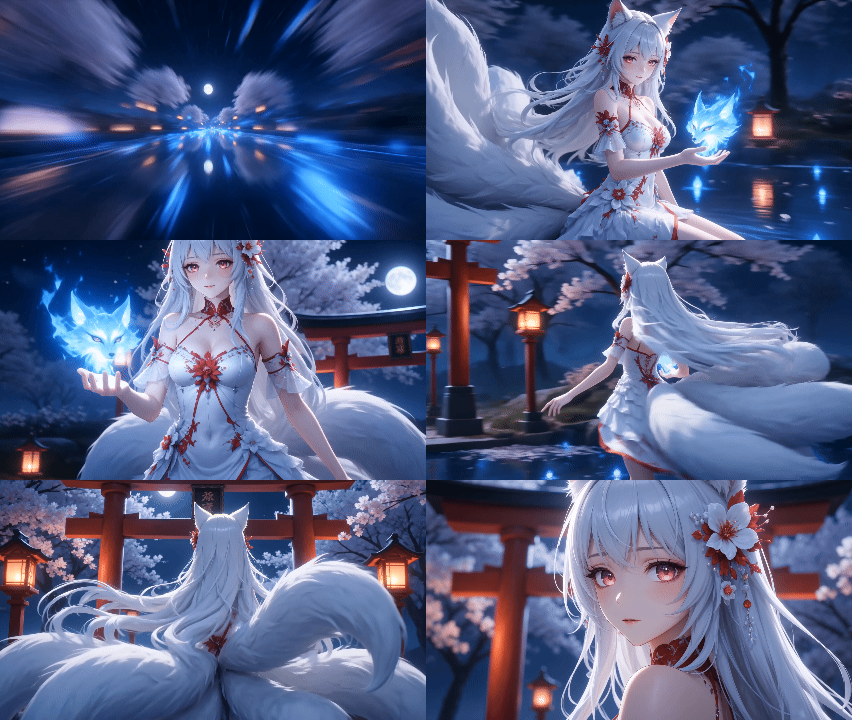
• Rock-Solid Character Consistency
When it comes to character consistency, Seedance 2.0 delivers superior retention of facial features, attire, and body structures. Even during high-amplitude movements or long takes, it maintains a stable character identity, making it ideal for anime, character-driven storytelling, and sequential shot creation.

Seedance 2.0 is now officially live within our Image to Video tool. With just a single image, you can instantly bring your visuals to life with unprecedented stability, smoothness, and cinematic quality.
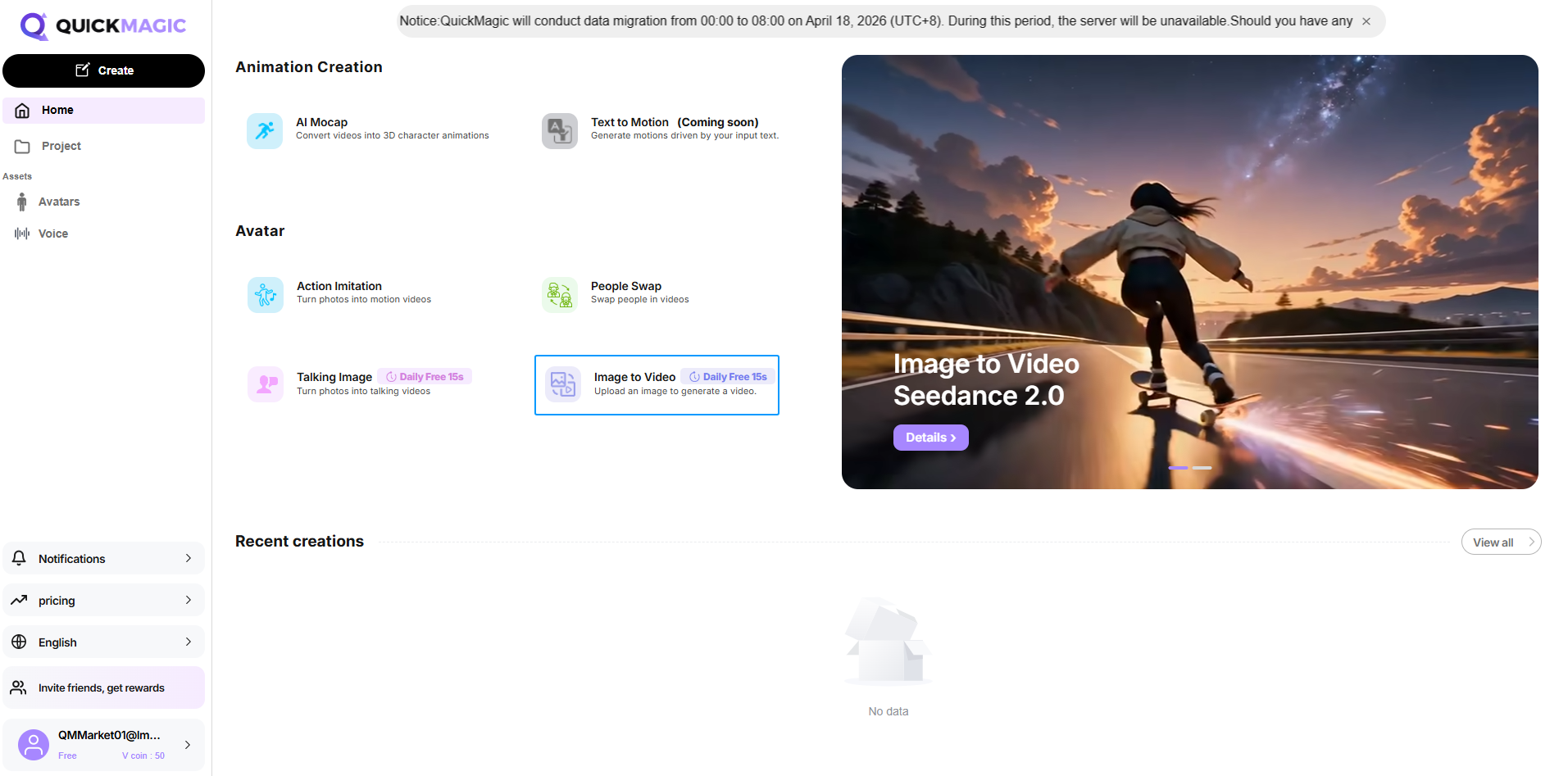
Step 1: Visit the Official Website
Go to the QuickMagic official website, and on the homepage, click the Image to Video icon.
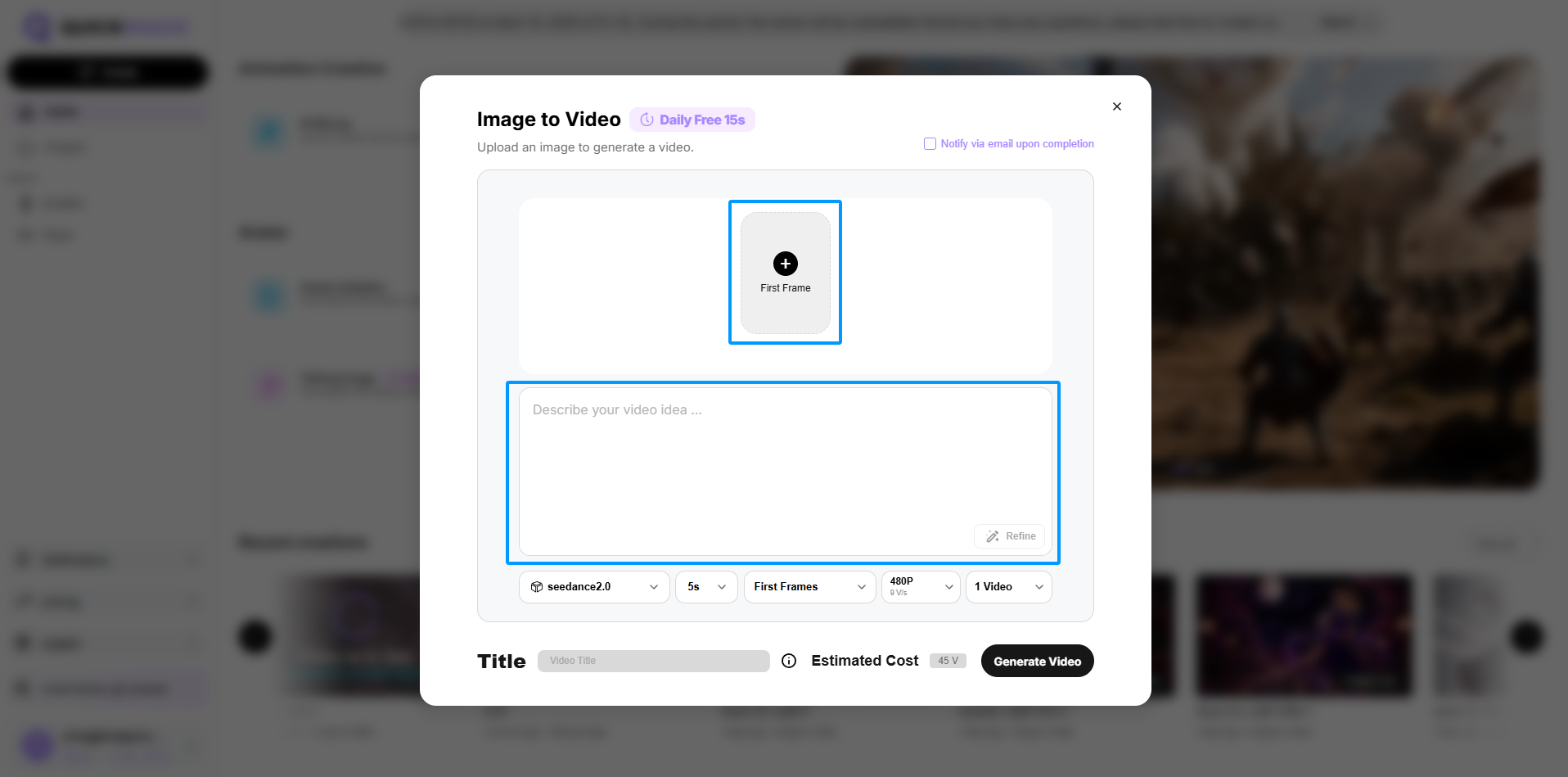
Step 2: Upload your image and enter the prompt
On the Image to Video interface, select your image and enter the prompt.
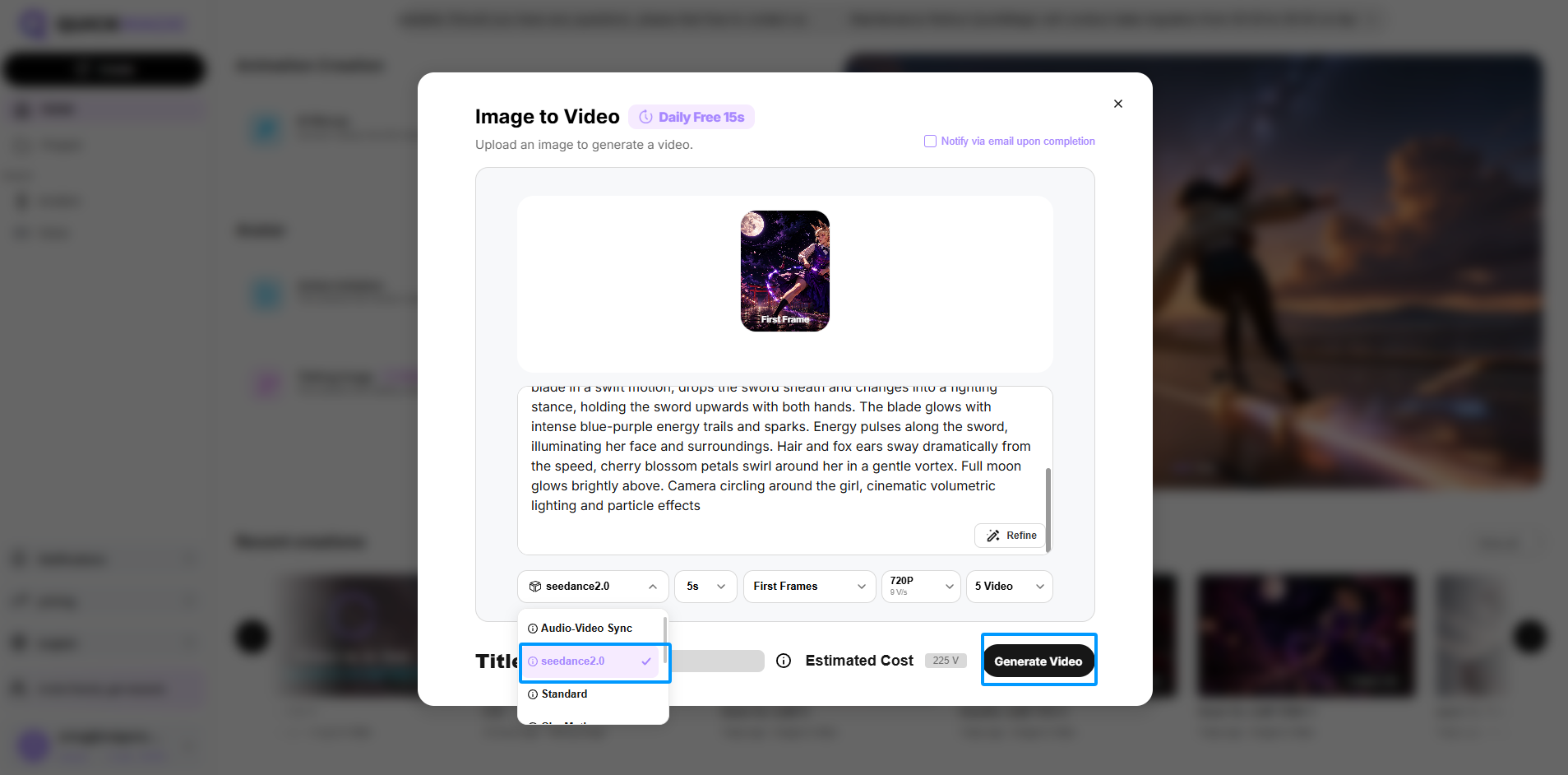
Step 3: Select the Seedance 2.0 model
At the bottom of the Image to Video interface, select the Seedance 2.0 model, adjust other settings as needed, and then click "Generate."
Experience Seedance 2.0 now and bring a single image truly to life.
Click to Experience Now
Thank you for supporting and trusting QuickMagic. We’ll continue to improve to deliver a better experience and higher-quality service.
QuickMagic AI Mocap Discord: https://discord.gg/PSueMTTShJ
(Feel free to join and share feedback — we’d love to hear from you.)
— QuickMagic Team