QuickMagic Physics Optimization 2.0 Tutorial
In today's animation industry, AI technology is gradually integrating into various stages, optimizing and revolutionizing the creative workflow. Traditional animation production faces challenges such as tedious manual keyframe drawing, high equipment costs, and lengthy production cycles, and the application of AI offers new avenues for solving these problems. From algorithm-based character animation generation to virtual scene construction facilitated by intelligent technology, AI is helping animation creation enhance efficiency while expanding the boundaries of artistic expression.
Against this backdrop, the Quickmagic AI Motion Capture Physics Optimization 2.0 is about to be launched.
This upgrade focuses on enhancing capture effects and enriching creative options. In terms of capture effects, more advanced algorithms will be utilized to optimize the recognition and restoration of motion details, lending animated characters more subtle and natural movement performance. Meanwhile, the new version opens up more detailed parameters for creators to adjust. The Quickmagic AI Motion Capture Physics Optimization 2.0 will better meet diverse creative needs, helping animation production move toward a more efficient and refined direction.

Our newly launched Physics Optimization 2.0 feature provides a customizable motion solution through iterative multiplier adjustment, allowing you to balance motion fidelity and smoothness according to different creative needs.
Details are as follows:
You can flexibly adjust the iterative multiplier (1x, 2x, 3x, 4x, 5x, 10x) to find the ideal balance between motion fidelity and smoothness.
- Smaller multipliers (e.g., 1x):
- Deliver higher motion fidelity — accurately reproducing the original motion’s details and amplitude. Ideal for scenes that emphasize expressive, dynamic movements or require preserving the full intensity of the original motion.
- Larger multipliers (e.g., 5x):
- Provide greater motion smoothness — reducing excessive motion amplitude for softer, more natural results. Best suited for scenes that prioritize fluid transitions and visual comfort.
Example demonstration:
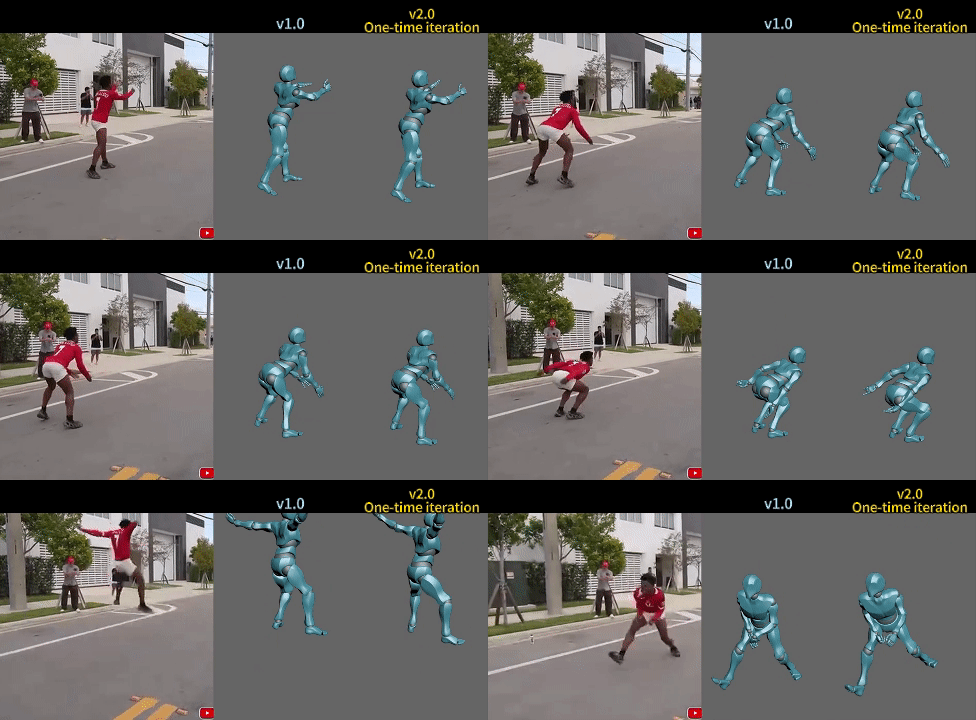
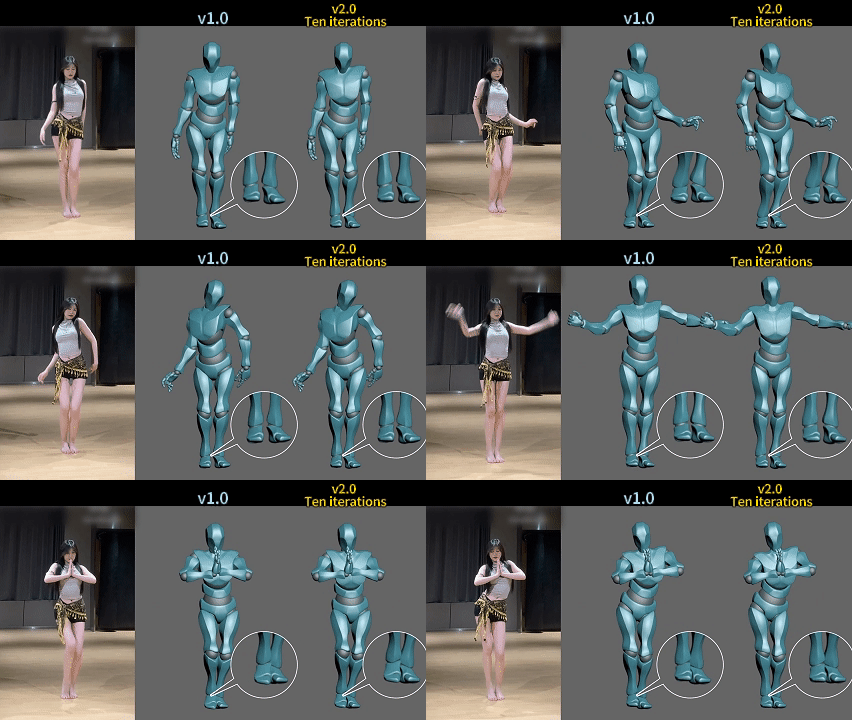
You can flexibly adjust according to your creative needs:
If you wish to restore detailed motion performance, prioritize a lower iteration value.
If you want to enhance motion smoothness and soften large movements, choose a higher iteration value, allowing you to easily craft motion performance that fits the scene’s intent.
Whether you pursue authentic motion fidelity or prefer a silky-smooth visual experience, simply drag the slider to select the iteration value and switch styles instantly with one click.
Feature Description:
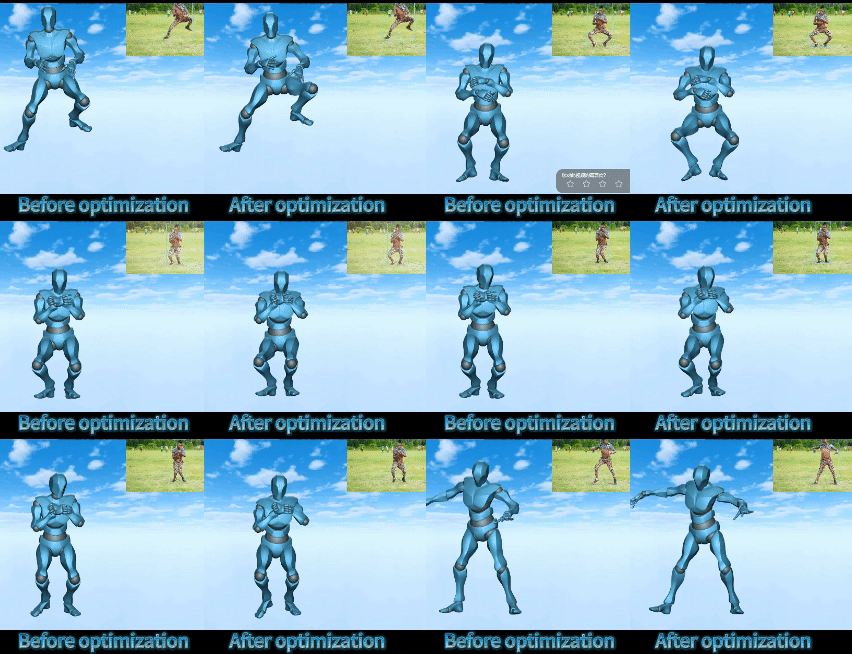
Compared with version 1.0, v2.0 enables captured motions to more closely match the original video performance, enriching motion details while preserving the original style and characteristics to the greatest extent.
Issues such as jumping, leg spreading, high kicks, and unnatural hip twisting have been significantly improved in v2.0.
Meanwhile, the 10x iteration mode provides powerful stability, effectively resolving problems such as ground penetration, floating, and sliding steps.
However, note that some motion details may be slightly weakened at higher iteration levels.
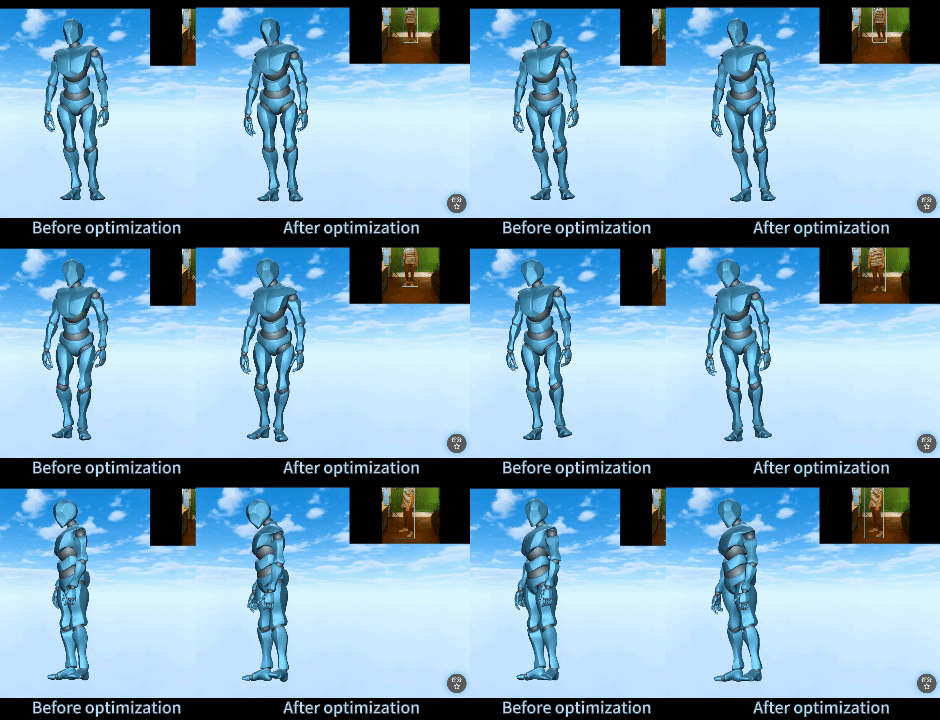
The following is a comparison example between v1.0 and v2.0 at 1x iteration:
Quickmagic will release more tutorials in the future. For further inquiries, please contact us.
QuickMagic Team