Welcome to Quickmagic! Here's a simple guide to get you started:
Video Tutorials
Text tutorial
1. Prepare your own video.
2. First click "Ai mocap".Click upload video, you can also drag upload.Upload your own video on QuickMagic. If you are uploading someone else's video, please ask the dancer for permission.
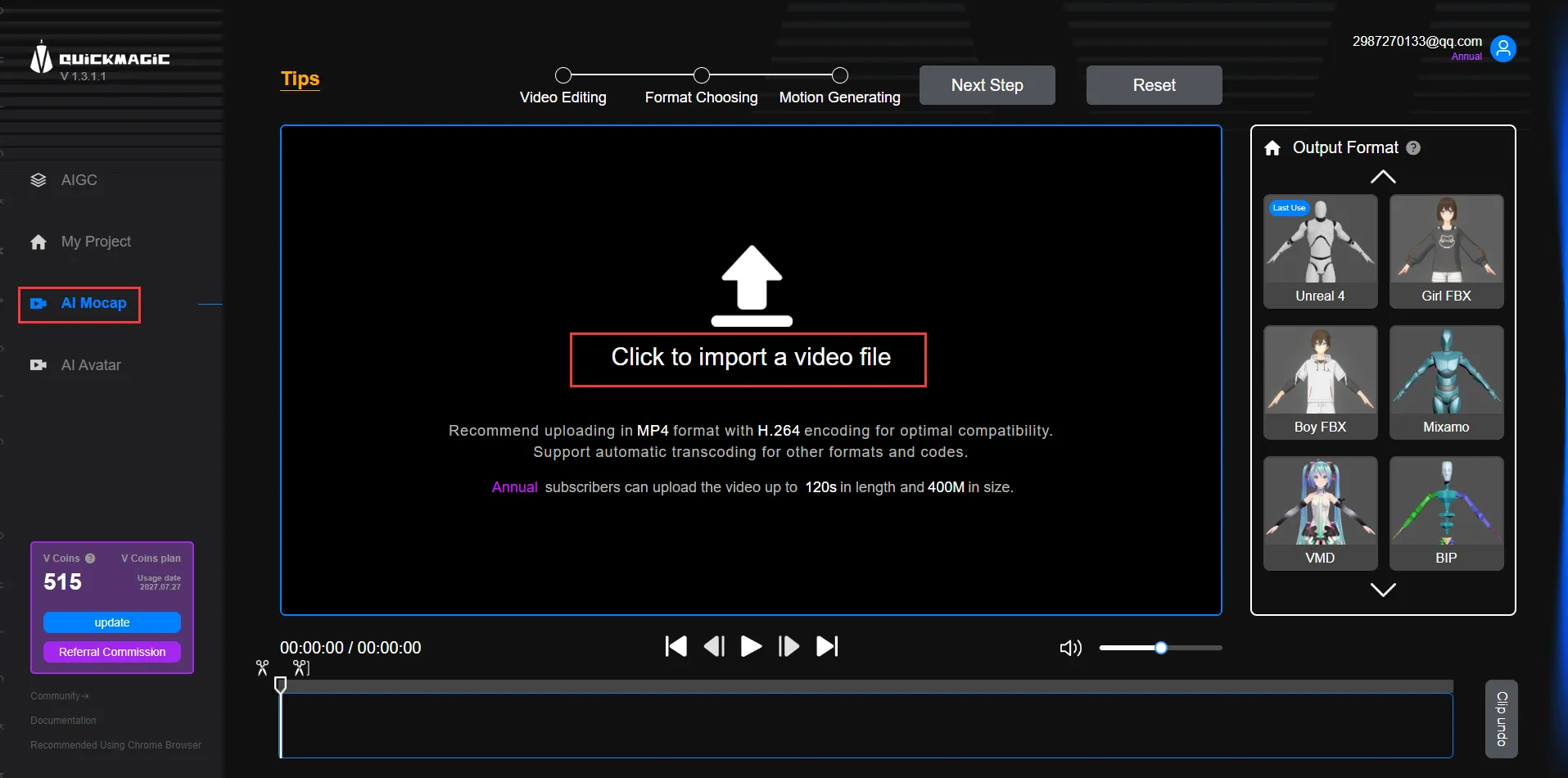
3. If you need to crop the video, you can use the editing tool.You can click the arrow on the right side of the Output Format to shrink the icon, which makes it easier to compare video clips.
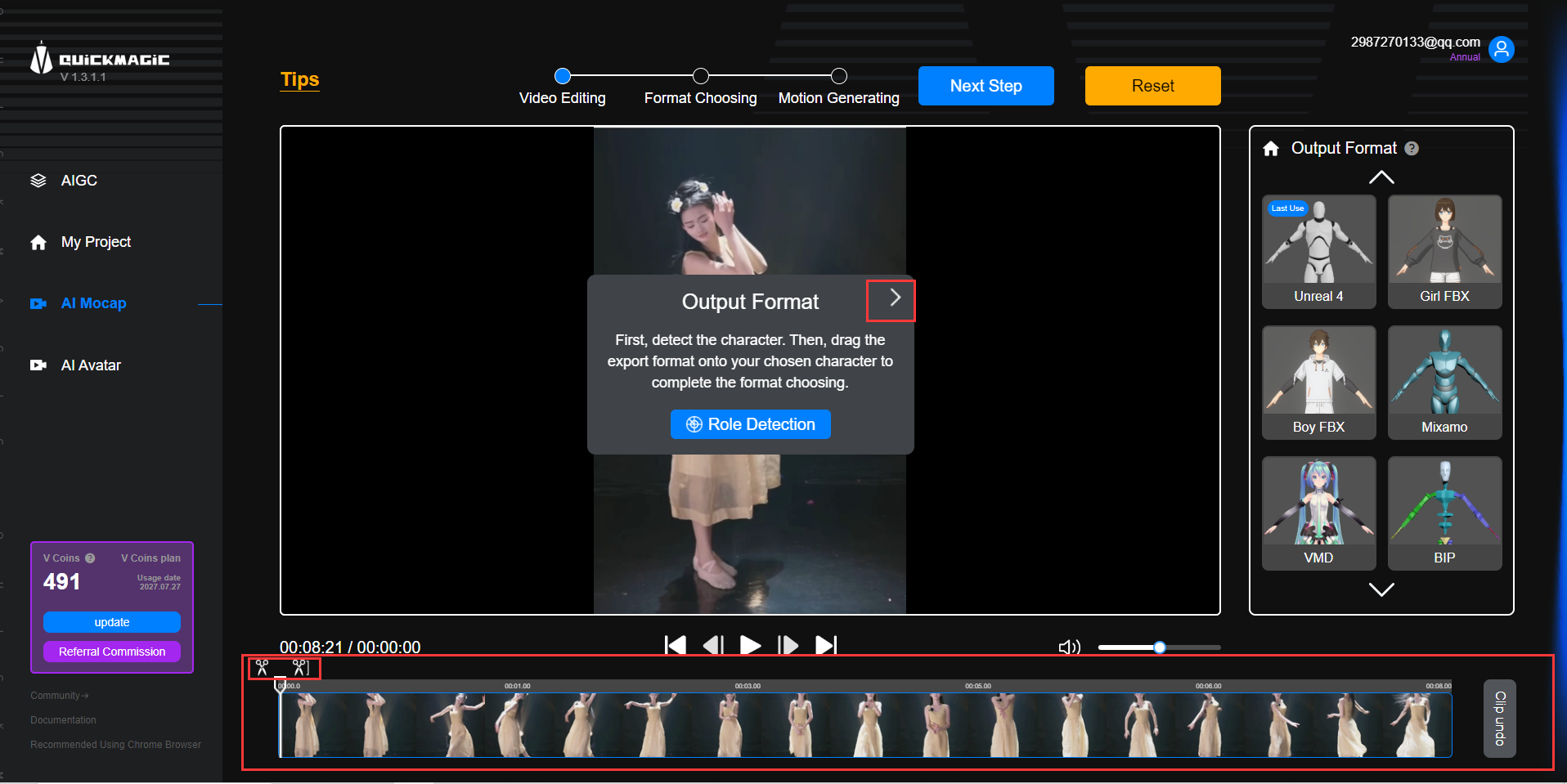
After editing is complete, click on Output Format.
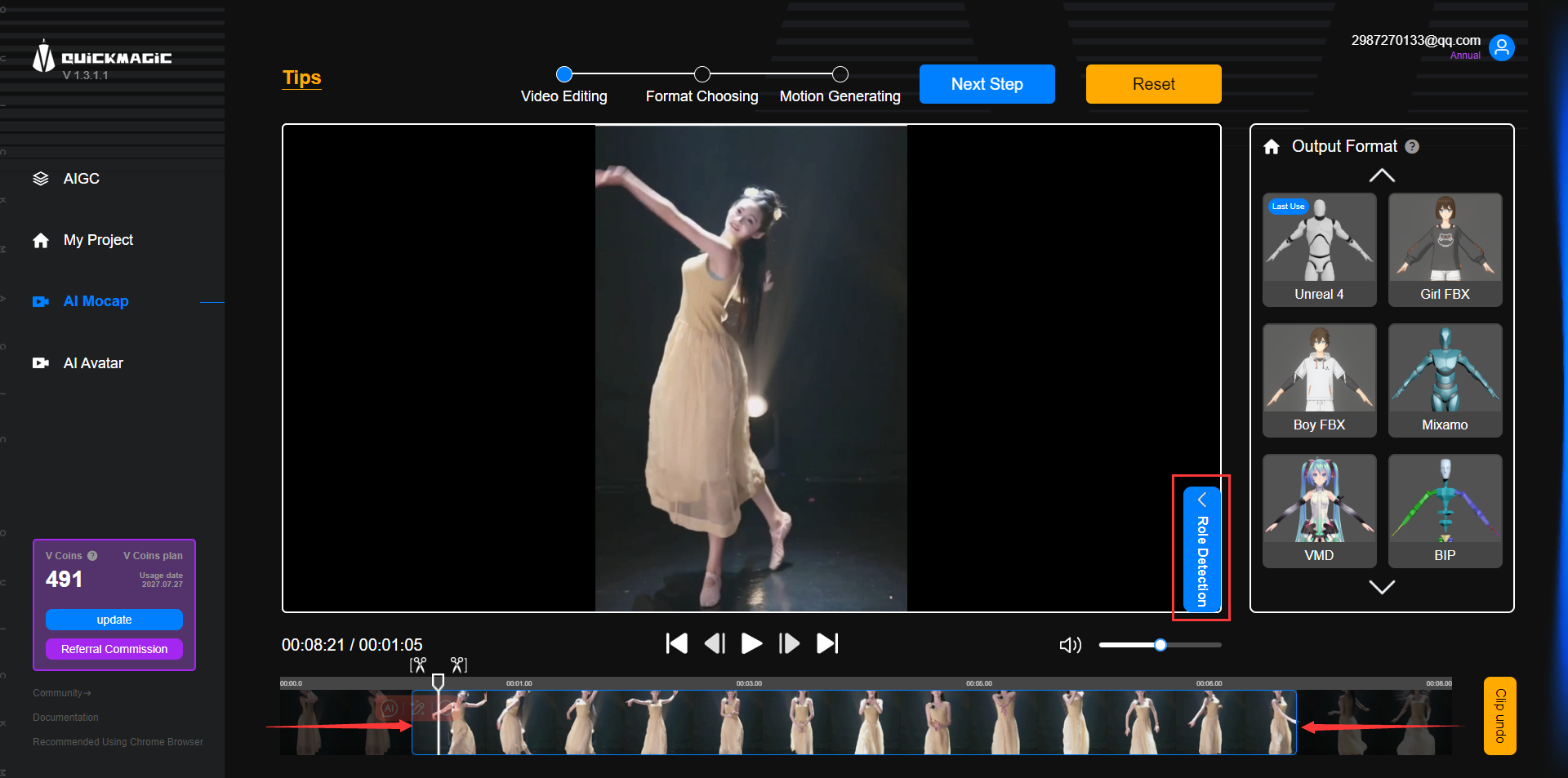
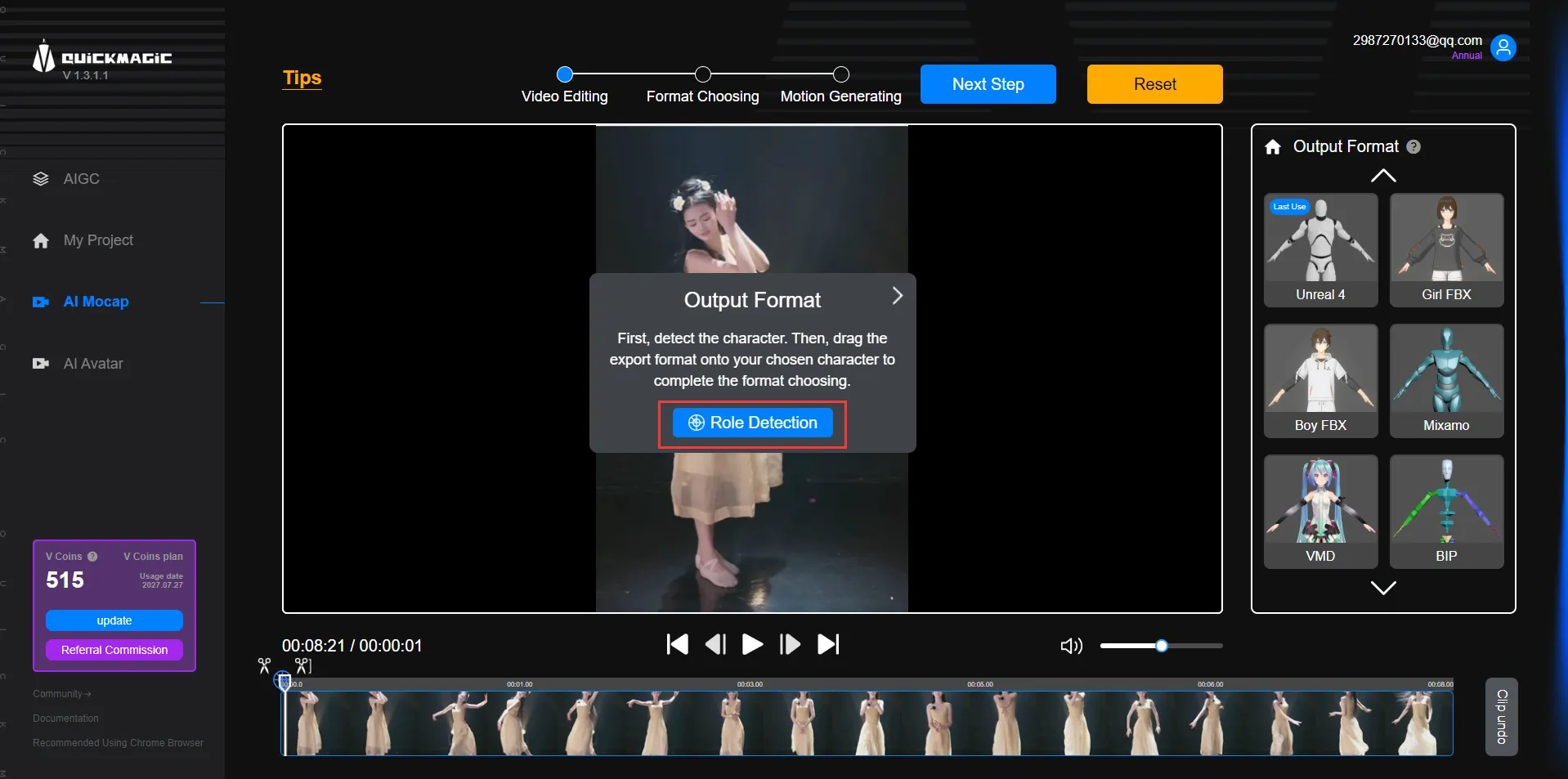
4.Detect the character in the video.
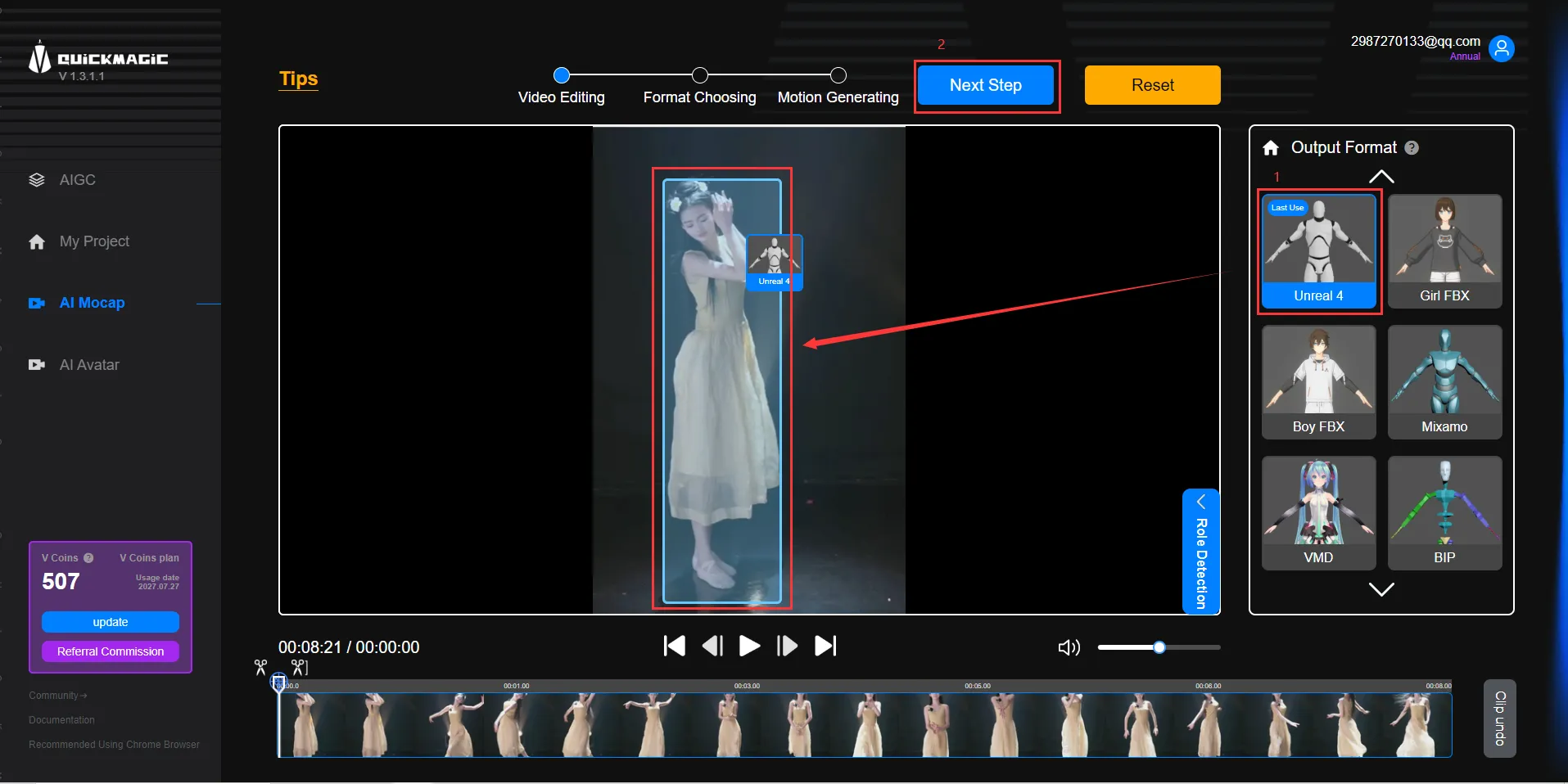
5.Drag the export format you preferred to the character.We have multiple formats available.Then click Next Step.
6.Name your project and click to generate the motion.
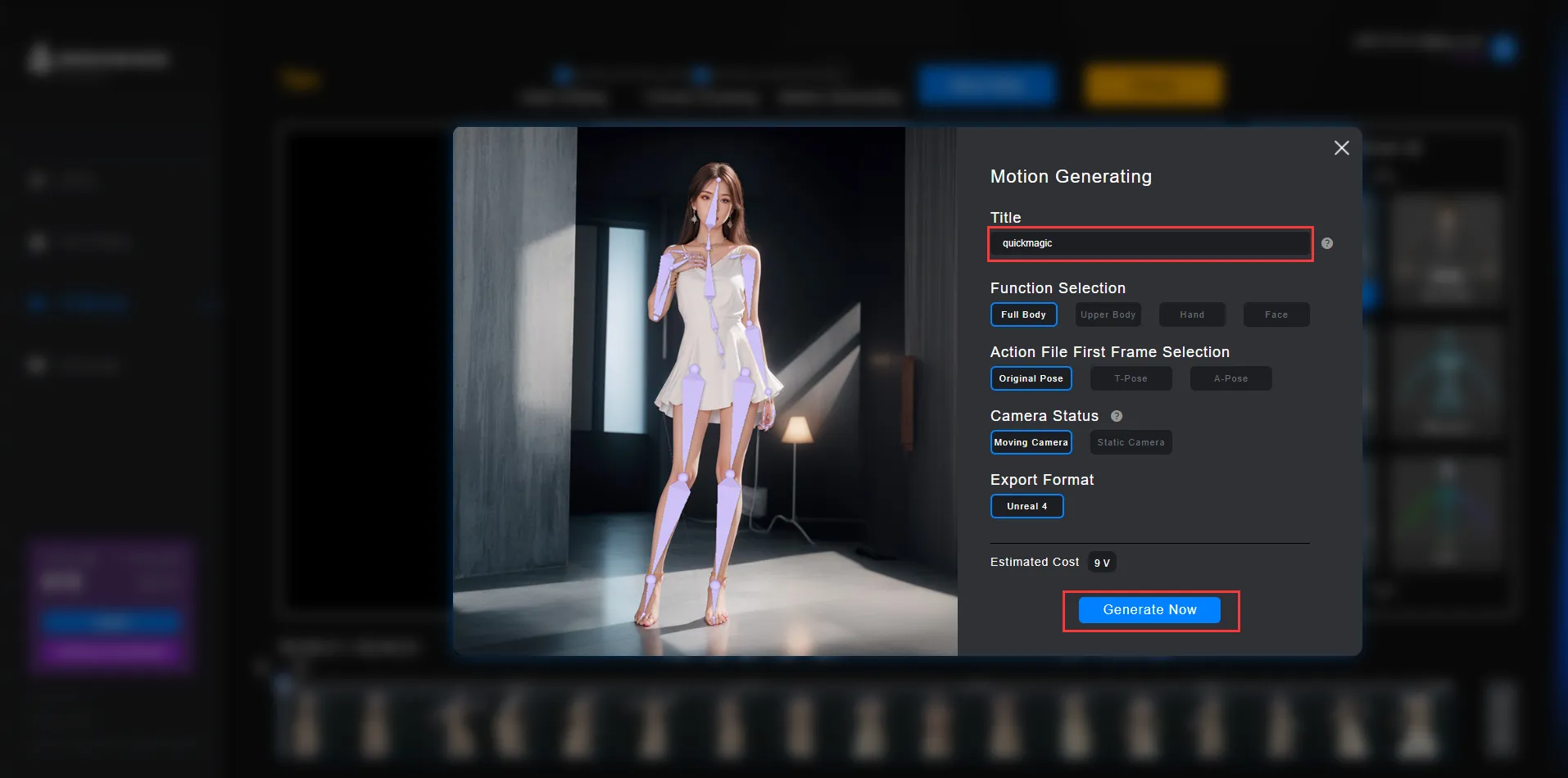
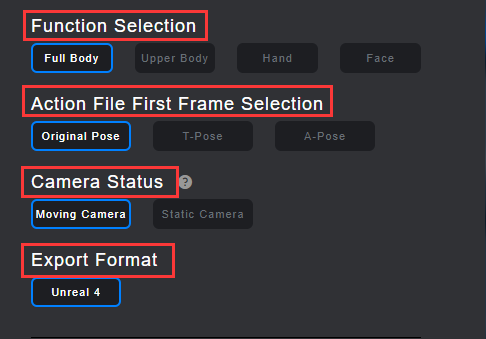
ps:You can choose from full body capture, half body capture, hand capture, face capture, and any combination of multiple captures. You can also choose the original pose, T-pose, A-pose, as well as our still camera and mobile camera. These choices can improve the quality and demand of animation.
7.Wait for the motion to be completed. You can preview the moion and download it.
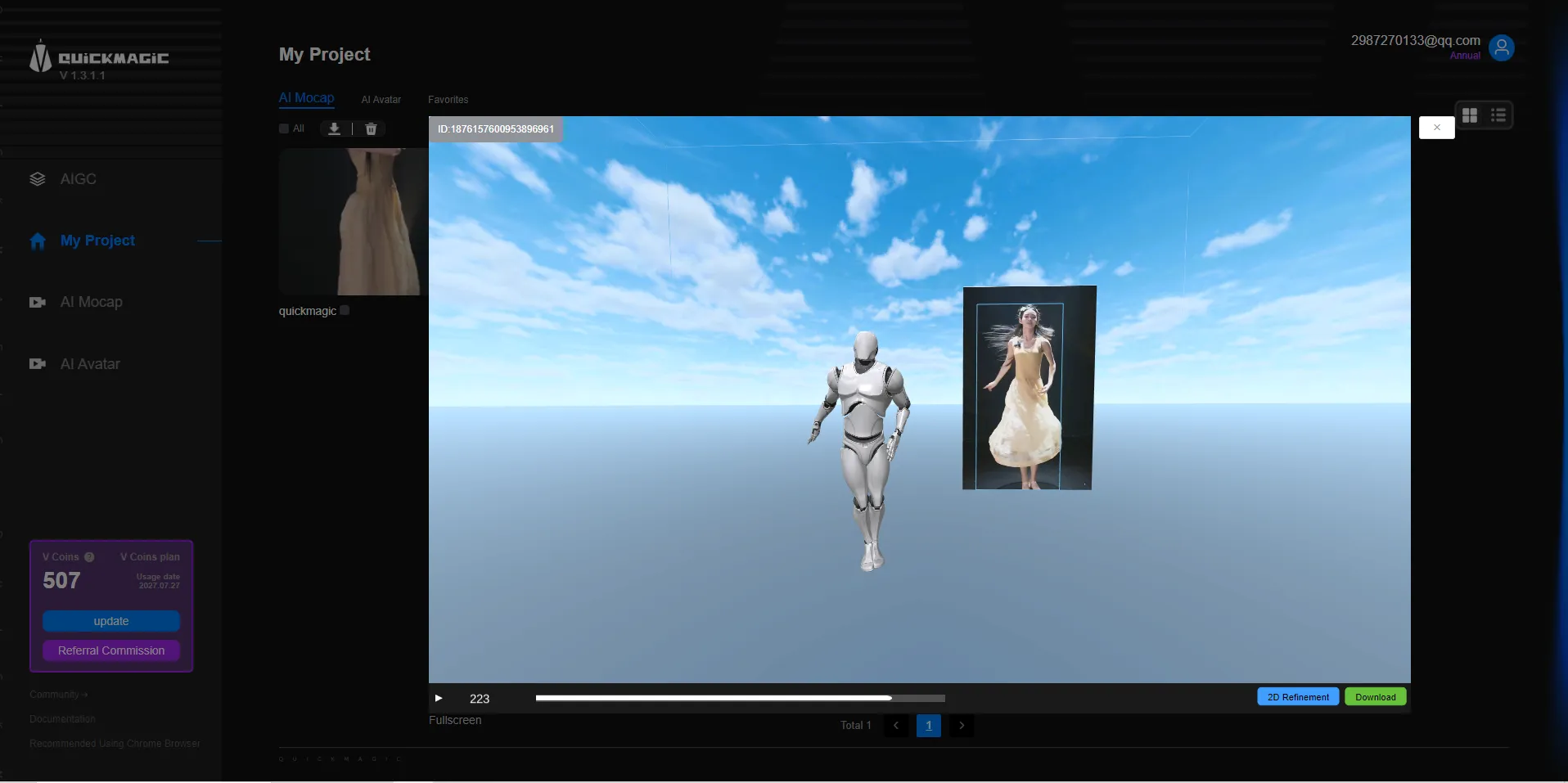
No need for complex settings, the whole process is convenient and efficient, allowing you to easily grasp the character movement data, providing strong support for subsequent animation production.
Quickmagic Team