How to Import VMD Motion Files into VaM (Virt-A-Mate) — VaM 1.22 Example
(VaM 1.22 bundle download link is provided at the end of this page.)
The following guide walks you through importing and using VMD motion files in VaM (Virt-A-Mate). This tutorial is based on VaM v1.22 and helps you quickly get VMD animations working inside VaM.
Step 1: Launch VaM and Prepare a Scene
- Go to your VaM installation folder and double-click vam.exe to launch the program.
- On the left panel, open Scene Browser and load a base scene that already contains a character (e.g., the default character template).
- Press F1 to enter Edit Mode. Double-click the character in the scene to open the Atom (character) editor panel, which you’ll need for loading plugins.
- Verification: If the character and the editor panel appear normally and there are no error pop-ups, the setup is correct.
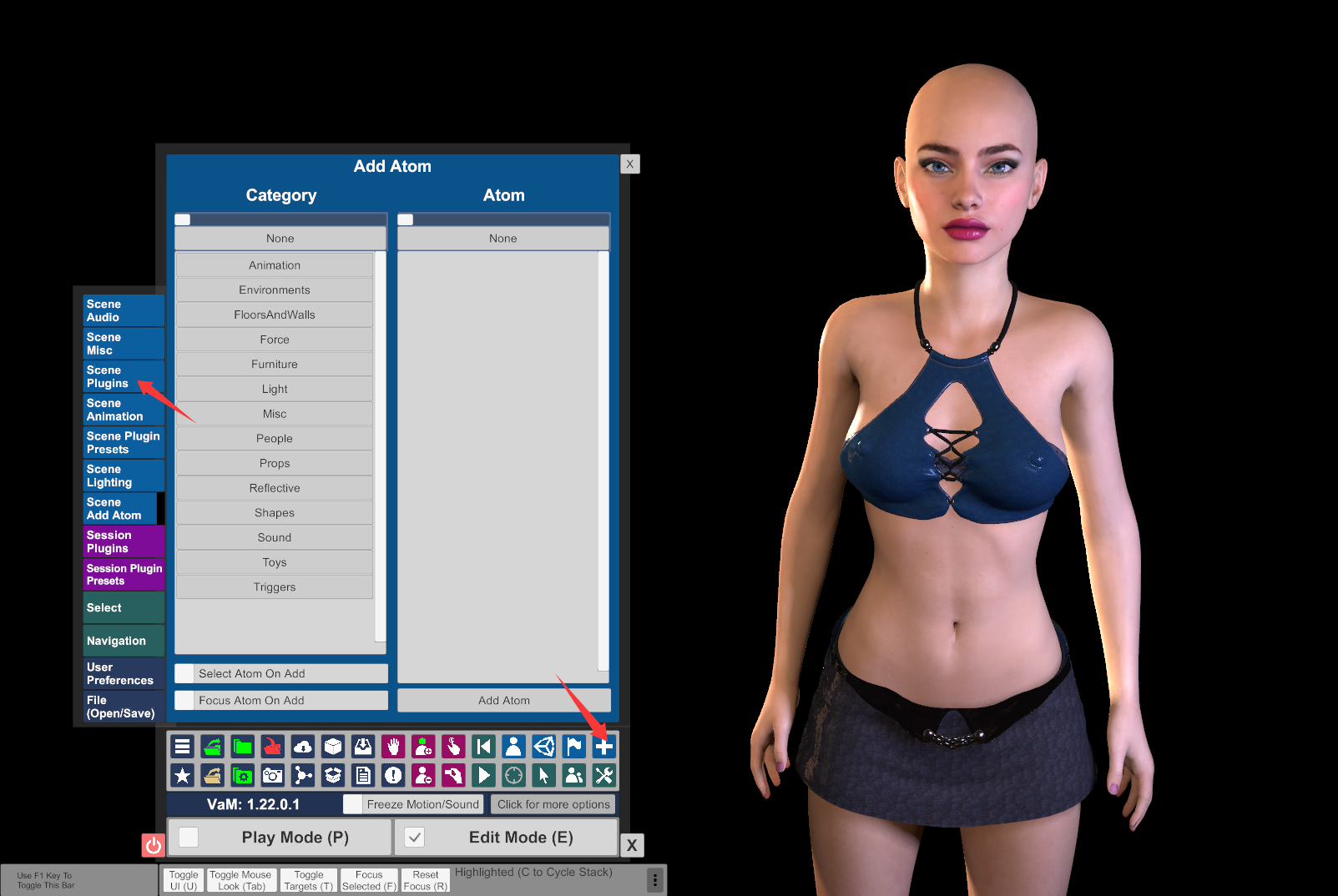
Step 2: Load the VMD Motion / Facial Animation Plugin
- Plugin setup: Place plugin files such as MMDPlayer.dll into VaM’s AddonPackages directory. Make sure the files are complete and not corrupted.
- Select the character. In the Atom editor panel, click Add Plugin → Select File.
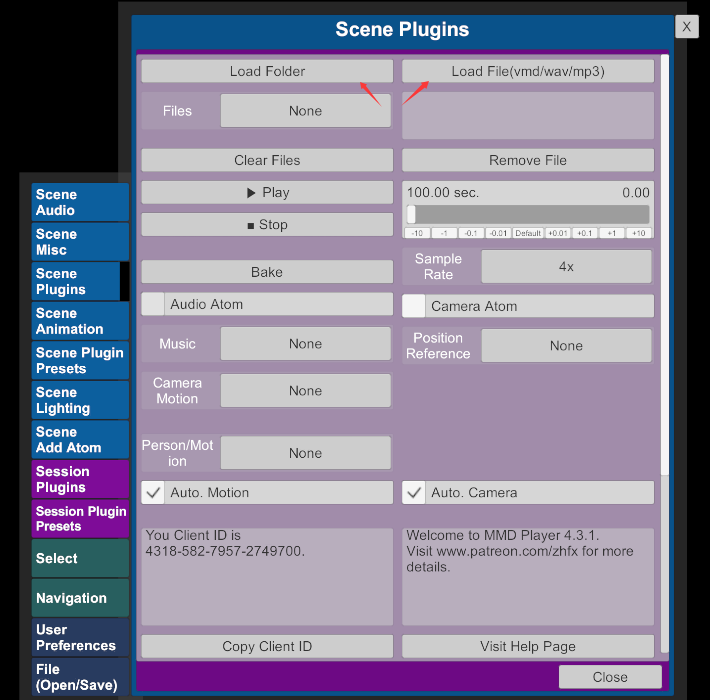
- Browse and select the plugin file (e.g., MMDPlayer.dll) and wait for it to load. After loading, you should see the plugin’s custom UI appear on the right side.
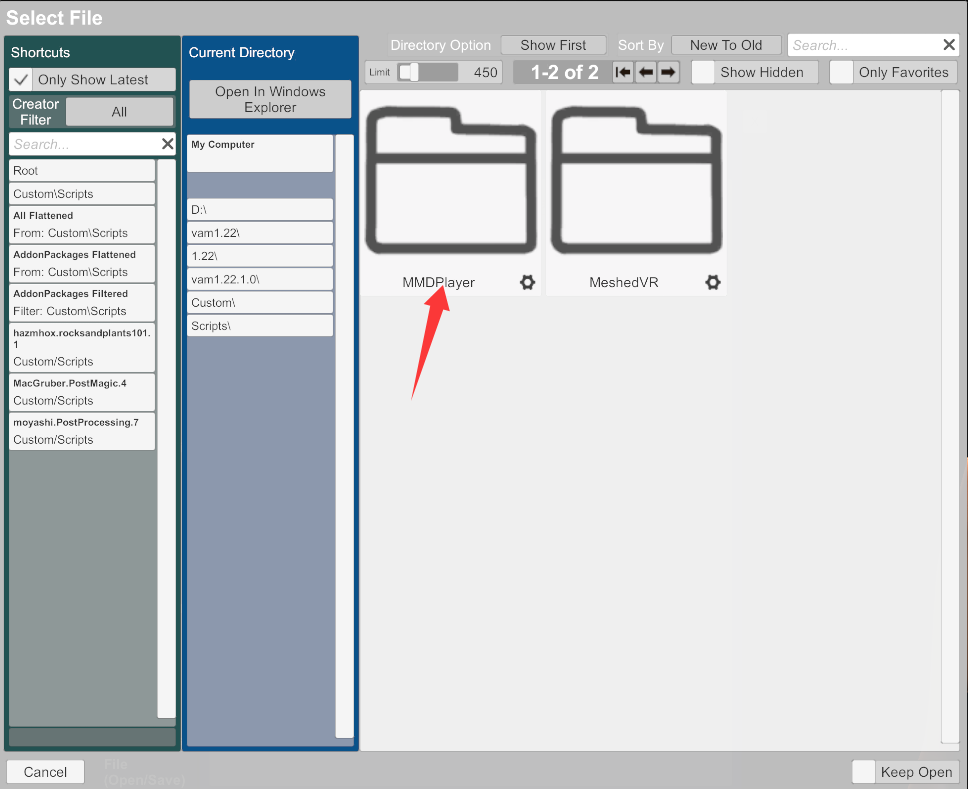
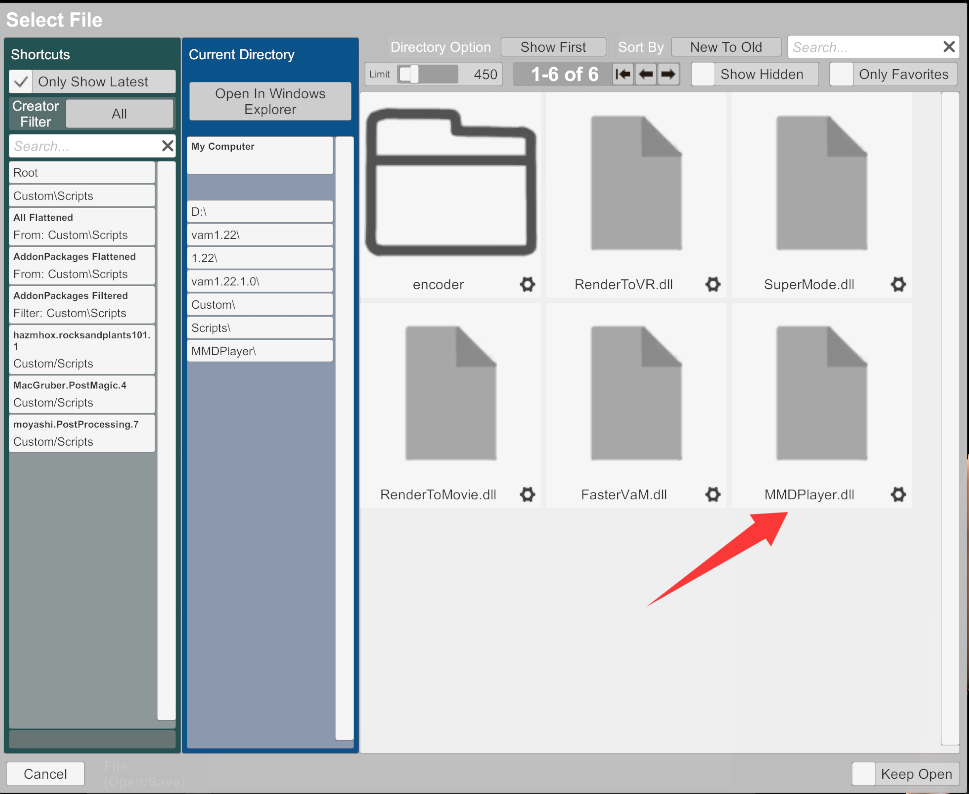
Step 3: Import a VMD File and Play the Animation
- In the plugin panel, click Select.vmd, then browse and select your target VMD file (supports both character motion VMD and camera VMD).
- If you’re using a dance VMD, you can also load background music in WAV format. Use the Audio option to set the audio file path.
- Click Play to start playback.
- Press Space to pause/resume
- Press F1 to hide the UI for fullscreen preview
- Export & Save: Once playback works properly, you can export the motion data from the plugin panel, or simply save the scene as a .json scene file.
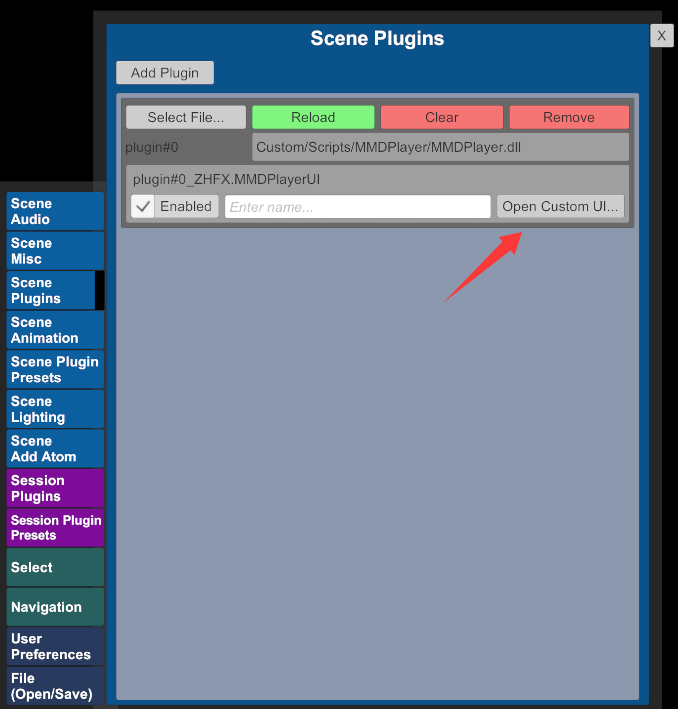
VMD 1.22 (including plugins) download:
Shared via Baidu Netdisk: vam1.22
Link: https://pan.baidu.com/s/1RZeGInnYfZCKkMrqh1wIlA?pwd=hgcg
Extraction code: hgcg