





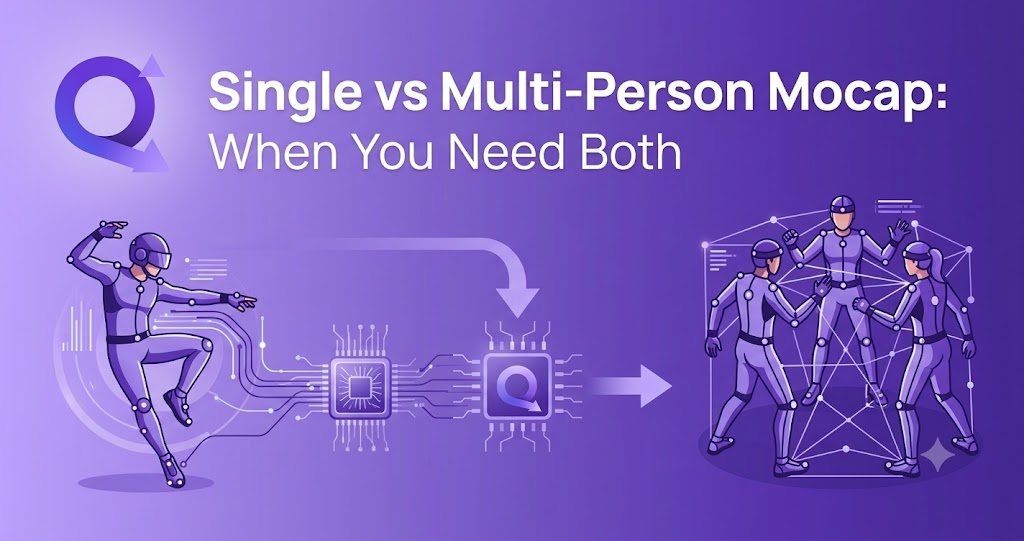
Single vs Multi-Person Mocap: When You Need Both
From solo dance clips to two-person fight choreography — how to choose the right markerless motion capture workflow, and why the best AI 3D animation tools handle both from a single browser tab.
Not long ago, capturing human motion meant renting an optical studio, squeezing into a lycra suit, and spending more time placing reflective markers than actually performing. Today, AI Motion Capture has collapsed that entire pipeline into an upload button: record a video on your phone, feed it to a Markerless Motion Capture engine, and receive editable 3D animation data minutes later.
But one decision still shapes every capture session before you press record: are you capturing one person, or several? Single-person and multi-person mocap look similar on the surface, yet they differ in shooting strategy, occlusion risk, cleanup effort, and the creative doors they open. This guide breaks down when single-person capture is enough, when multi-person capture is non-negotiable, and how a platform like QuickMagic lets you switch between both — plus text to 3D animation — without changing tools.
What Is Markerless Motion Capture?
Markerless Motion Capture uses computer vision and machine learning to estimate human movement directly from video — no suits, no sensors, no calibrated camera arrays. The model detects body, hand, and (on supported platforms) facial keypoints frame by frame, then reconstructs a 3D skeleton you can retarget onto any character.
This is the technology behind modern Video to 3D Animation workflows, and it powers tools across the industry — from DeepMotion's Animate 3D and its text-driven sibling SayMotion, to all-in-one platforms like QuickMagic that combine video capture, Generative 3D Motion from text prompts, and export presets for games, MMD, VTubers, and Digital Humans in a single workspace.
Why it matters: Because markerless AI mocap works on ordinary footage, the single-vs-multi-person question is no longer about hardware — it's about what your scene demands. The camera in your pocket can capture a solo performance or a duet; choosing correctly is a creative and technical decision, not a budget one.
Single-Person Mocap: Strengths and Limits
Single-person capture — one performer, one skeleton — is the workhorse of AI 3D animation. It's the right default for the majority of content:
- VTuber and MMD content: dance covers, idol performances, and meme animations almost always feature one character per clip. Native VMD export (offered by QuickMagic, rarely by competitors) drops the motion straight into MikuMikuDance.
- Game locomotion and combat: walk/run cycles, jumps, attacks, and hit reactions are typically authored per character, then blended in-engine.
- Digital Humans and virtual presenters: a single talking or gesturing avatar needs clean upper-body, hand, and facial capture — exactly what single-subject tracking does best.
- Reference and previs: blocking out a performance before committing to a full shoot.
- Robotics and embodied AI: generating human motion references for imitation learning on humanoid platforms (QuickMagic even ships presets for Unitree G1/H1 robots).
Why single-person capture is easier
With only one subject in frame, the AI never has to solve identity assignment (which skeleton belongs to whom) and rarely faces heavy occlusion. You get:
- Higher tracking confidence per joint, especially for hands and fingers
- Less cleanup — fewer foot-sliding and limb-swap artifacts
- Faster turnaround from upload to export
The limit: the moment your story involves two bodies touching, dodging, lifting, or reacting to each other, single-person capture forces you into a painful workaround — capturing actors separately and hand-aligning the clips in your DCC. Anyone who has tried to manually sync a hug or a judo throw knows how quickly that eats a production week.
Multi-Person Mocap: When One Skeleton Isn't Enough
Multi-person mocap tracks two or more performers in the same footage, producing a separate animation stream per subject with their spatial relationship preserved. That preserved relationship is the entire point — and it's what makes certain content categories possible at all:
- Fight choreography: punches, blocks, throws, and grapples only read correctly when distance and timing between the two bodies are exact.
- Partner dance: ballroom, salsa, K-pop duets — any routine with shared weight or synchronized footwork.
- Sports analysis: defender-vs-attacker interactions, basketball one-on-ones, martial arts sparring.
- Cinematic cutscenes: conversations, confrontations, crowd vignettes where characters occupy shared space.
- Multi-agent Digital Humans: training or staging scenes where virtual humans interact believably.
QuickMagic supports both single- and multi-subject tracking from regular footage — static or moving camera — capturing full-body, hand, and facial motion per person. For game devs building combat or co-op emotes, that means capturing genuine two-person interactions instead of stitching solo takes together and hoping they line up.
Single vs Multi-Person Mocap: Side-by-Side
| Factor | Single-Person Mocap | Multi-Person Mocap |
|---|---|---|
| Best for | Dance, locomotion, VTuber clips, solo Digital Humans, robotics reference | Fights, partner dance, sports, cutscenes, character interaction |
| Occlusion risk | Low — only self-occlusion | Higher — performers can block each other |
| Cleanup effort | Minimal | Moderate; contact moments may need polish |
| Spatial relationship | N/A (solo) | Preserved — the core advantage |
| Shooting difficulty | Easy; any framing works | Needs wider framing and staging discipline |
| Typical output | One skeleton / one FBX-BVH stream | One animation stream per subject |
| QuickMagic support | Full-body, hand & face | Multi-subject tracking, static or moving camera |
When You Actually Need Both
Here's the part most comparison articles miss: real productions rarely pick one mode forever. Consider a typical indie game or animated short:
- 80% of your animation list is solo — locomotion sets, idles, emotes, NPC behaviors. Single-person capture, fast and cheap.
- 20% is interaction — the finisher move, the handshake, the cutscene argument. Multi-person capture, non-negotiable.
If your tool only handles one mode, you either rent a studio for the interaction shots (expensive) or fake them with solo takes (time-consuming and unconvincing). This is exactly why an all-in-one platform wins: with QuickMagic, the same upload flow handles a solo dance test on Monday and a two-person sparring session on Friday — body, hand, and facial capture included, with anti-penetration correction to keep contact moments clean.
Shooting Tips for Clean Multi-Person Capture
Multi-person Real-Time Body Tracking and offline video mocap follow the same physics: the AI can only track what it can see. Follow these rules for production-quality results:
- Frame wide and keep everyone fully visible. Full-body framing for every subject, from head to feet, for the entire take.
- Minimize prolonged overlap. Brief crossings are fine; long stretches where one performer fully hides another will cost you cleanup time.
- Dress for contrast. Distinct clothing colors per person help identity assignment; avoid loose fabric that blurs limb silhouettes.
- Light evenly. Harsh shadows and motion blur are the enemies of joint confidence — more so with two bodies in frame.
- Stabilize the camera when possible. Moving-camera footage is supported, but static shots give the most stable global motion.
- Rehearse contact beats. Grapples and lifts benefit from slightly slower, deliberate timing during capture; you can re-time in post.
Beyond Video: Text to 3D Animation
Sometimes you don't have footage at all — you're brainstorming a boss fight at 2 AM, or prevising a scene before casting performers. This is where Generative 3D Motion enters the workflow.
With text to 3D animation, you describe an action in plain language — "a swordsman lunges, parries, and counterattacks" — and the system generates an editable motion draft. DeepMotion offers this through its separate SayMotion product alongside Animate 3D; QuickMagic builds the capability directly into the same platform as its video mocap pipeline, so you can:
- Prototype a solo move from text, then capture the final version on video
- Generate motion ideas for characters and humanoid agents without any filming
- Block out interaction beats from prompts, then replace key moments with real multi-person capture
The hybrid strategy — text drafts for ideation, single-person video for solo shots, multi-person video for interactions — is how fast-moving teams compress weeks of animation into days.
From Capture to Character: Motion Retargeting & Export
Captured motion is only useful if it reaches your character intact. Motion Retargeting — mapping the source skeleton onto your rig — is where many mocap tools quietly fall apart, especially with multi-person data where two streams must stay synchronized.
QuickMagic ships the broadest preset library in its class, so both single- and multi-person captures land where you need them:
- Formats: FBX, BVH, BIP, C4D, VMD, Mixamo, UE4 / UE5.5 / UE5.6, MetaHuman, Character Creator & iClone, Roblox, OnlyFace, UniRobot
- DCC & engines: Blender, Unreal Engine, Unity, Maya, 3ds Max, MotionBuilder, Cascadeur, MikuMikuDance, Cartoon Animator, UEFN
- Specialty: native VMD for MMD and VTuber pipelines; Unitree G1/H1/H1_2 presets for humanoid robotics and embodied AI research
For Digital Humans teams, that means a two-person conversation captured on a phone can be retargeted onto MetaHumans the same afternoon. For MMD creators, a duet goes from camera roll to VMD without a format converter in sight.
Capture one performer — or a whole scene.
Try QuickMagic's AI Motion Capture free: video to 3D animation, text to 3D animation, single- and multi-person tracking, hand and facial capture, and 13+ export formats. No suits, no markers, no studio.
Start Creating Free →Frequently Asked Questions
What is the difference between single-person and multi-person mocap?
Single-person mocap tracks one performer per video — ideal for solo dance, locomotion, and VTuber content. Multi-person mocap tracks two or more people in the same footage and is required for fight scenes, partner dance, sports, and any interaction where the spatial relationship between characters matters.
Can AI motion capture track more than one person from a regular video?
Yes. Modern markerless motion capture platforms like QuickMagic support multi-subject tracking from ordinary phone or camera footage — no suits, markers, or multi-camera studio required. Keep each person visible and avoid prolonged overlap for the cleanest results.
When should I use text to 3D animation instead of video mocap?
Use text to 3D animation when you don't have reference footage: storyboarding, previs, prototyping game moves, or generating motion ideas for characters and Digital Humans. Describe the action, preview the draft, then refine or replace it with real capture later.
What file formats can I export multi-person mocap data to?
QuickMagic exports FBX, BVH, BIP, C4D, VMD, Mixamo, UE4/UE5 (including MetaHuman), Character Creator & iClone, Roblox, and Unitree humanoid robot formats — covering Blender, Unreal Engine, Unity, Maya, MikuMikuDance, MotionBuilder, and more.
Is multi-person mocap harder to clean up than single-person?
Somewhat — contact moments and crossings can introduce foot sliding or brief identity swaps. Good shooting discipline (wide framing, contrast clothing, even lighting) plus features like anti-penetration correction keep cleanup to a minimum.
The Bottom Line
Single-person mocap covers most of what creators animate day to day; multi-person mocap unlocks the interactions that make scenes feel alive. You shouldn't have to choose a tool that only does one. With Markerless Motion Capture, Video to 3D Animation, built-in Generative 3D Motion, and industry-leading Motion Retargeting in one browser-based platform, QuickMagic is built for the way productions actually work — solo shots and shared scenes alike.


