註冊
在 Blender 中以 AI 動作捕捉將影片生成 3D 動畫

從影片或文字進行 AI 動作捕捉

將一般影片或文字提示轉換為可編輯的 3D 動畫資料,不需要動捕服、標記點或多機位攝影棚。

免費開始
QuickMagic

無標記 AI 動作捕捉:將影片或文字轉為可編輯的 3D 動作

QuickMagic 可從單一影片推估全身、手部與臉部動作,也能依文字提示生成動作,並將結果轉為可在角色工作流程中編輯的 3D 動畫資料。不必使用動捕服、反光標記、感測器或多機位攝影棚。

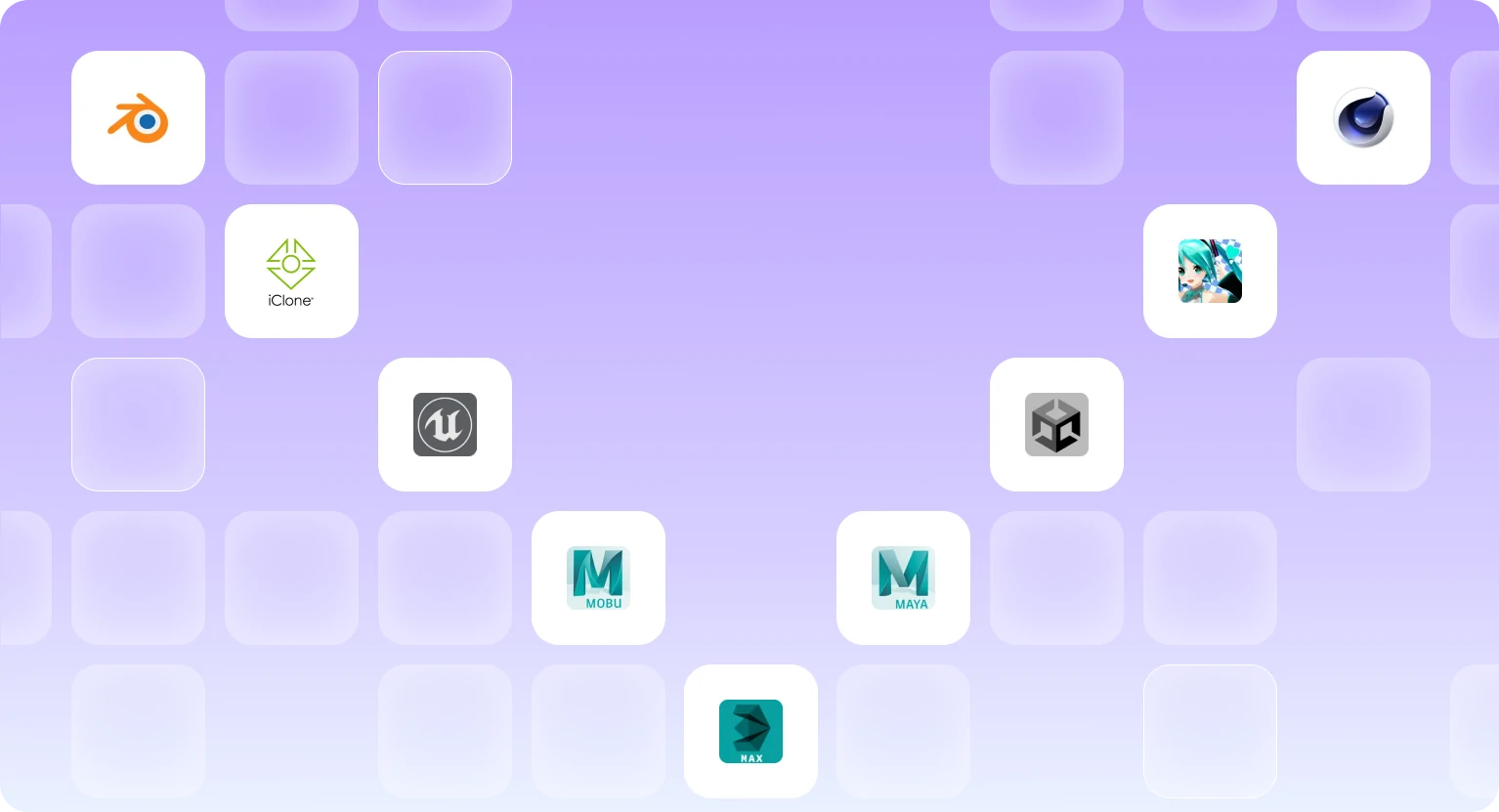
可匯出為 FBX、BVH、BIP、C4D、VMD、Mixamo、UE4、UE5.5、UE5.6、Character Creator & iClone、Roblox、OnlyFace 與 UniRobot,搭配 Blender、Unreal Engine、Unity、Maya、3ds Max、MotionBuilder、MikuMikuDance 等工具使用。可用匯出項目依方案與工作流程而異。

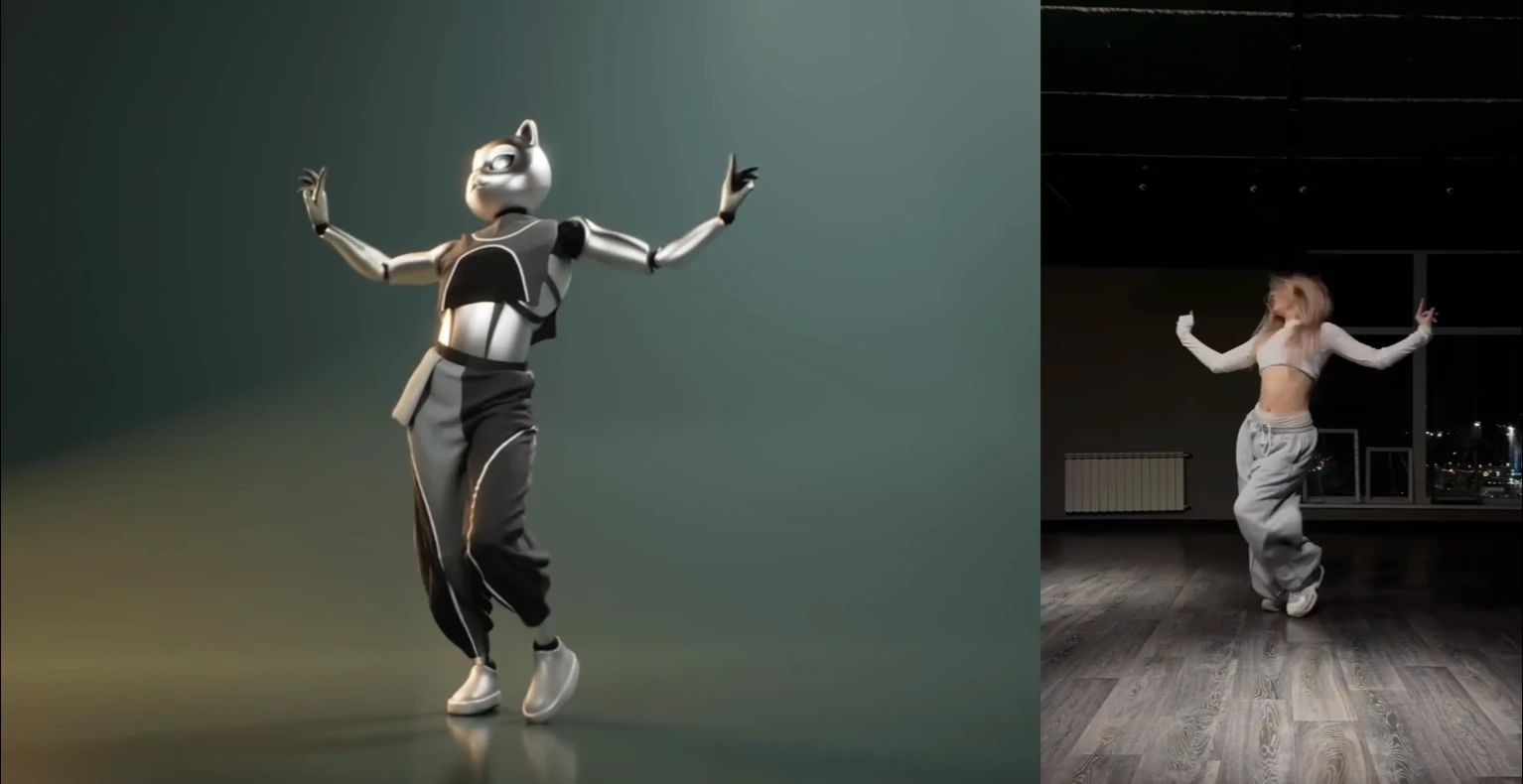
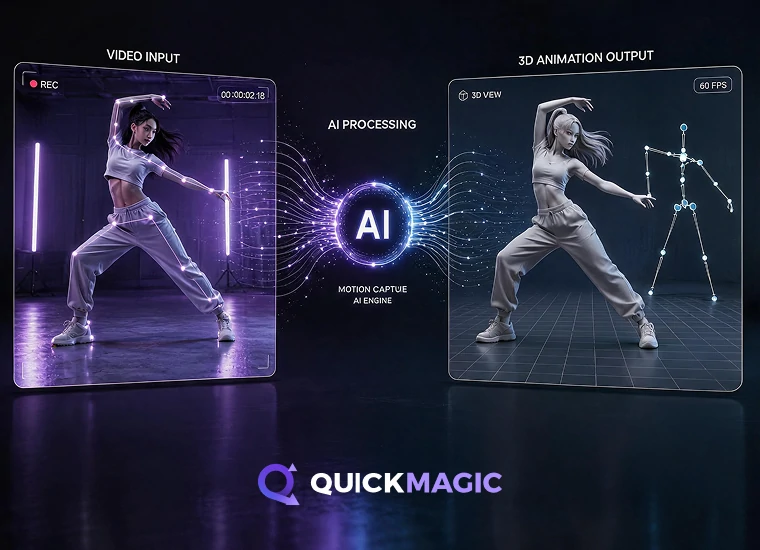
AI 影片轉 3D 動畫動作捕捉,將舞蹈、運動及動作影片中的人體動作轉為 3D 動作資料

將影片轉為可編輯的 3D 動作

上傳以手機、網路攝影機或相機拍攝的素材。QuickMagic 會推估身體、手部及臉部動作,轉為角色工作流程可編輯的動畫資料。成果會受主體可見度、動態模糊、遮擋、鏡頭運動及錄製動作類型影響。

支援項目:

  • 全身與上半身捕捉
  • 手部及臉部動作選項
  • 單人與多主體工作流程
  • 固定鏡頭或移動鏡頭素材
  • 姿勢、幀率與動作清理控制
試用影片動作捕捉

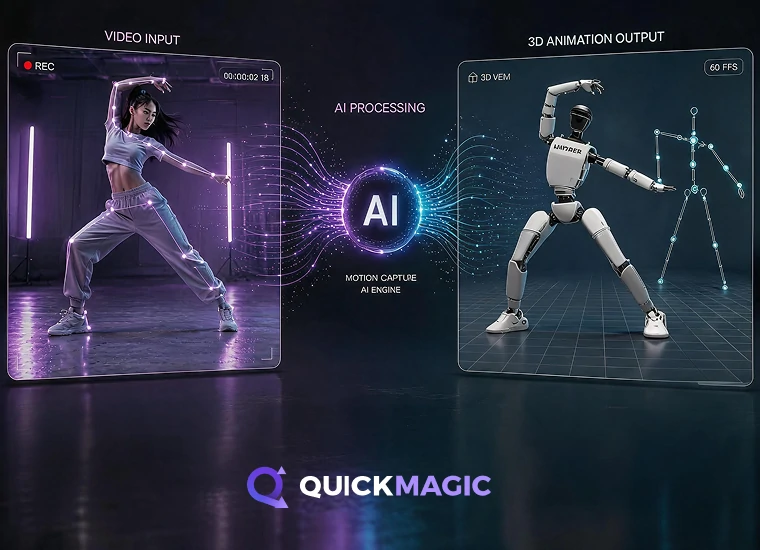
為人形機器人建立人體動作參考

從影片或文字生成供模擬、模仿學習實驗、行為原型與人形機器人工作流程使用的人體動作參考。目前匯出選項包含支援的 Unitree 機器人型號預設。

適用情境:

  • 用於模擬的人體動作參考
  • 模仿學習與行為原型設計
  • 影片或文字動作輸入
  • Unitree G1、H1 及 H1_2 動作預設
  • 研究與測試所需的人體動作資料
探索機器人動作資料
用於機器人及具身 AI 的 AI 動作捕捉,建立人形機器人模擬與訓練所需的人體動作資料
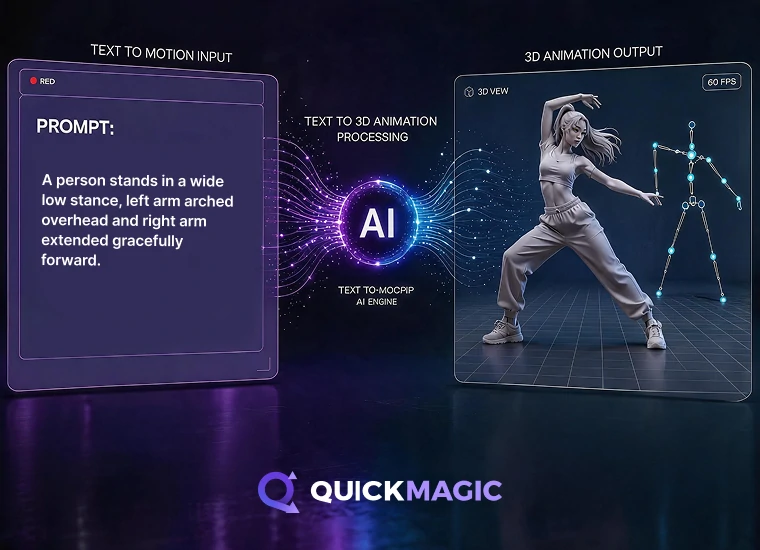
AI 文字轉 3D 動畫,從文字提示為角色、遊戲與人形代理生成動作資料

依文字提示生成 3D 動作

以自然語言描述動作、姿勢或角色表演。QuickMagic 會建立可預覽、匯出並在動畫管線中繼續精修的可編輯動作草稿。

適合用於:

  • 分鏡與預演製作
  • 遊戲與動畫原型
  • 角色表演構想發想
  • MMD、VTuber 與數位人內容
  • 可供後續精修的動作草稿
從文字創建動作
將 3D 動畫資料以 FBX 格式匯出供 Unreal Engine 使用

將動作匯出至你的
各式 3D 製作管線

在 Blender、Unreal Engine、Unity、Maya、3ds Max、MotionBuilder、Cascadeur、iClone、MikuMikuDance、Roblox 與其他動畫工作流程中使用 QuickMagic 動作資料。可匯出為 FBX、BVH、BIP、C4D、VMD、Mixamo、UE MetaHuman、Character Creator & iClone、Roblox、OnlyFace 及 UniRobot;匯出可用性依方案及流程而異。

另支援 Cascadeur、UEFN(Fortnite)、
Cartoon Animator 與其他 2D/3D 製作管線。

看看創作者如何使用 QuickMagic

探索藝術家與開發者運用 QuickMagic 製作 Unreal Engine 角色、在 Cascadeur 清理動作、創作 MMD 影片、製作 iClone 動畫及 UEFN 專案的真實工作流程。
Charlie DriscollCharlie Driscoll
Quickmagic.Ai might be the best single camera AI mocap solution I have seen or used.
觀看影片
DefontenDefonten
In this video, I test out QuickMagic AI - turning simple videos I filmed in my room into full motion capture animations. I’ll show you the complete workflow: recording, uploading to QuickMagic, downloading FBXs, and importing them into Unreal Engine to retarget onto free Paragon characters.
觀看影片
CascadeurCascadeur
We used QuickMagic for the video mocap, then retargeted the animation in Cascadeur, used Animation Unbaking and Fulcrum Motion Cleaning tools to set up a solid base, then used AutoPosing to fix and edit the poses, and finally a touch of AutoPhysics to add secondary motion and bring the whole animation together
觀看影片
Just a Simple CavemanJust a Simple Caveman
HALLOWEEN IS COMING, and what better way to celebrate than with "The Monster Mash!" I created this video using a video uploaded to @QuickMagic_cn AI mocap, and within a few minutes - Bingo-Bango! Completed cool animation ready to be used in UEFN!
觀看影片
Oby 1Oby 1
Ai Mocap is Good Now??
觀看影片
R2 StudioR2 Studio
A lot of hard work, and a lot of help using @QuickMagic_cn to generate my mocaps for thisanimation, and to be clear, I've used a mix of manual Animation and MOCAP 8:56 a.m. · March 21, 2025 291
觀看影片
iCloneiClone
Transform ordinary videos into precise, editable 3D motions with full-body, upper-body, and finger tracking — all seamlessly integrated into iClone.
觀看影片
RyanReosRyanReos
Queen Marika spin ✨ Animation converted from mocap with @QuickMagic_cn and clean up with @Cascadeur_soft
觀看影片
Dance with MikuDance with Miku
QuickMagic Ai might be the best single camera Al mocap solution I have seen or used. In this video, I use Quickmagic to pull a long running animation from a video shot on a smartphone. The animation is then brought into Unreal Engine 5, and applied to a metahuman, for use in a medieval battle scene.
觀看影片
CinemonsterCinemonster
I had started with Move One and I have to admit...it wasn't great when it launched. The animation was super jittery. Good for background characters and simple animations (like cheering or gestures) but that' s it…
觀看影片
Charlie DriscollCharlie Driscoll
Quickmagic.Ai might be the best single camera AI mocap solution I have seen or used.
觀看影片
DefontenDefonten
In this video, I test out QuickMagic AI - turning simple videos I filmed in my room into full motion capture animations. I’ll show you the complete workflow: recording, uploading to QuickMagic, downloading FBXs, and importing them into Unreal Engine to retarget onto free Paragon characters.
觀看影片
CascadeurCascadeur
We used QuickMagic for the video mocap, then retargeted the animation in Cascadeur, used Animation Unbaking and Fulcrum Motion Cleaning tools to set up a solid base, then used AutoPosing to fix and edit the poses, and finally a touch of AutoPhysics to add secondary motion and bring the whole animation together
觀看影片
Just a Simple CavemanJust a Simple Caveman
HALLOWEEN IS COMING, and what better way to celebrate than with "The Monster Mash!" I created this video using a video uploaded to @QuickMagic_cn AI mocap, and within a few minutes - Bingo-Bango! Completed cool animation ready to be used in UEFN!
觀看影片
Oby 1Oby 1
Ai Mocap is Good Now??
觀看影片
R2 StudioR2 Studio
A lot of hard work, and a lot of help using @QuickMagic_cn to generate my mocaps for thisanimation, and to be clear, I've used a mix of manual Animation and MOCAP 8:56 a.m. · March 21, 2025 291
觀看影片
iCloneiClone
Transform ordinary videos into precise, editable 3D motions with full-body, upper-body, and finger tracking — all seamlessly integrated into iClone.
觀看影片
RyanReosRyanReos
Queen Marika spin ✨ Animation converted from mocap with @QuickMagic_cn and clean up with @Cascadeur_soft
觀看影片
Dance with MikuDance with Miku
QuickMagic Ai might be the best single camera Al mocap solution I have seen or used. In this video, I use Quickmagic to pull a long running animation from a video shot on a smartphone. The animation is then brought into Unreal Engine 5, and applied to a metahuman, for use in a medieval battle scene.
觀看影片
CinemonsterCinemonster
I had started with Move One and I have to admit...it wasn't great when it launched. The animation was super jittery. Good for background characters and simple animations (like cheering or gestures) but that' s it…
觀看影片

AI 動作捕捉常見問題

什麼是 AI 動作捕捉?

AI 動作捕捉利用電腦視覺與機器學習模型,從影片推估人體動作並轉換為 3D 動畫資料。與傳統光學動捕不同,不需要反光標記或專用多機位攝影棚。

QuickMagic 如何將影片轉為 3D 動作?

上傳支援的影片後,選擇主體與捕捉選項,讓 QuickMagic 逐幀推估動作。接著可預覽結果,並匯出可用動畫格式到 3D 軟體繼續編輯。

哪類影片最容易得到好結果?

建議使用主體清楚可見、光線充足、動態模糊較少且沒有長時間遮擋的影片。進行全身捕捉時最好完整拍到身體;複雜的地面接觸、快速旋轉或人物近距離互動,可能需要額外清理。

QuickMagic 支援手部和臉部動作嗎?

支援的工作流程可使用身體、手部與臉部動作選項。可用細節程度取決於影像品質、手臉可見度、動態模糊,以及所選的輸出工作流程。

QuickMagic 可以捕捉多個人嗎?

對合適的素材,QuickMagic 支援多主體工作流程。為獲得較佳結果,請讓每人保持可見,避免長時間重疊或離開畫面;目前主體數上限請以產品介面為準。

可以使用移動鏡頭拍攝的素材嗎?

部分工作流程支援移動鏡頭影片,但鏡頭晃動、快速視角變化與遮擋都可能降低穩定性。請選擇合適的追蹤模式,並在匯出前檢查全域動作。

支援哪些匯出格式與 3D 工具?

QuickMagic 支援 FBX 與多種熱門 3D 工具專用的匯出預設。可用格式會隨方案與產品版本改變,請至「匯出格式」頁面查看最新相容性表。

QuickMagic 是免費的嗎?

QuickMagic 提供免費方案供你體驗 AI 動作捕捉。目前的使用額度、匯出格式、佇列優先權、影片長度、儲存空間及付費功能,請參閱定價頁面。

處理需要多久?

處理時間視影片長度、解析度、選用功能、佇列負載及方案優先權而定;產品介面會顯示目前任務狀態。

QuickMagic 動作可用於商業用途嗎?

商業使用權取決於你的方案,以及你對上傳影片、角色、音訊與其他原始素材擁有的權利。將生成資產用於商業作品前,請閱讀最新使用者協議。

上傳檔案與生成資產會保存多久?

目前定價頁面列出免費方案資產保存 15 天,付費方案則提供帳號持續儲存。儲存與資料保留規則亦載於隱私權政策。

QuickMagic 能為人形機器人生成動作嗎?

QuickMagic 為特定人形機器人型號提供動作參考流程與預設。請至「機器人動作資料」頁面確認支援機器人、關節定義、座標系統與目前限制。